




Kingsgrove Branch:

Need electrical products today? SCHNAP delivers same-day from our Kingsgrove warehouse to eligible Sydney areas within 30 km (by road). You can send it to your home, your business or your job site. Order and pay before 2:00 PM Monday to Friday, or before 12:00 PM (noon) on Saturday. Delivery charges start from $19.95 including GST.
Below you will find the charges, cut-off times, size limits and what happens if something goes wrong.
The charge depends on the road distance from our Kingsgrove warehouse to your delivery address.
| Distance from Kingsgrove (by road) | Delivery charge (inc. GST) |
|---|---|
| Up to 5 km | $19.95 |
| 5–10 km | $29.95 |
| 10–15 km | $49.95 |
| 15–20 km | $74.95 |
| 20–25 km | $89.95 |
| 25–30 km | $94.95 |
Your delivery charge is confirmed at checkout, before you pay.
Example: You order a box of circuit breakers on Tuesday at 1:30 PM. Your job site is 12 km from our warehouse by road. Your delivery charge is $49.95, and we aim to deliver the same day.
| Day | Order and pay before |
|---|---|
| Monday to Friday | 2:00 PM |
| Saturday | 12:00 PM (noon) |
| Sunday | Same-day delivery not available |
| NSW public holidays | Same-day delivery not available |
Your order must be paid before the cut-off time, not only placed. All orders depend on product availability and courier availability.
Same-day delivery is available to eligible Sydney metropolitan areas within 30 km of our Kingsgrove warehouse. The 30 km is measured by road distance, not in a straight line. The same road distance is used for the delivery charge table above.
Delivery is subject to availability. If you are not sure your address is inside the area, add your items to the cart and go to checkout. The system will show you the delivery charge for your address. If you need help, contact our team.
Most of our products can be delivered same-day if they meet these conditions:
The service is made for smaller electrical products that fit in a standard passenger vehicle. For example, items like switches, powerpoints, circuit breakers and downlights are usually small enough.
Bulky and heavy items cannot go by same-day delivery. This includes:
We can still deliver these items, but on a different service. Contact our team for a separate delivery quote. This also applies to larger orders.
No. We aim to deliver eligible orders on the same day, but we cannot promise an exact arrival time. The time depends on traffic, driver availability and your delivery location.
If the delivery fails because nobody could receive it, extra charges may apply.
Sometimes delays happen that we cannot control. If we cannot complete your same-day delivery, we will contact you. We will arrange another delivery, or an appropriate refund.
All deliveries depend on SCHNAP's confirmation and courier availability. Your rights under Australian Consumer Law are not affected.
How much is same-day delivery in Sydney?
It starts from $19.95 (inc. GST) for addresses up to 5 km from our Kingsgrove warehouse. The highest charge is $94.95 for 25–30 km. See the table above.
What is the cut-off time for same-day delivery?
Monday to Friday, you must order and pay before 2:00 PM. On Saturday, before 12:00 PM (noon).
Can I get same-day delivery on Saturday?
Yes, if you order and pay before 12:00 PM (noon) and the other conditions are met.
Is same-day delivery available on Sunday or public holidays?
No. It is not available on Sundays or NSW public holidays.
How far do you deliver same-day?
Up to 30 km by road from our Kingsgrove warehouse, in eligible Sydney metropolitan areas.
Can you deliver to a job site?
Yes. We can deliver to your home, business or job site. Please make sure someone can receive the goods.
What is the maximum size and weight?
Each package must be 20 kg or less and within 60 × 60 × 60 cm. You can have up to six packages in one delivery.
Can I get conduit or cable tray delivered same-day?
No. Conduit, long cable trays, cable ladders, large switchboards and heavy cable drums are excluded. Contact us for a separate delivery quote.
Do you promise a delivery time?
No. We aim to deliver on the same day, but exact arrival times cannot be guaranteed.
What if nobody is home?
Extra charges may apply for an unsuccessful delivery. Please provide a correct address and make sure someone can receive your order.
What if my order cannot be delivered the same day?
We will contact you to arrange another delivery or an appropriate refund.
Where can I see my delivery charge?
At checkout. It is confirmed before you pay.
If you need conduit, bulky equipment or a larger order, contact our team for a separate delivery quote.
Contact SCHNAP — Unit 3/192A Kingsgrove Rd, Kingsgrove NSW 2208 — (02) 9150 7744 — service@schnap.com.au
Last updated: 28 September 2026
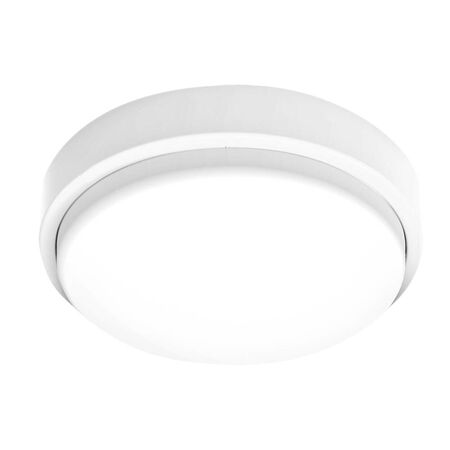
An electrician wiring the common corridor of a new townhouse block installs a standard PIR sensor oyster light at each end, only to have the lights blink off mid-stride every time a resident walks the full length of the hallway. The fixture works exactly as designed — it's just the wrong sensor mode for a corridor. Picking between a standard PIR sensor and a corridor-hold sensor is one of the few oyster light decisions that actually changes how a space behaves once tenants move in, and getting it wrong usually only shows up after the building is occupied.
NCC Section J (Energy Efficiency) generally pushes multi-residential and commercial common areas — stairwells, corridors, carparks, foyers — toward lighting that switches off automatically once a space isn't in use, rather than running on a timer or a manual switch alone. The exact trigger depends on building classification and floor area, so the energy assessor's report for that specific job is what actually confirms whether a given corridor or carpark run needs sensor control. What matters once it's specified is that the fixture chosen matches how people actually move through the space.
A standard PIR sensor oyster light, like the SAL Sensor Oyster Light 20W Tri-CCT Mode 1 IP65, detects movement in a roughly circular zone around the fixture and switches off once that zone has been clear for a set hold time. That works well at a stairwell landing or a carpark bay, where someone passes through and moves on. It works badly in a long corridor, because a single fixture's detection zone often can't cover the full length someone is walking, and the light behind them switches off before they've cleared it.
A corridor-hold sensor, like the SAL Corridor Sensor Oyster Light 24W Tri-CCT IP65, is built for that exact scenario — its detection pattern is stretched along the direction of travel rather than circular, and adjacent fixtures on the same run typically hand off to each other in sequence as someone walks through, rather than each one timing out independently.
| Sensor Type | Detection Pattern | Best For | Common Failure If Misapplied |
|---|---|---|---|
| Standard PIR | Circular zone, fixed hold time | Stairwell landings, carpark bays, short runs | Light drops out mid-corridor as person keeps walking |
| Corridor-Hold | Directional, fixtures hand off in sequence | Long corridors, hallways with multiple fixtures | Over-specified and unnecessary on very short runs |
Stairwells usually sit fine with a standard PIR unit — dwell time on a landing is short, and the circular detection zone comfortably covers someone climbing or descending. Carpark bays behave the same way in most cases, provided sightlines are reasonably open and fixtures are spaced to the manufacturer's coverage spec. A corridor is the space that actually forces the corridor-hold decision, because it's the one layout where a person's direction of travel outruns a single fixture's zone.
If the carpark or corridor run includes any semi-outdoor or fully exposed sections, the sensor decision also has to account for weatherproofing — that's a separate call from the sensor mode itself, closer to choosing the right outdoor oyster light for an exposed carpark deck than to indoor corridor coverage.
The most common mix-up is defaulting every common-area fixture to standard PIR because it's what's on the truck, then finding out at handover that the corridor run has dead spots. Walking the actual space before ordering — not just measuring it on plan — is usually enough to catch this before the switchboard schedule is locked in.
The second is skipping the manual override question. Cleaners and maintenance staff often need a way to hold lighting on regardless of movement, and not every sensor oyster light supports that the same way — check the fixture's wiring diagram before assuming an override switch will simply work in-line.
It's also worth checking early whether any fixture on that same common-area run needs to double as emergency lighting — a corridor or stairwell that requires sensor control under Section J is often also a candidate for meeting AS 2293 requirements for emergency lighting, and the two circuits need to stay separate at the switchboard rather than combined onto one run.
Does NCC Section J require sensor control on every common-area oyster light?
Not automatically — it depends on the building's classification and the energy assessor's report for that specific space. Corridors, stairwells and carparks are the areas most commonly affected, but the sign-off document is what confirms whether a given run actually needs automatic shut-off.
Do I need a licensed electrician to install a sensor oyster light?
Yes — wiring a hardwired sensor oyster light into a lighting circuit is electrical work and needs to be carried out and certified by a licensed electrician, the same as any other hardwired fixture.
What's the difference between sensor mode 1 and mode 2 on a PIR oyster light?
It varies by manufacturer, but on the SAL range the two modes typically set different combinations of hold time and sensitivity — the SAL Sensor Oyster Light 20W Tri-CCT Mode 2 IP65 is generally the longer hold-time setting, which suits spaces with slower foot traffic than a mode 1 default. Check the fixture's spec sheet before locking in a mode on the switchboard schedule.
Is a corridor-hold sensor always the right choice for a long hallway?
Usually, but not always — a shorter corridor with good sightlines can sometimes get adequate coverage from closely spaced standard PIR fixtures like the Martec Sensor Oyster Light 18W Tri-CCT IP54 instead. Corridor-hold becomes the safer default once the run gets long enough that a single PIR zone can't reasonably cover someone's full walking speed.
Can a sensor oyster light still be manually switched for cleaning or maintenance?
Yes, with the right wiring — a manual override typically sits ahead of the sensor circuit rather than replacing it. Confirm the override method against the fixture's wiring diagram before running cable, since not every sensor oyster light supports the same approach.
What happens if a sensor oyster light and an emergency oyster light share the same common-area run?
They need separate circuits even if they're mounted close together — a sensor timing out isn't the same event as a mains outage, and mixing the two circuits can leave a space with no clean test path for the emergency function. This is covered in more detail in the common mistakes section above.
Trade pricing applies across the range below, in Schnap's Oysters range, with same-day dispatch from Kingsgrove NSW on in-stock orders.
Standard PIR Sensor Oyster Lights
Corridor-Hold Sensor Oyster Lights
Twist-Lock Sensor Oyster Light
Need the right sensor oyster light for the job? Browse the range at Schnap.
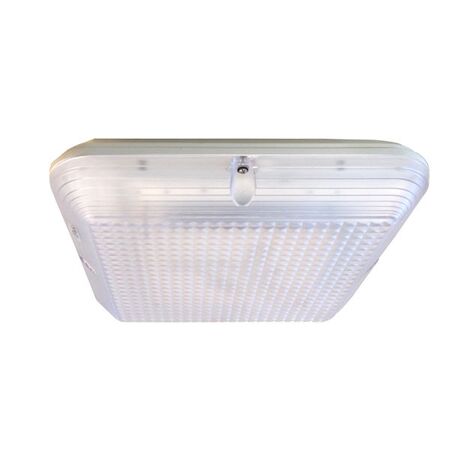
A carport light that fails within eight months of install usually isn't a wiring fault — it's condensation sitting inside a housing rated for a covered porch, not an open driveway. Outdoor oyster lights all look similar on a supplier page, but the gap between IP54 and IP65 decides whether a fixture survives its first wet season on an exposed eave.
This guide breaks down when a covered IP54 fixture is genuinely enough, when full IP65 weatherproof protection is required, and the installation mistakes that turn a correctly-specced fixture into a callback anyway.
Both ratings protect against dust ingress, but the second digit is where they split. IP54 protects against water splashing from any direction — fine for a fixture sitting under a genuine roof overhang. IP65 protects against low-pressure water jets from any direction, which is what an exposed eave, open carport, or unshielded wall actually experiences in wind-driven rain.
| Rating | Protection Level | Typical Location | Example Fixture |
|---|---|---|---|
| IP54 | Dust protected, splashing water from any direction | Covered porch, verandah, alfresco with roof overhang | 12W Tri-CCT Dimmable IP54 |
| IP65 | Dust-tight, low-pressure water jets from any direction | Open carport, exposed eave, unshielded exterior wall | 22W Square IP65 Weatherproof |
If the mounting point sits under a solid roofline that actually blocks rain from reaching the fixture — not just an eave that shields the wall below it in a light drizzle but leaves it exposed in a storm — IP54 is a correct, not a corner-cut, choice. Matching oysters to the right IP rating for the specific eave depth and prevailing wind direction, rather than defaulting to whatever's cheapest, avoids both over-speccing indoors and under-speccing outdoors.
An open carport, a courtyard wall with no roof above it, or an eave shallow enough that horizontal rain still reaches the fixture all call for IP65 as a minimum. Coastal sites add another factor — even a technically-shielded fixture can take on moisture through condensation cycling if it's a poor-quality IP54 unit in a humid, salt-laden environment. Where there's genuine doubt about exposure, checking the manufacturer's datasheet and the site's specific wind-driven rain pattern is worth the five minutes before ordering.
Mistake 1: Trusting the eave, not the wind. An IP54 fixture goes under an overhang that blocks vertical rain but not the horizontal rain a storm front pushes sideways. Consequence: water tracks in through the diffuser seal within a season. Correction: check exposure at the fixture's actual mounting height and orientation, not just whether there's a roof above the wall.
Mistake 2: Treating "outdoor" as one compliance box. Weatherproofing and emergency lighting compliance are separate questions. A fixture on an external stairwell or carpark exit path can be correctly rated IP65 and still fail sign-off if it also needs to satisfy egress lighting requirements. That side of the assessment is covered in the emergency oyster light compliance guide, which walks through standalone versus maintained requirements under AS 2293.
Mistake 3: Assuming the sensor shares the housing's rating. On combined sensor-oyster fixtures, the PIR lens is sometimes rated lower than the main housing — a detail that's easy to miss when the datasheet only headlines the body's IP rating. Consequence: the sensor fails first, well before the fixture itself. Correction: check both ratings separately before installing outdoors, a point covered in more detail in the sensor oyster light guide.
Is IP54 enough for a covered alfresco light?
Yes, provided the roofline genuinely blocks rain reaching the fixture from any angle a storm might push it — not just straight-down drizzle.
What IP rating do I need for an open carport?
IP65 as a minimum. A fixture like the 20W Tri-CCT IP65 oyster light is built for exactly this exposure.
Do I need a licensed electrician to install an outdoor oyster light?
Yes — fixed outdoor lighting wiring work in Australia requires a licensed electrician, and outdoor circuits typically need RCD protection under AS/NZS 3000.
Does the IP-rating logic for oyster lights apply to other outdoor electrical gear too?
Yes — the same covered-vs-exposed assessment applies to anything wired or plugged in outdoors, as covered in the outdoor extension lead guide.
Can an IP54 fixture be relocated to a fully exposed wall later?
Not recommended — the housing and seals aren't built for direct water jets, and swapping the fixture out is cheaper than dealing with a failure down the line.
What oyster light size suits a standard double carport?
A 24W Tri-CCT IP65 oyster light generally covers a double carport's footprint without needing a second fixture.
Trade pricing applies across the range, with same-day dispatch from Kingsgrove NSW on stocked lines.
IP65 — Fully Exposed
IP54 — Covered Outdoor
Find the right outdoor oyster light for your installation at Schnap.
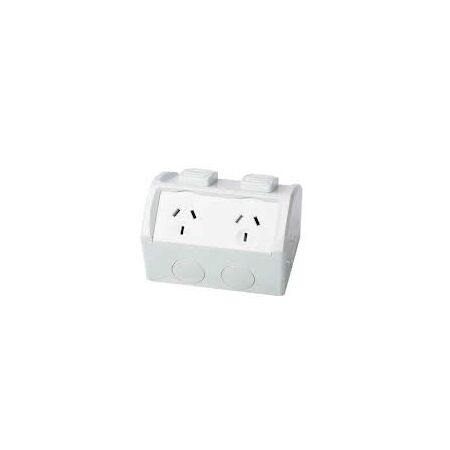
You're putting a GPO in near the outdoor laundry tap for a pressure washer, and the customer's asking whether they need the fancy weatherproof one or if a standard double will do since it's under the eave anyway. It's a fair question, and the answer isn't always "weatherproof everything outdoors" — it depends on exposure, not just location. Getting the single-vs-double and standard-vs-weatherproof calls right up front saves a return trip, the same way it's worth checking across the Lanx cable gland size and material guide before ordering glands for the same job.
A double GPO isn't automatically the better choice just because it gives two outlets in the same wall space — it's a call based on expected load at that point, not a default upgrade. Kitchen benchtops, home offices, and entertainment areas usually justify a double given how many things get plugged in at once. A single GPO still makes sense for a dedicated circuit — a single appliance point, or a spot where a double would just invite double-adaptors and extension leads anyway. Lanx covers both configurations, including a single with an extra switch for a dedicated appliance circuit.
Weatherproof-rated GPOs matter where the outlet is genuinely exposed to moisture — direct rain, hose-down areas, or high-humidity spots like near an outdoor tap or pool equipment. An outlet fully under a covered patio with no wind-driven rain exposure may not need the same rating as one on an open deck. The IP53 rating on the Lanx weatherproof range covers protection against dust ingress and water spray from an angle — it's not a fully submersible rating, so it's still worth mounting it somewhere that isn't standing in water.
| Location | Typical need |
|---|---|
| Kitchen benchtop, home office | Standard double GPO |
| Covered patio, alfresco (sheltered) | Standard or weatherproof, depending on exposure |
| Laundry tap, pool equipment, open deck | Weatherproof IP53 |
This is a general guide, not a substitute for checking the actual exposure of the specific location against AS/NZS 3000.
Not every GPO goes in a wall. A flush floor outlet box suits an island bench or a room layout where running a wall circuit isn't practical — it sits flush until it's needed, which matters for a clean finish in a living space. A specialty RCD-protected outlet is worth considering for a single higher-draw appliance circuit where extra protection is warranted beyond what the switchboard already provides.
[!] Compliance note
Fitting or replacing a GPO is licensed electrical work in Australia — it's not a DIY swap, even where the outlet looks like a straightforward like-for-like replacement.
Defaulting to weatherproof "just in case" outdoors. It's not wrong, but it's often unnecessary cost and a bulkier fitting where a standard GPO under genuine cover would do the job fine.
Assuming IP53 means fully sealed. It covers spray and dust, not submersion — mounting one somewhere it could pool water is still a problem regardless of the rating.
Installing a single where load genuinely needs a double. A benchtop with a kettle, toaster, and coffee machine competing for one outlet is exactly how double-adaptors end up doing the double GPO's job badly.
Not checking the switch position on extra-switch models. Some jobs need the switch position to clear a splashback or joinery edge — worth checking before it's mounted, not after.
Is a double GPO always better than a single?
Not always — a single 10A GPO is the right call for a dedicated circuit where a second outlet isn't needed and would just invite extension leads.
Can I add an extra switch to an existing power point?
Generally that means replacing the unit with an extra-switch model rather than modifying the existing plate — it's licensed work either way, so it's worth planning the final configuration before ordering.
What's the difference between a 10A and 15A power point?
A 15A GPO, like the Lanx single 15A power point, suits a higher-draw appliance that a standard 10A plug and socket isn't rated for — the pin configuration is different, so it's not interchangeable with a standard 10A plug.
Do I need a weatherproof GPO under a covered patio?
It depends on wind-driven rain exposure at that specific spot — a sheltered wall away from the open side may not need it, but it's worth erring toward weatherproof if there's any doubt.
Is IP53 enough for a GPO near a pool?
A double weatherproof GPO IP53 handles spray and dust exposure, but pool area electrical work has its own compliance requirements under AS/NZS 3000 worth checking against the specific installation.
Do I need a licence to install an outdoor GPO?
Yes — outdoor and indoor GPO installation is licensed electrical work in NSW, and it's worth confirming current requirements against NSW Fair Trading before starting the job.
These GPOs and power points are trade priced with same-day dispatch on in-stock items from the Kingsgrove NSW warehouse.
Find the full double GPO range at Schnap — trade pricing and same-day dispatch from Kingsgrove NSW.
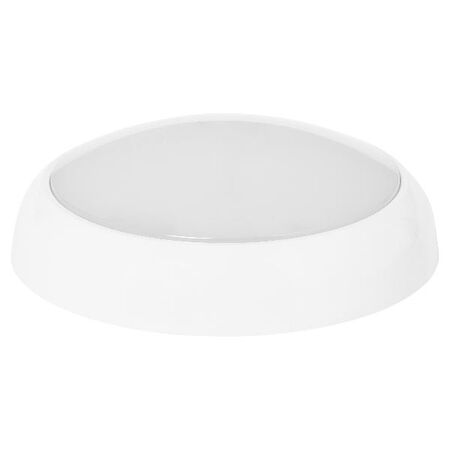
An electrician finishing a small café fit-out drops in a standard oyster light for the counter area, only for the building certifier to flag it at final inspection — the space needs a maintained emergency function, and the plain fixture doesn't qualify. AS 2293.1 sets out when a ceiling fixture in a commercial or multi-residential tenancy generally needs to double as emergency or maintained egress lighting, and getting the wrong variant on the switchboard schedule is an easy way to lose a sign-off. The difference between a standalone unit and one wired into a central maintained supply comes down to how the building's emergency system is set up, not just which oyster light looks right for the ceiling.
In most commercial tenancies, multi-residential common areas, and other spaces with public access, egress paths and exit points typically need lighting that keeps working for a set period after mains power is cut — commonly around 90 minutes, though the exact duration and coverage should be confirmed against the building's fire and emergency lighting design. An ordinary oyster light with no battery backup doesn't satisfy that requirement on its own. What the certifier is actually checking is whether the fixture (or a dedicated unit nearby) keeps functioning through a simulated outage, not just whether the ceiling looks lit.
A standalone unit, like the Legrand 15W standalone oyster light, carries its own battery pack and test function inside the fixture — it doesn't need to be wired into anything beyond its own circuit, which makes it the quicker option for a single tenancy or small retrofit. A maintained fixture, such as the Ektor 26W maintained oyster light, connects to and is monitored by the building's central emergency lighting system — this is the more common requirement in larger multi-tenant buildings that already run centralised testing and monitoring across every exit and egress fixture in the property.
| Type | Setup | Testing | Best for |
|---|---|---|---|
| Standalone | Self-contained battery, own circuit | Manual test button on the fixture | Single tenancies, small retrofits |
| Maintained | Wired to central emergency supply | Monitored centrally with the rest of the building | Larger multi-tenant buildings with existing central monitoring |
Related Reading
Outdoor Oyster Light: IP54 vs IP65The most frequent mix-up is treating any oyster light labelled "emergency" as standalone when it's actually a sensor-integrated unit wired to run continuously off the mains, with no independent test button of its own — the certifier finds nothing to test, and the job stalls. Checking the model's spec sheet for standalone versus centrally-wired before ordering avoids this entirely.
The second common error is putting the emergency fixture on the same switched or sensor circuit as the general lighting. If the same run also uses corridor sensor lighting choices, confirm the sensor circuit and the emergency circuit are wired separately before the switchboard is signed off — otherwise a sensor timeout or a switched-off circuit can leave the space with nothing illuminated at the exact moment the emergency function is meant to prove itself.
Do oyster lights need to be AS 2293 compliant in commercial fit-outs?
Generally, any fixture along an egress path or at an exit in a commercial or multi-residential tenancy needs to meet AS 2293.1 requirements — check the specific coverage and duration against your building's fire and emergency lighting design before ordering.
What's the difference between a standalone and a maintained emergency oyster light?
A standalone unit like the Legrand 15W standalone oyster light covered above carries its own battery and test button. The Legrand Galaxy emergency oyster light is a similar standalone option in a different finish, while a maintained unit is wired into and monitored by the building's central emergency system instead.
Can I get a sensor-integrated emergency oyster light for a corridor?
Yes — units like the Legrand sensor emergency oyster light combine motion-sensor general lighting with the emergency function in one fixture, which suits corridors where both are required.
Do I need a licensed electrician to install an emergency oyster light?
Yes — like any hardwired lighting circuit, installation and connection to mains or a central emergency supply needs to be carried out by a licensed electrician, and the completed job typically needs to be certified as part of the tenancy sign-off.
How long should the emergency battery last during a power outage?
Duration requirements vary by building and application, but 90 minutes is a common benchmark — the Legrand 240V sensor emergency oyster light is built to that kind of runtime, but always confirm the figure against your job's emergency lighting design.
How often do emergency oyster lights need testing?
Most jurisdictions require a short monthly function test and a longer annual discharge test — standalone units are tested individually at the fixture, while maintained units are usually tested and logged through the building's central emergency lighting system.
Related Reading
LED Panel Sizes: A Retrofit Guide for Ceiling GridsTrade pricing applies across the range below, with same-day dispatch from Kingsgrove NSW on in-stock orders.
Standalone Emergency Oyster Lights
Sensor-Integrated Emergency Oyster Lights
Maintained Emergency Oyster Light
Browse the full emergency oyster light range at Schnap.
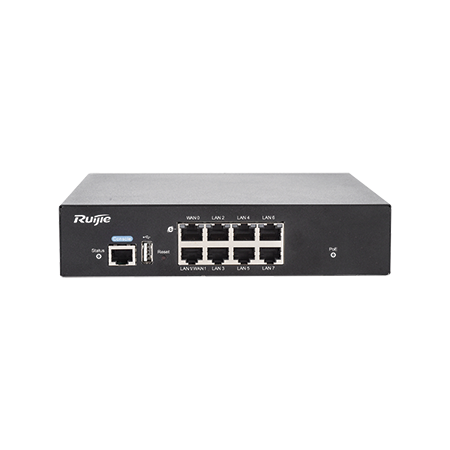
| Model | Ports | PoE Ports | WAN Ports |
|---|---|---|---|
| 5-Port Managed PoE Router (MG01) | 5 | 4x Gigabit | 2 |
| 10-Port Managed PoE Router (MG02) | 10 | 8x Gigabit | 4 |
| PoE Security Gateway Router (SG01) | 7 | Gigabit — check listed PoE budget for your camera load | 1Gbps |
For a straightforward four-to-six camera retail or small office job, the 5-port unit is usually enough, and the security gateway router is worth considering when the client wants a system that's built with security-specific features in mind rather than a general-purpose router pressed into service. Bigger jobs — multi-tenant buildings, warehouses with a dozen cameras plus access control — are where the 10-port unit earns its keep, since running out of PoE ports halfway through a job means either a second box or an awkward conversation with the client about scope.
Not every site has a fixed internet connection ready to go when the cameras need to start uploading footage — a new build or a demountable on a construction site is often still waiting on its NBN connection weeks after the cameras are already up. On those jobs, a 4G router covering the gap until the fixed line lands keeps the client's system live from day one instead of sitting dark until the connection's sorted. And on properties where the cameras aren't all on one building — a shed or a detached garage separate from the main structure — running a wireless bridge across to the far building means you're not trenching cable just to get one more camera online.
Check the CCTV power supply sizing once the router and camera count are settled — the PoE budget on the router covers the cameras themselves, but if there's a separate NVR or additional non-PoE gear on the same circuit, that's a different sizing question entirely.
Do I need an ACMA-registered cabler to install PoE cameras and a PoE router?
Generally yes — structured data cabling for CCTV systems typically falls under ACMA's cabling licensing rules, so confirm your registration covers the class of cabling work involved before quoting the job.
Does a PoE router need to be on a dedicated circuit?
Not usually — most run fine off a general power circuit like any other network device, but check the manufacturer's specs if it's sharing a circuit with other higher-draw equipment.
How many PoE ports do I need for a typical small business CCTV job?
Enough for the current camera count plus 2-3 spare, since additions are common. For anything past six to eight cameras, look at a 10-port unit so you're not squeezed out on the next visit.
Will a PoE router work with a vehicle DVR setup?
Not directly — vehicle DVR systems run off the vehicle's own power supply rather than a fixed PoE router, so they're a different setup entirely.
Do I still need an alarm panel if I'm already running CCTV on a PoE router?
Yes — CCTV and intrusion alarm are separate systems. If the job includes both, sizing the alarm zones is a separate step from sizing the PoE router.
Can I mix PoE cameras and non-PoE devices on the same router?
Yes — non-PoE devices just plug into the regular Ethernet ports and won't draw from the PoE power budget.
Related Reading
Trade discounts apply and orders placed before cut-off ship same-day from Kingsgrove NSW.
Browse the full router range at Schnap.
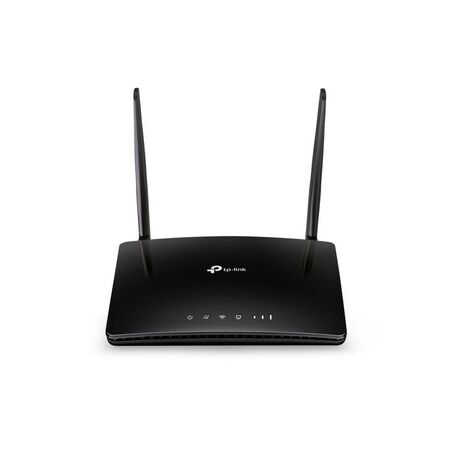
The demountable's been craned in, the temporary board is live, and the builder wants drawings, timesheets and the site cameras online by Monday — but the NBN connection for the lot is still weeks away. A 4G router with a data SIM is usually the quickest way to get the site office working in the meantime, and if you pick it well, it can stay on as the backup once the fixed line finally lands. Here's what to check on signal, sizing and failover before you order one.
On a new build, the fixed connection is rarely the first service ready. The lead-in has to be in the ground, the pit and pathway have to meet the network's requirements, and only then does a connection get booked. Any hold-up along that chain pushes the date back. If you're the one running the pathway, it's worth getting the NBN lead-in conduit and fittings right the first time, because redoing a lead-in only adds to the wait.
Meanwhile, the people on site still need internet. Supervisors are pulling revised drawings, subbies are clocking on through an app, and the client often wants cameras recording from the day the fence goes up. Tethering off a phone works for an afternoon, not for three months. A dedicated 4G router takes a data SIM, turns the mobile signal into a normal Wi-Fi and Ethernet network, and sits in the site office like any other piece of network gear.
The router is only as good as the signal where it sits. Check coverage inside the demountable itself, not out in the car park — a steel-clad site office can take a noticeable bite out of reception compared with standing outside. Walk around inside with a phone on the same carrier you plan to put in the router and note where the signal holds up best. That spot, often near a window facing the nearest tower, is where the router wants to live.
Choose the carrier based on what you measure on site, not on what the office uses back at base. On fringe sites, a router with detachable antennas gives you options later, such as fitting higher-gain or externally mounted antennas. A unit with internal antennas leaves you moving the whole router around instead. Check the antenna connector type and the carrier's recommendations before buying any add-ons.
Count what needs a cable and what needs Wi-Fi. A laptop and a tablet in a lock-up shed is a very different load from a site office with a printer, two desktops, a screen for drawings and an NVR. The compact TP-Link TL-MR100 covers the small end with one LAN port and 2.4 GHz Wi-Fi. Past that, you want more wired ports, dual-band Wi-Fi, or both.
| Model | Wired Ports | Wi-Fi | Worth Knowing |
|---|---|---|---|
| TP-Link TL-MR100 | 1 LAN, 1 WAN | 2.4 GHz, up to 300 Mbps | Smallest unit — one or two users |
| TP-Link TL-MR6400 | 3 LAN, 1 WAN | 2.4 GHz, up to 300 Mbps | Internal antennas — small site office |
| TP-Link Archer MR402 | 4 x 10/100 LAN | Dual-band AC1200 | External antennas — more Wi-Fi users |
| Legrand 659192 | Check datasheet | 802.11b/g/n | 4G LTE up to 150 Mbps, built-in firewall |
| TP-Link Omada ER706WP-4G | 5 x Gigabit LAN/WAN | Wi-Fi 6 AX3000 | Cat6 LTE up to 300 Mbps, VPN, cloud managed |
Two things in that table are easy to miss. The Archer MR402's four LAN ports are 10/100, which is fine for printers and internet traffic but slow for moving big files between machines on site. And the Wi-Fi figures are the router's local wireless rate, not what the 4G connection will actually deliver — that depends on signal, carrier and how busy the tower is.
If the security install is going in at the same time, plan the network around the cameras rather than bolting them on later. A 4G router gives the site its internet, but it isn't there to power cameras. On most jobs it feeds a PoE router or switch that handles that part, and choosing a PoE router for CCTV comes down to power budget and port count, not just how many cameras are on the drawing. And where the cameras or a second office sit in a separate building across the yard, a point-to-point outdoor wireless bridge can carry the connection over without trenching a cable run.
Once the fixed line is connected, the 4G router doesn't have to go back in the box. For a business client, a backup 4G router is cheap insurance: the NBN connection becomes the main link, and the 4G side takes over if that link drops. Whether a given model can switch over automatically depends on its firmware and operating modes, so check the failover settings on the unit before you promise it to a client.
For a site that's staying on as a small office or showroom, the Omada 4G+ Gigabit VPN router is built with that job in mind. Its listing shows Cat6 LTE up to 300 Mbps, five Gigabit LAN/WAN ports, Wi-Fi 6, VPN support and cloud management through the Omada app, with 4G+ LTE backup named as one of its applications. The product name also references PoE+, so check the datasheet for how many ports carry power and what the budget is before counting on it for cameras.
Worth flagging to the client: 4G failover only helps while the router still has power. If the NBN equipment and the router lose mains in a blackout, the backup goes down with them unless both are on a UPS.
Do I need a registered cabler to install a 4G router?
Plugging in the router and connecting devices with patch leads generally isn't regulated cabling work. Running fixed data cabling through walls or between buildings is customer cabling under ACMA's rules, so that part needs a cabler registered for the type of work involved.
Is it legal to use a mobile signal booster on a job site in Australia?
Only with the carrier's authorisation — unapproved mobile repeaters can interfere with the network and aren't permitted. If poor signal is the problem, better antennas on the router are usually the simpler fix. Ask the carrier about approved options before buying anything.
Does a 4G router in a site office need to be tested and tagged?
On construction sites, plug-in equipment, including the router's power supply, generally falls under the site's inspection and testing regime, which in most cases follows AS/NZS 3012. Check what your state regulator and the principal contractor require.
Why can't I view my CCTV remotely over a 4G connection?
Most likely the mobile plan uses carrier-grade NAT, which blocks incoming connections even when port forwarding is set up correctly. The NVR's own cloud or P2P app usually works around it, or ask the carrier about a public IP option.
Will a 4G router work inside a shipping container site office?
Often, but expect weaker signal than outside. A unit with internal antennas like the TP-Link TL-MR6400 needs to sit near a window or door. If signal is marginal even there, look at a model with detachable antennas.
How many devices can a 4G router handle in a site office?
It depends more on Wi-Fi bands and port count than on a headline number. For a few wired devices plus several people on Wi-Fi, a dual-band unit like the Archer MR402 with four LAN ports is a sensible step up from a single-port model.
Is a 4G router secure enough for a business network?
It can be, if it's set up properly — change the default admin password, keep the firmware updated and put visitors on a separate guest network. For a client who wants more control, the Legrand 4G LTE router is listed with a built-in firewall, and the Omada unit supports several VPN protocols.
Related Reading
Trade discounts apply on every model below, with same-day dispatch from Kingsgrove NSW on orders placed before cut-off.
Compact 4G Routers for Site Offices
Business-Grade 4G Routers for Backup
Need the right 4G router for the job? Browse the range at Schnap.
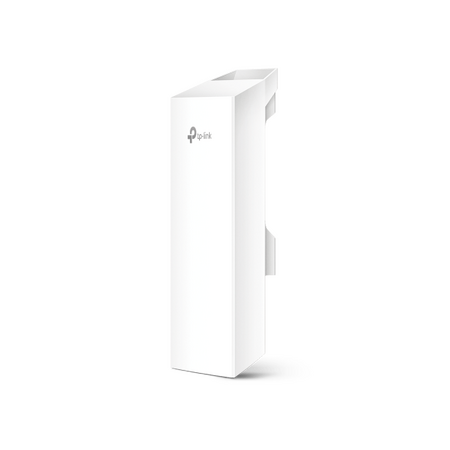
A property outside Penrith had a detached workshop about 80 metres from the main house — far enough that the indoor Wi-Fi signal gave up somewhere around the back fence. The owner wanted two CCTV cameras running in the workshop and a laptop online for invoicing, but the NBN connection for the address wasn't due for another six weeks. Trenching conduit underground for a job that size wasn't in the budget, so the fix was a point-to-point outdoor wireless bridge instead.
Standard indoor routers are built to cover a house, not bridge two separate structures — pushing Wi-Fi that far usually means dropped frames and an unreliable CCTV feed, if it connects at all. Trenching a cable run between buildings solves the range problem, but it means council approval in some council areas, disruption to a yard or driveway, and a job timeline measured in days rather than hours. A pair of outdoor CPE units mounted with a clear line of sight does the same job in an afternoon, without touching the ground between the two buildings.
With the NBN connection still weeks away, the house was already running off the 4G router already in place, so the bridge's job wasn't to create a new internet connection — it was to carry the one already working in the house out to the second building. One CPE unit mounts near where that connection enters the house, the other mounts on the workshop, and the link between them behaves like an Ethernet cable stretched through the air. Once that's confirmed stable, whatever runs off the house connection — laptop, CCTV, a second Wi-Fi access point — can run off it at the workshop end too.
The bridge gets data to the workshop, but the two CCTV cameras mounted there still need power, and running a separate power cable alongside a wireless link defeats half the point of not trenching. That's where a PoE router built for CCTV earns its place at that end — it takes the single Ethernet run off the bridge's outdoor CPE unit and pushes both data and power down to each camera off the one cable, so the only physical wiring inside the workshop is from the router to the cameras themselves.
Both units create the same kind of link — the difference is frequency, and that decides how forgiving the link is about what's standing between the two buildings.
| Model | Frequency | Antenna Gain | Wireless Rate | Best Suited To |
|---|---|---|---|---|
| CPE220 | 2.4GHz | 12dBi | Up to 300Mbps | Links with a tree line, fence, or partial obstruction — 2.4GHz generally holds up better through minor obstructions |
| CPE510 | 5GHz | 13dBi | Up to 300Mbps | Clean, unobstructed line of sight where more headroom is useful for CCTV plus general data use |
Actual throughput and effective range depend on line of sight, obstructions and interference on site — treat the figures above as a starting point for planning the job, not a guaranteed result. A quick site check with both units before final mounting is worth the extra half hour.
How far apart can the two buildings be for a point-to-point wireless bridge to work reliably?
It depends more on line of sight and obstructions than raw distance — a clean, unobstructed link can run well beyond what most residential and small-site jobs need, but tree growth, fences and terrain between the two points will cut into that range faster than distance alone.
Do I need a completely clear line of sight between the two units?
As close to clear as possible. Both units should be mounted high enough to see over fences, sheds and low vegetation — even partial obstruction in the direct path will reduce signal strength and reliability.
Which unit handles trees or a fence line between the buildings better?
The TP-Link CPE220 is the better starting point — 2.4GHz generally tolerates minor obstruction better than 5GHz, which needs a cleaner path to perform well.
Do I need an ACMA licence to run a point-to-point wireless bridge in Australia?
Equipment in the 2.4GHz and 5GHz bands generally operates under ACMA class licence conditions rather than an individual licence, but conditions differ by exact frequency and power output, and some 5GHz sub-bands carry outdoor-use restrictions. Check the current class licence conditions for the specific band the unit operates in before installing, rather than assuming it's automatically clear.
What data rate can I expect over the bridge for CCTV plus general use?
For a couple of CCTV streams plus everyday browsing and invoicing traffic, the TP-Link CPE510 generally has more comfortable headroom, provided the line of sight is clean — 5GHz tends to carry less interference in built-up areas than 2.4GHz.
Related Reading
Both units below are in stock at trade pricing, with same-day dispatch from Kingsgrove NSW on in-stock orders.
Find the right point to point outdoor wireless bridge for your installation at Schnap.
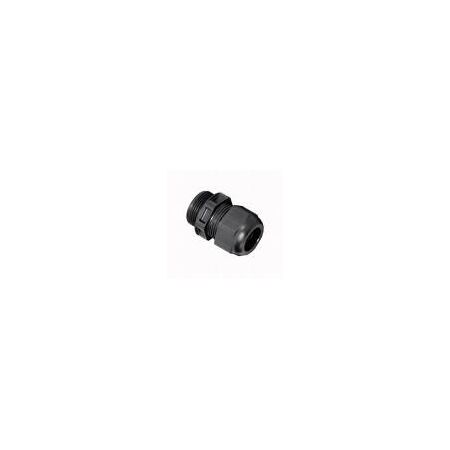
You're feeding a new sub-board outdoors, the cable's sitting around 20mm OD, and there's a box of mixed brass and nylon glands in the van with half the labels rubbed off. Grabbing the first one that looks close enough is how you end up with a gland that's too loose to seal properly, or too tight to thread the cable through without damaging the sheath. Getting the size and material right takes a minute to check properly, and it's the same call made across the Lanx Australis electrical range.
Every cable gland is specified by a clamping range, not a single fixed size — the gland needs to close down onto the cable's outer diameter firmly enough to seal and grip, without crushing the sheath. Measure the cable OD before grabbing a gland, not the conduit or cutout size the cable's passing through. Undersized and the cable won't thread through the gland body; oversized and the seal won't compress properly against the cable, which defeats the point of using a gland at all rather than a plain grommet.
Nylon glands are the general-purpose option — the Lanx nylon range from 12mm through 63mm covers most weatherproof cable entry points on standard enclosures. Brass glands step up where the install is exposed to corrosion — coastal sites, industrial environments, or anywhere salt air or chemical exposure will degrade a plastic gland faster than the job's design life. It's not just a durability upgrade; a brass gland also provides continuity for cable armour or shielding where that's part of the install, which a nylon gland doesn't.
| Gland size | Material | Typical use |
|---|---|---|
| 12mm | Nylon or brass | Small control or data cable entries |
| 20-25mm | Nylon or brass | General sub-board and enclosure feeds |
| 32-40mm | Brass preferred | Heavier feeder cables, industrial enclosures |
| 63mm | Brass | Main incomer and large feeder cables |
Treat this as a starting reference — always confirm against the actual cable OD on the job rather than sizing off the circuit rating alone.
On the outdoor sub-board from the intro, the gland isn't just holding the cable in place — it's maintaining the enclosure's IP rating at every entry point. A gland that's the wrong size, or fitted without the seal compressing properly, opens a path for moisture into the enclosure regardless of how well-rated the enclosure itself is. This matters more on nylon glands, where the seal relies entirely on the gland body compressing evenly; a brass gland with a compression nut generally tolerates a slightly imperfect fit better.
[!] Compliance note
Where an enclosure's IP rating is part of the installation's compliance requirement under AS/NZS 3000, every cable entry — including the gland — needs to maintain that rating, not just the enclosure body itself.
Sizing to the conduit instead of the cable. The gland needs to clamp the cable OD, not fill the conduit or cutout — grabbing a gland to match the hole size rather than the cable is the most common mismatch on site.
Using nylon where brass was needed. A nylon gland that's fine indoors can degrade faster than expected once it's exposed to UV, salt air, or chemical fumes — worth checking the environment before defaulting to nylon out of habit.
Not tightening the compression nut fully. A gland that's the right size but under-tightened won't seal properly — it's an easy step to rush when you're working overhead or in a tight enclosure.
Reusing a gland from a different cable size. Similar to the spare-breaker trap on other jobs, grabbing whatever gland's already in the enclosure from a previous cable run often means it's the wrong clamping range for the new cable.
Forgetting earthing continuity on armoured cable. Where the gland is meant to bond to cable armour or shielding, a gland that's just clamping the sheath without making that connection leaves a compliance gap that's easy to miss on a visual check.
What size cable gland do I need for a 12mm OD cable?
A 12mm nylon cable gland covers a cable OD around that size, though it's worth checking the gland's stated clamping range rather than matching the number directly to the cable diameter.
Can I use a gland that's slightly larger than my cable?
Only within the gland's stated clamping range — outside that range the seal won't compress evenly around the cable, even if the cable physically fits through the opening.
What's the largest cable gland size in the Lanx range?
The range runs up to a 40mm brass cable gland and equivalent nylon sizing, which covers most feeder cable entries on a standard trade job.
Should I use brass or nylon glands outdoors?
Nylon is fine for general outdoor use, but a 32mm brass cable gland is the better pick near coastal or industrial sites where corrosion resistance matters more than upfront cost.
Does the cable gland need to match the enclosure's IP rating?
In practice, yes — an enclosure's IP rating is only as good as its weakest entry point, so the gland needs to be correctly sized and tightened to maintain that rating, not just present.
Do I need a licence to fit cable glands on a switchboard?
Yes — switchboard work is licensed electrical work in NSW, and it's worth confirming current requirements against NSW Fair Trading for the specific scope of work before starting.
Related Reading
These cable glands are trade priced with same-day dispatch on in-stock items from the Kingsgrove NSW warehouse.
Find the full cable gland range at Schnap — trade pricing and same-day dispatch from Kingsgrove NSW.
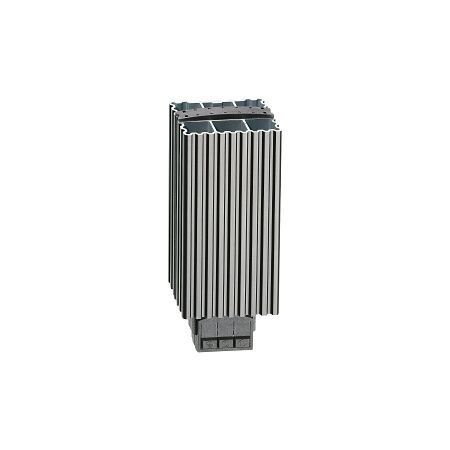
You crack open a switchboard on a routine service call and find a fine film of moisture across the terminals, with the first specks of rust already forming on the DIN rail. A cold night followed by a warm, humid morning is often all it takes to trigger this inside an enclosure. Left unchecked, that condensation eats into contact surfaces, insulation, and eventually reliability.
Condensation forms when the air inside a sealed enclosure cools below its dew point, usually overnight, and moisture that was invisible as vapour turns into liquid on the coldest metal surfaces it can find — often busbars, terminals, and the enclosure walls themselves. Coastal sites and enclosures that see daily temperature swings tend to be the worst affected, since a sealed IP-rated switchboard traps that humid air with nowhere to go. Over time this can lead to tracking across terminals, corroded contacts, and nuisance trips that are hard to diagnose because the evidence dries out before anyone opens the door.
An anti condensation heater breaks this cycle by keeping the internal air a few degrees above ambient, which is usually enough to stay clear of the dew point without needing to heat the enclosure to any specific temperature.
Related Reading: If corrosion inside the switchboard has already made circuit IDs hard to read, it's worth sorting that out at the same time — see Switchboard Labels: Get Your Circuit ID Right First Time.
Enclosure heaters generally fall into three types, and the right one depends more on enclosure size and airflow than on price alone.
| Type | Typical Wattage | Best Suited For | Notes |
|---|---|---|---|
| DIN rail resistive | 10–30W | Small control panels | Compact, low cost, usually paired with a thermostat |
| Natural convection | 30–150W | Small to mid-size switchboards | Silent, no moving parts, needs some free space around the fins |
| Fan-forced | 150–250W | Larger boards, restricted airflow | Circulates heat faster through the enclosure volume |
| High-output panel heater | 350–2000W | Large cabinets, main switchboards | Sized against enclosure volume; may need more than one unit |
As a general starting point, heater output is usually matched to enclosure volume and expected temperature swing rather than picked off a shelf. It's a guide, not a substitute for a proper heat-loss calculation on critical or outdoor switchboards. For a small control cabinet, something like the 30W DIN rail convection heater is often enough to keep internal air above the dew point.
A single small heater won't do much inside a large floor-standing enclosure or main switchboard, though. For a 610 x 610mm cabinet or similar, a unit closer to the 2000W enclosure heater range is more realistic, and larger boards sometimes need more than one heater positioned to cover the whole volume evenly.
Not every enclosure has convenient 240V AC on hand, especially inside a control panel built around a 24V DC supply for PLCs and instrumentation. A 24v enclosure heater rated for DC input, such as this 12/24V insulated resistive heater, can run straight off the existing control supply without adding a separate transformer or AC circuit into the panel. Before wiring it in, it's worth checking the heater's DC draw against what's already left in the control panel's power budget, particularly on smaller 24V supplies running close to capacity.
Outdoor kiosks and street cabinets are usually the hardest-hit by condensation, since they see the full daily temperature swing plus whatever dust or moisture works its way in through cable entries. An outdoor enclosure heater should carry an IP rating that matches the exposure, not just the wattage — a unit like this IP44-rated 10W convection heater is built with that environment in mind. The heater's IP rating is only one part of the equation, though — it's worth checking the enclosure's own seals and cable glands are still doing their job too.
Mount the heater low in the enclosure where cold air tends to settle, with the clearance from cabling and terminals specified on the datasheet — most manufacturers call for at least 50–100mm depending on wattage. An electrical enclosure heater with thermostat control ties the whole setup together, since it only draws power when the internal temperature drops toward the dew point rather than running continuously. A separate hygrostat can be added where humidity, not just temperature, is the main driver.
Common mistake: Heaters often get bolted onto whatever DIN rail space is free, which sometimes puts them hard up against a cable bundle or terminal block. The consequence is localised heat that can soften cable insulation over time, or a heater left running 24/7 because it was never wired through a thermostat in the first place — both a fire risk and an ongoing running cost. The fix is straightforward: respect the manufacturer's clearance distance from wiring, and always control the heater with a thermostat rather than a permanent live feed.
What size enclosure heater do I need for a large switchboard?
It depends on enclosure volume and how exposed the board is, but many larger boards move up to a 250W fan-forced heater to circulate warm air through the full enclosure rather than relying on natural convection alone.
Do I need a fan heater or will a convection heater do the job?
Convection is usually fine for smaller, well-ventilated panels. Fan-forced heaters earn their keep in larger enclosures or where air movement inside the cabinet is restricted.
Is a 350W enclosure heater enough for a typical distribution board?
For many standard distribution boards, yes — a 350W enclosure heater covers a reasonable mid-size volume, though it's still worth checking against the board's actual dimensions.
Does fitting an enclosure heater require a licensed electrician?
Wiring a heater into a switchboard or control panel is electrical work and needs to be carried out and connected by a licensed electrician in line with the applicable wiring rules, even though the heater itself is a simple low-wattage device.
Can I run a 24V enclosure heater with a fan for faster warm-up?
Yes — a 24V DC fan-forced heater gives faster, more even heat distribution than a resistive-only unit on the same DC supply, provided the panel's 24V budget can carry the extra load.
How much clearance does an enclosure heater need from cabling?
This varies by model, but most datasheets call for a minimum clearance in the order of 50–100mm from cables and terminals, more for higher-wattage units — always check the specific heater's installation instructions before mounting.
Related Reading: Sorting out condensation is only half the job if moisture is also getting in through cable entries — see Cable Gland Sealant: Restoring IP66/68 After Installation.
Schnap stocks enclosure heaters across DIN rail, convection, fan-forced, and high-output ranges, with trade pricing and same-day dispatch from Kingsgrove NSW.
Compact DIN Rail Heaters
Convection & Fan Enclosure Heaters
High-Output Enclosure Heaters
Browse the full anti condensation heater range at Schnap.

SCHNAP Electrical Wholesaler - clear, upfront pricing that professional electricians trust

Get what you need in seconds. SCHNAP electrical wholesaler makes ordering quick and simple

Fast delivery anywhere - that's guaranteed. SCHNAP electrical wholesalers ship nationwide with same-day dispatch

Track your order every step of the way. SCHNAP electrical wholesale keeps you updated from click to delivery

SCHNAP is Australia's premier electrical wholesaler and electrical supplies, marketing thousands of quality products from leading brands. Trusted for nearly two decades by licensed electricians, contractors, and engineers, our range covers everything from basic electrical components to complex industrial electrical equipment
Our key categories include: LED lighting, designer switches, commercial switchboards, circuit protection, security systems & CCTV, and smart home automation
All products are certified to Australian standards (AS/NZS), backed by our 30-day, no-questions-asked return policy. Our expert technical team helps you quickly source the right solution for any residential, commercial, or industrial project, with daily dispatch from our Sydney electrical warehouse delivering Australia-wide
SCHNAP offers the most comprehensive electrical product range, with full technical specifications, application details, installation requirements, compliance standards, and warranties — giving professionals total confidence in every purchase


