




Kingsgrove Branch:
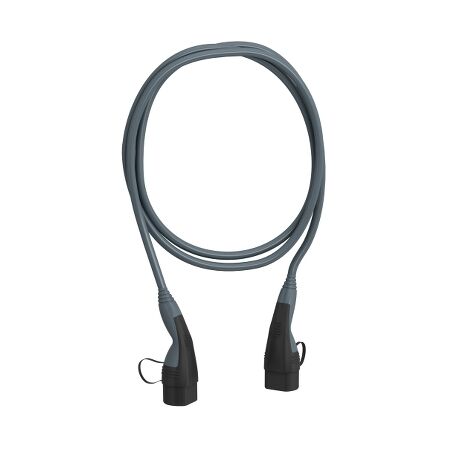
Your new EV turns up before your home charger does, and suddenly you're relying on whatever your parents' garage, a mate's shed, or the caravan park power pole can give you. A portable Type 2 charging cable is what bridges that gap -- but only if you've matched the phase, amperage, and length to where you'll actually be plugging in. If you're weighing that up against just getting a three phase EV charger installed instead, it helps to understand what the cable itself can and can't do first.
Most houses in Australia run on single-phase power, so a single-phase Type 2 cable covers a standard home outlet, a friend's garage, or a rental property. Sheds, workshops, factories, and a lot of caravan parks are wired 3-phase, and a 3-phase cable will typically pull a noticeably faster charge from that same supply -- in practice, roughly two to three times quicker than single-phase at the same amperage, since you're drawing across three active conductors instead of one.
The cable doesn't decide which phase you get -- the outlet you're plugging into does. Buying a 3-phase cable doesn't make a single-phase outlet charge faster, and plugging a single-phase cable into a 3-phase outlet just means you're only using one of the three phases available. Before ordering, check what's actually run to the point you'll be charging from most often, not what sounds like the better spec on paper.
All five cables in this range are rated 32A and IP44, so the weatherproofing and current rating are consistent across the board. What changes between them is phase and length, and that's where the actual buying decision sits.
| Cable | Phase | Length | Typically best for |
|---|---|---|---|
| 5m, single-phase | Single | 5m | Home outlet close to the car, driveway parking |
| 10m, single-phase | Single | 10m | Carport set back from the house, awkward parking angles |
| 5m, 3-phase | 3-phase | 5m | Workshop or shed outlet within easy reach |
| 10m, 3-phase | 3-phase | 10m | Caravan parks, industrial yards, larger sheds |
| 10m, T2 to T1 | Single | 10m | Older or imported EVs still fitted with a Type 1 inlet |
Length is mostly about parking, not charge speed. A 5m cable is easier to coil and store, but it's genuinely too short the moment your car isn't parked right next to the outlet -- and stretching a cable taut across a driveway is its own hazard. If in doubt, the 10m option gives more slack to work with.
[!] Compliance note: A portable Type 2 cable is a supply lead, not a fixed installation, so using one to charge from a compliant outlet doesn't itself require an electrician. Any new outlet, circuit, or dedicated charging point being installed to support it is a different matter and does need a licensed electrician.
Related Reading
Buying 3-phase for a single-phase home. It's an easy mistake if 3-phase sounds like the "better" spec -- but if your home outlet is single-phase, the extra conductors in a 3-phase cable go unused and you've paid for capacity you can't draw on.
Going 5m because it looks tidier. A shorter cable coils up neater in the boot, but the first time you're parked at an angle or the outlet is on the far wall, 5m runs out fast. Most owners who start with 5m end up wishing they'd bought 10m.
Assuming the cable will fast-charge like a public DC charger. A portable AC cable, even at 32A on 3-phase, typically charges over hours rather than minutes. It's built for overnight or workday top-ups, not for replacing a public rapid charger on a road trip.
Not checking the vehicle's own inlet type. Most current EVs sold in Australia use a Type 2 inlet, but some older and imported models still use Type 1. Buying a standard Type 2-to-Type 2 cable for a Type 1 car means it simply won't connect.
Leaving the cable coiled tight under load. Tightly coiling a cable while it's actively charging can build up heat in the coil that the cable isn't designed to shed. Lay it out loosely rather than leaving it bundled at the plug end.
can I use a 3 phase type 2 cable on a single phase supply?
Yes, it will physically connect and charge, but you'll only be using one of the three active conductors, so charging speed is the same as if you'd bought the single-phase version -- there's no benefit to the 3-phase cable in that setup.
what's the difference between a 5m and 10m ev charging cable?
Only the length -- current rating, connector type, and IP44 weatherproofing are the same. The 10m single-phase cable gives more slack for awkward parking, while 5m is easier to coil and store when it's not in use.
do public ev chargers already have their own cable?
Most public DC fast chargers have a fixed, tethered cable built in. Untethered AC public chargers, and most private or workplace points, expect you to supply your own Type 2 cable -- which is exactly the gap a portable cable like this covers.
is it worth getting a portable cable if I'm planning a fixed home charger anyway?
It's still worth keeping one in the boot even after a fixed three phase EV charger goes in -- it's your backup for staying at friends', work carparks without a dedicated unit, or anywhere your regular charger isn't an option.
do I need an electrician to use a portable ev charging cable?
No -- if you're plugging into an existing, compliant outlet, using the cable itself doesn't require a licensed electrician. You'd only need one if a new circuit or outlet is being installed to support it.
is a 32a type 2 cable safe to leave plugged in overnight?
The 10m 3-phase cable and the rest of this range are IP44 rated, which typically covers splashing water from any direction -- fine for an overnight charge outdoors, though it's still worth keeping the connection off wet ground where practical.
For the full range of ev chargers and charging accessories, see the shop section below.
Trade pricing and same-day dispatch from Kingsgrove NSW on the full range below, part of our wider ev chargers and accessories lineup.
Find the full EV charger cable Type 2 range at Schnap -- trade pricing and same-day dispatch from Kingsgrove NSW.
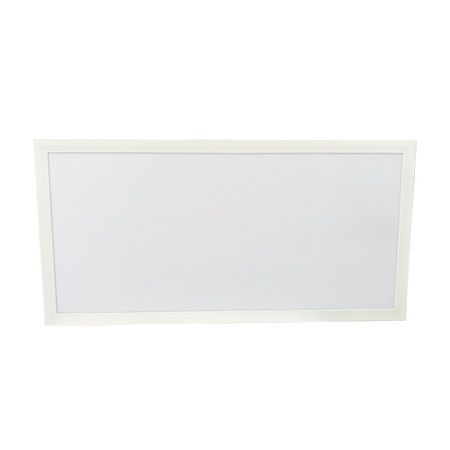
A fitout crew pulls the old fluoro troffers out of a 600x600 T-bar grid, orders what the spec sheet calls an equivalent LED panel, and it lands 4-5mm proud on one edge — enough that it won't sit flush without packing the frame. Getting the dimension right before ordering saves a return trip and a second freight charge.
On a new build, the grid gets designed around the fitting. On a retrofit, it's the other way around — the grid is already up, already carrying ceiling tiles either side of the opening, and the panel has to work with whatever dimension is already there. A panel that's a few millimetres out in either direction either won't drop in cleanly or leaves a visible gap once the tiles go back around it. In an office or retail fitout where the ceiling is on show, that gap is the first thing a site manager notices at handover.
The other complication is that "600x600" as a marketing size and 600x600 as an actual millimetre measurement aren't always the same thing. Most panels sold as 600x600 are manufactured a few millimetres under that — typically around 595x595mm — to allow clearance inside a standard T-bar grid opening. If a spec or a quote lists 600x600 without qualifying the actual panel dimension, it's worth confirming before ordering rather than assuming it'll drop straight in.
Four sizes cover most commercial retrofit jobs. Matching one of these to the existing grid opening is usually faster and cheaper than modifying the grid to fit a non-standard panel.
| Panel Size | Typical Grid Fit | Common Use |
|---|---|---|
| 295 x 595mm | Euro/UK-standard T-bar module | Retrofitting older imported or narrow-module grids |
| 595 x 595mm (marketed as 600x600) | Standard Australian T-bar grid opening | Direct swap for square fluoro troffers |
| 300 x 600mm | Half-module T-bar grid, or single-tube batten replacement | Corridors, smaller offices, plasterboard recesses |
| 300 x 1200mm | Two-module T-bar run, or double-tube batten replacement | Open-plan offices, warehouses, larger commercial spaces |
The 300x1200 size is worth flagging on its own: a panel this length can replace two single-tube fluoro battens laid end to end, which cuts the number of fittings — and the number of driver connections — in half for a long run.
The size on the box only tells half the story — how it's meant to sit in the ceiling matters just as much. Lay-in panels drop into a T-bar grid from below and rest on the grid's flange, which is the most common retrofit scenario. Recessed panels need a plaster or gyprock cut-out sized to the panel's frame, common when there's no existing grid at all. Surface-mount panels sit proud of the ceiling on their own frame, usually specified when the ceiling structure won't take a recessed cut or when the job calls for a retrofit without opening up the plasterboard.
Once the physical size is locked in, the next decision is usually colour temperature. Fixed-CCT panels are set at a single colour temperature from the factory, which is fine when the spec is already settled. Selectable-CCT panels — sometimes called tri-colour or tri-CCT — let the installer switch between warm, neutral and cool white on site via a rocker switch on the driver, which is useful when the fitout spec hasn't fully locked down the colour temperature or when one panel model needs to serve rooms with different lighting requirements. A tri-colour 600x600 panel covers both cases in one SKU rather than stocking three separate fixed-CCT versions.
The same standard sizes also cover more specific compliance needs. Cleanroom and IP65-rated troffers are built in the same 600x600 and equivalent footprints, so a job that needs a washdown-rated or dust-sealed fitting for a lab, food-prep area, or wet commercial space doesn't need a different mounting approach — just a different variant within the same size range.
Assuming "600x600" means exactly 600mm. As covered above, most panels sold under that name are actually closer to 595x595mm. Ordering on the marketing name alone without checking the actual dimension is the single most common cause of a panel not sitting flush.
Reading the SKU code as the dimension. Product codes sometimes carry numbers that look like sizes but aren't a reliable dimension reference on their own — always confirm the actual millimetre measurement in the product description rather than the model number.
Not checking driver housing depth. A panel that fits the grid opening perfectly can still be too deep for the ceiling cavity if there's ducting, cable tray, or a shallow bulkhead directly above. Worth a quick check above the existing tile before ordering, not after the panel's on site.
Ordering a recessed frame for a T-bar retrofit. Recessed and lay-in are not interchangeable — a recessed frame designed for a plasterboard cut-out won't sit correctly in a T-bar grid opening, and vice versa.
Locking in fixed-CCT before the spec is finalised. If a tender document or client brief hasn't confirmed the exact colour temperature yet, ordering fixed-CCT panels early can mean a full re-order later. Selectable-CCT removes that risk for a modest cost difference.
Skipping the T-bar width check on older buildings. Newer commercial fitouts are almost always 24mm T-bar, but a retrofit in an older building is worth a quick measurement rather than an assumption.
Related Reading
Will a 600x600 LED panel actually fit a 595x595 T-bar opening?
Yes, in most cases — panels marketed as 600x600 are typically manufactured at approximately 595x595mm precisely so they clear a standard T-bar grid opening. Worth confirming the actual dimension listed in the product description rather than relying on the marketing name alone.
Can I use a 300x1200 panel in place of two fluoro battens?
Yes — a 300x1200mm panel covers the same run as two single-tube battens end to end, which means one driver and one set of mounting points instead of two.
What size is a standard commercial ceiling panel in Australia?
The most common size in Australian offices and retail fitouts is the 600x600 (actual 595x595mm) panel, sized to suit the standard 24mm T-bar grid module. 300x600 and 300x1200 are the next most common, generally used for corridors, half-module grids, or longer open-plan runs.
Do I need a licence to install an LED panel in an existing ceiling grid?
Yes — connecting an LED panel to mains wiring is licensed electrical work in every Australian state and territory, regardless of whether the fitting is dropping into an existing grid opening or being newly recessed. A licensed electrician needs to carry out or supervise the connection even if the physical fit-up is straightforward.
Can I connect a tri-CCT panel to a standard single-CCT driver circuit?
No — selectable-CCT panels use a driver built specifically for CCT switching, with the selector integrated into that driver. They're not designed to be retrofitted onto a driver built for a fixed-CCT panel.
What's the difference between recessed and surface-mount LED panel frames?
A recessed frame sits inside a plaster or gyprock cut-out so the panel face is flush with the ceiling surface. A surface-mount frame sits on top of the existing ceiling, with the panel and its housing visible below the ceiling line — typically chosen when cutting into the ceiling isn't practical or desired.
For the full range of panels and troffers, including cleanroom and IP65-rated options in the same standard sizes, see the shop section below.
Trade pricing on every size below, dispatched same day from our Kingsgrove NSW warehouse.
Related Reading
Find the full led panel sizes range at Schnap — trade pricing and same-day dispatch from Kingsgrove NSW.
Third-floor comms room, switch room two levels down, 85 metres of cable tray and two floor penetrations between them — that was the run a data cabler was pricing out last month before locking in a fibre spec. Multimode felt like the safe, familiar pick. Singlemode felt like overkill for a building that size. Getting that call wrong doesn't just mean a rework — on a run with this much cable tray already closed in, it can mean pulling everything back out.
Most fibre cable decisions get framed around bandwidth first — 10G, 40G, "future-proofing" — but on a real job, distance is usually what actually forces the answer. Multimode fibre (OM3, OM4) runs light through a wider core, which makes it cheaper to terminate and more forgiving to work with, but it loses signal strength faster over distance. Singlemode fibre (OS2) uses a much narrower core and a laser source instead of an LED, which costs more upfront but holds a clean signal over far longer runs.
For that 85-metre run between comms room and switch room, OM4 multimode is well inside its comfortable working range for 10G, and even leaves headroom for a future 40G upgrade without needing a full re-cable. If that same run had been closer to 300–400 metres, or if it was ever likely to cross to a separate building on the same site, singlemode would typically be the safer call — not because of bandwidth, but because multimode signal loss over that kind of distance in practice starts eating into the link budget fast.
[!] Rule of thumb worth remembering: multimode is generally the more cost-effective option for intra-building runs where distance is measured in tens of metres. Once a run starts pushing toward inter-building or campus scale, singlemode is typically the more reliable long-term choice — even if the immediate bandwidth requirement doesn't demand it yet.
Once distance is settled, the next question is which multimode grade to run if that's the direction you're heading. Here's how the three most common options in a structured cabling fit-out typically compare:
| Fibre Type | Typical 10G Reach | Light Source | Best Suited For |
|---|---|---|---|
| OM3 Multimode | Around 300m (in practice, shorter with more connectors/bends) | LED/VCSEL | Data centre and comms room runs on a tighter budget |
| OM4 Multimode | Typically extends beyond OM3, with more headroom for 40G | LED/VCSEL | Runs where a future bandwidth upgrade is a real possibility |
| OS2 Singlemode | Multiple kilometres | Laser | Inter-building, campus and long-haul backbone runs |
One thing that trips up a lot of cablers coming from a copper background: every connector, splice and tight bend chips away at that reach figure. A spec sheet number is a lab condition, not a site condition — build in margin, especially on runs with more than a couple of patch points.
Related Reading
It's not just Ethernet runs that eventually hit this crossroad. Industrial sites running copper serial protocols like RS485 cable for long field-device runs will eventually bump into the same distance wall that pushes structured cabling toward fibre — copper serial has a hard distance ceiling long before OM4 or OS2 do, and once a site is expanding past that ceiling, converting the backbone segment to fibre is usually the more reliable fix than adding repeaters.
A few ways this decision goes sideways on real jobs:
Can I run OM4 multimode over 200 metres for a 10G link?
In practice this is often right at the edge of what's reliable, and connector count and bend radius will make the difference between a link that works and one that doesn't. For runs that long, it's generally worth checking against OM4 pre-terminated cable spec documentation for the exact run configuration before locking it in — or considering singlemode if there's any margin concern.
Do multimode and singlemode fibre use different connectors?
The connector housings themselves (LC, SC) are typically the same physical format across both, but the transceivers and the fibre core inside are not interchangeable. Mixing a singlemode transceiver with multimode fibre, or vice versa, is one of the most common reasons a freshly terminated link fails to establish.
Do I need a licence to install fibre optic cabling in Australia?
Cabling work that connects to a telecommunications carrier network typically requires an ACMA-registered cabling licence (Open or Restricted, depending on scope). Internal enterprise data cabling that doesn't touch carrier infrastructure generally sits under different registration rules — it's worth confirming current ACMA registration requirements against the specific scope of the job before starting any run that may touch carrier-connected infrastructure.
Does colour coding for multimode vs singlemode jacket actually matter on site?
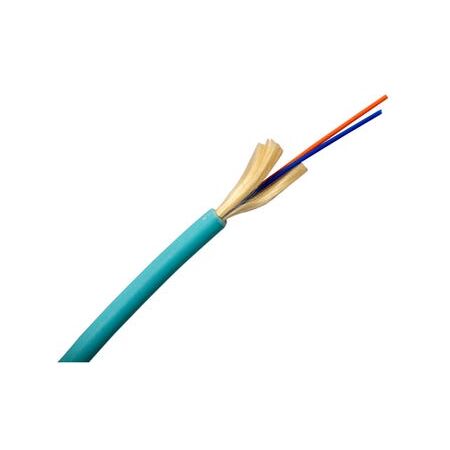
Yes — aqua is the industry-standard jacket colour for OM3/OM4 multimode and yellow for OS2 singlemode. On a site with both types running through the same tray or riser, this colour distinction is often the fastest way to avoid a mismatched transceiver mistake at termination time.
Is singlemode worth the extra cost if I'm only running 10G right now?
If the physical run is short — well within multimode's comfortable range — the extra cost of singlemode usually isn't justified by bandwidth alone. Singlemode earns its premium on distance, not on speed; a short run rarely needs it even at higher bandwidths.
What's the practical difference between OM3 and OM4 for a comms room fit-out?
Both handle short intra-building runs comfortably. The real difference shows up on longer runs or higher future bandwidths — OM4 typically gives more headroom for a later upgrade to 40G without needing to re-cable, which is often worth the modest price difference on a job that's expected to be in service for years.
Once distance and bandwidth are settled, the next call is usually pre-terminated versus field-terminated assemblies — that's a separate decision with its own cost and timeline trade-offs worth working through before ordering.
Once you've locked in a spec, the full range is stocked at Kingsgrove NSW for trade pricing and same-day dispatch.
Find the full fiber cable range at Schnap — trade pricing and same-day dispatch from Kingsgrove NSW.
A two-day cutover window for a factory automation upgrade doesn't leave room for a fusion splicer booking that falls through at the last minute. That's usually the exact spot a data cabler is standing in once the multimode vs singlemode decision is locked in and the next call has to be made: run raw fibre and terminate it on site, or order it pre-terminated and just pull it through.
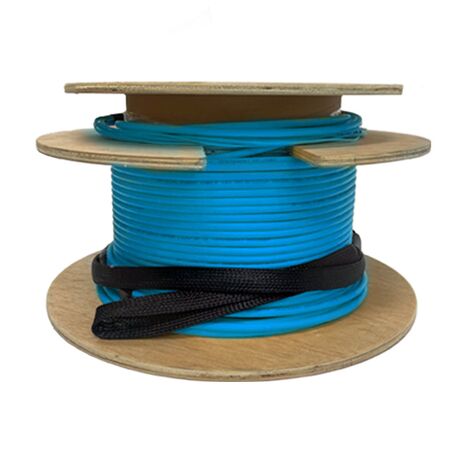
Once the mode is settled, the timeline usually decides the rest. Fusion splicing and polishing raw fibre on site takes a trained tech, a splicer, a cleaver, and enough dwell time to get consistent insertion loss across every strand. On a job with a hard cutover date, that's a lot of variables sitting between the plan and the go-live. A pre-terminated LC-LC assembly moves that risk off the job site entirely — the terminations are done and tested in a controlled environment before the reel ever reaches the van.
That's not an argument that pre-terminated is always the better choice. It's a length-and-access argument first, cost second. If the run is a known, fixed distance between two points that won't change, pre-terminated removes a whole category of on-site risk. If the route is still being confirmed, or runs longer than what's available pre-made, raw fibre with field termination keeps the flexibility.
For a straightforward LC-LC run between a server room and a remote cabinet, here's roughly how the two methods stack up in practice:
| Factor | Pre-Terminated Assembly | Field Termination |
|---|---|---|
| On-site labour | Pull and dress only | Splice/polish per strand on site |
| Tools needed | None beyond standard pulling gear | Fusion splicer, cleaver, polishing kit |
| Length flexibility | Fixed to stocked lengths | Cut to exact run |
| Loss consistency | Factory-tested, typically consistent | Depends on technician and conditions |
Related Reading
For the server-room-to-cabinet scenario, distance is what decides mode. A 100m OM4 pre-terminated LC-LC run comfortably covers most in-building backbone distances at 10G and above. Once the route pushes past that — between buildings, or across a larger site — an OS2 singlemode pre-terminated assembly holds performance over the longer distance without the loss creeping in that multimode can show past its rated span. Core count follows the same logic as any fiber cable plan: 6-core covers a straightforward point-to-point link with a little spare capacity, 12-core is the safer call when the cabinet is likely to grow beyond the current device count.
Where the run needs extra mechanical protection — routed through a plant floor, near moving equipment, or exposed to physical knocks — an armoured variant is worth pricing separately with the supplier before locking in the pre-terminated length, since it changes the pull weight and bend radius the reel needs to account for.
Pre-terminated isn't the default for every job. A long backbone run with an unconfirmed final length, or a route that needs splitting into multiple segments through intermediate patch points, is still better served by raw loose-tube fibre with proper field termination. It's also the more practical option where connector type needs to be decided on site rather than locked in at order time.
Ordering to the straight-line distance instead of the actual pull route. Cable trays, risers, and cabinet dressing all add length. A pre-terminated assembly ordered to the map distance often comes up short once it's actually routed through the building.
Assuming connector polarity is interchangeable on site. LC-LC assemblies are built to a fixed polarity configuration. Swapping which end goes where after the fact isn't something you can fix with a connector by hand — it means a different assembly.
Skipping the bend radius check on the pull path. Pre-terminated connectors are more sensitive to a tight pull than bare fibre being fed through — a sharp bend at a tray edge can stress or damage a factory-terminated end that's otherwise perfectly good.
Not confirming core count against future device count. A 6-core run that's fully used on day one leaves no room for the next switch or camera added to that cabinet without a second pull.
Treating OM4 and OS2 as interchangeable at order time. They're not compatible with the same transceivers, and mixing them up on a multi-run job is a common cause of a link that simply won't come up on cutover day.
can I get pre-terminated LC-LC fibre cut to a custom length?
Pre-terminated assemblies are typically available in stocked standard lengths rather than made-to-order cuts. If your run doesn't match a standard length, raw fibre with field termination is usually the more practical route.
will a pre-terminated OM4 assembly work with older 10G equipment?
Yes, an OM4 12-core pre-terminated assembly is backward compatible with older 10G and lower-speed transceivers, so it's a safe upgrade path if the switch gear is due for a refresh later.
what's the difference between OM4 and OS2 pre-terminated assemblies?
OM4 is multimode, suited to shorter in-building backbone runs; OS2 is singlemode, built for longer distances without the same loss over range. The multimode vs singlemode breakdown covers how to pick between the two before ordering pre-terminated.
do I need to fusion splice pre-terminated fibre on site?
No — that's the point of a pre-terminated assembly. The connectors are factory-installed and tested; on-site work is limited to pulling the cable through and dressing it into the cabinet.
does running fibre backbone through a plant require a cabling licence in Australia?
Structured data and fibre cabling work generally falls under ACMA cabling registration requirements, separate from an electrical licence. Check current registration requirements for the specific cabling class before starting the job if you're not already registered.
what connector type do pre-terminated assemblies use — LC or SC?
Schnap's stocked pre-terminated runs, including the OS2 6-core 200m assembly, use LC-LC connectors, which is the more common form factor in current switch and patch panel hardware.
For runs where the length isn't yet confirmed or field termination is the better fit, a 24-core OM3 loose-tube option is available for on-site splicing.
Related Reading
Trade pricing and same-day dispatch from Kingsgrove NSW on the full pre-terminated and loose-tube fiber cable range.
Find the full pre terminated fibre range at Schnap — trade pricing and same-day dispatch from Kingsgrove NSW.
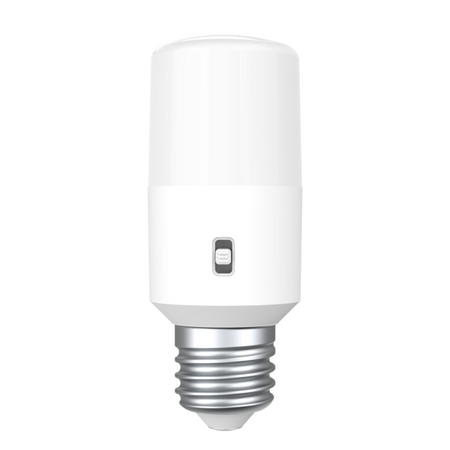
You pull the dead globe out of an old batten holder on a callout, and the base staring back at you doesn't match what's sitting in the van — twist-lock pins instead of a threaded socket, or the other way round. Before you order a replacement, it pays to know exactly which base you're dealing with, because B22 and E27 fittings aren't interchangeable without swapping the whole holder.
B22 is the bayonet cap fitting — two small pins on opposite sides of the base that twist and lock into matching slots on the holder. It's been the dominant standard for residential and commercial batten holders across Australia for decades, which is why most electricians reach for it by default.
E27 is the Edison screw fitting — a 27mm threaded metal base that screws directly into the holder, similar to what you'll find on a lot of imported light fittings, some commercial pendant fixtures, and an increasing number of decorative LED fittings. It shows up less often on standard AU residential jobs, but it's common enough on replacement work — especially older commercial fitouts or imported fixtures — that assuming every fitting is B22 will catch you out eventually.
Related Reading
A B22 globe won't seat in an E27 holder, and vice versa — there's no forcing it, and no adapter that belongs in a fixed wiring installation. If the existing holder has failed and the base type doesn't match anything on the van, the fix isn't a different globe, it's a different holder entirely.
It's also worth checking whether the original holder was fixed or adjustable before you grab a replacement. A fixed bayonet holder sits at a set depth against the ceiling rose or batten, while an adjustable version lets the lampholder slide up and down the pendant flex — useful when the shade or fitting needs a specific hang height. Swapping a fixed design in for an adjustable one (or the reverse) can leave the new fitting sitting at the wrong depth even if the base type is correct.
| Feature | B22 Bayonet | E27 Screw |
|---|---|---|
| Connection type | Push-and-twist pins | Threaded, screw-in |
| Typical AU usage | Standard residential and commercial batten holders | Imported fittings, some pendant and decorative fixtures |
| Globe retention | Locks in place, resists vibration | Secure once fully seated, can loosen if under-tightened |
[!] Compliance note: Replacing a hardwired batten holder is fixed wiring work and falls under AS/NZS 3000 — it needs to be carried out or supervised by a licensed electrician. Match the replacement holder's voltage and wattage rating to the fitting, and confirm the area's IP rating requirement before locking in a specific model.
How can I tell if an old lamp holder is B22 or E27 without removing the globe?
Look at the base of the fitting itself rather than the globe. B22 holders have two small slots or pins visible around the rim where the globe locks in; E27 holders show a smooth, slightly recessed threaded ring instead. If the fitting is still live and you're not confident from the outside, isolate the circuit before inspecting closer.
Can I swap a B22 batten holder for E27 in the same fixture?
Yes, but the holder itself needs to be replaced — there's no way to convert a bayonet base to a screw base within the same unit. An E27 batten holder will drop into most standard mounting points designed for the original B22 fitting, but check the fixing centres and depth before ordering.
Do I need an electrical licence to replace a batten holder in NSW?
Yes. A batten holder connected to fixed wiring is part of the electrical installation, and replacing or rewiring it in NSW requires a licensed electrician under AS/NZS 3000. This applies whether you're swapping like-for-like or changing base types.
What's the difference between a fixed and adjustable B22 batten holder?
A fixed holder sits at a set distance from the ceiling rose, while an adjustable B22 holder lets you slide the lampholder along the flex to set a specific hang height — handy for pendant-style fittings where the shade needs to sit at a particular level.
For the full range of B22 and E27 batten holders, see the shop section below.
Related Reading
Trade pricing on both base types, dispatched same day from Kingsgrove NSW.
Find the full B22 and E27 batten holder range at Schnap — trade pricing and same-day dispatch from Kingsgrove NSW.
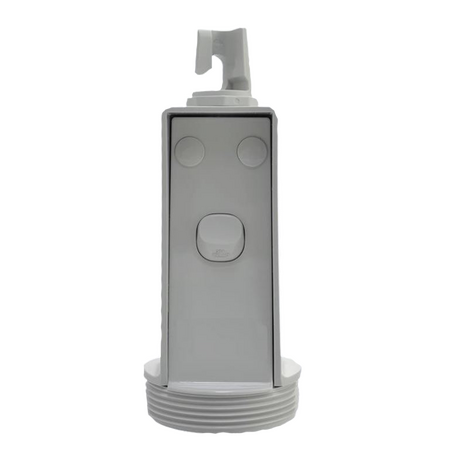
A festoon light drops off a rig on a night shift, someone chases the fault back to the pendant socket, and finds active and neutral swapped at the terminal block. Nobody got hurt this time, but it's the kind of mistake that keeps happening on temporary lighting circuits because the wiring looks simple right up until it isn't. Getting a pendant socket outlet terminated correctly, and picking the right amperage for what's plugged into it, is a five-minute job that's worth doing properly.
Most pendant socket outlets used for temporary lighting rigs are wired onto a flying lead rather than fixed conduit -- the socket hangs off a length of cable, usually run back to a distribution board or a switched circuit feeding the rig. Before anything gets terminated, isolate the circuit and confirm it's dead at the point of connection, not just at the switch. On an active site this sounds obvious, but flying leads get moved, re-tapped and reconnected more often than fixed wiring, and each time is another chance for someone to assume a circuit is off when it isn't.
Strip back enough sheath to get clean access to the three cores without exposing bare copper past the terminal. Feed the cable through the gland first -- it's a small step that's easy to skip when you're working quickly, and going back to thread a gland over an already-terminated cable end is a genuine time cost. If the run to the pendant is being extended or replaced rather than reused, building wire sized for the load is what most sparkies reach for on a flying lead like this, rather than heavier fixed-wiring cable that's harder to route through the pendant's gland and terminal block.
Terminal layout varies slightly by manufacturer, but the standard is active to L, neutral to N, and earth to the marked terminal, usually identified by colour or an earth symbol stamped into the housing. Get each core into its terminal fully seated before tightening -- a core that's only half in the terminal will hold under a tug test but can work loose under vibration from a site generator or repeated cable movement, and that's a fault that surfaces weeks later, not on the day it was wired. Once terminated, do a continuity and polarity check before the pendant goes back into service. Skipping this step because "it's just a temporary light" is exactly how reversed polarity ends up live on a rig for months.
[!] Compliance note: Terminating a pendant socket onto a flying lead is electrical work under Australian licensing requirements, even when the fitting is described as "plug and play" by the supplier. It needs to be carried out or signed off by a licensed electrician, and the installation should be tested and tagged in line with the site's electrical safety program before it goes into use.
Related Reading
The rating question comes up most on rigs running more than a couple of festoon strings or feeding a load bigger than lighting -- a small tool, a fan, a battery charger plugged in off the same drop. A 10A pendant socket is generally enough for a straight lighting circuit, but once other loads start sharing the same outlet, running close to that limit on a fitting that's also flexing and getting knocked around is where the margin matters. The table below is a general guide, not a substitute for checking the actual load against the circuit it's sitting on.
| Rating | Typical use | Watch for |
|---|---|---|
| 10A | Single lighting drop, festoon string, low-draw temporary lighting | Daisy-chaining multiple fittings off the one outlet without checking total draw |
| 15A | Heavier lighting loads, or a pendant shared with a small tool or charger | Confirm the upstream circuit and RCD are also rated for the combined load, not just the socket itself |
In practice, if there's any doubt about what's ending up plugged into the pendant over the life of the rig, the 15A version gives more headroom without much cost difference, and it means the fitting doesn't become the limiting factor if the rig's use changes partway through a job.
Terminating without isolating first. On a rig with multiple flying leads coming off the same board, it's easy to assume a cable is dead because the one next to it is. Isolate and test at the actual point of termination, every time, not just at the switchboard.
Leaving the cable gland loose or skipped. A gland that isn't tightened down lets the cable take strain directly on the terminals rather than the housing, and on a rig that gets moved and re-hung repeatedly, that strain eventually pulls a core loose.
Reversing active and neutral. This is the mistake that shows up in the story at the top of this article, and it happens most often when someone's rushing a re-termination on site without a fresh look at which terminal is which -- muscle memory from a different fitting's layout doesn't always transfer.
Undersizing for a load that grows over the job. A rig that starts as lighting-only sometimes ends up with a charger or a small tool plugged in later in the job, and the 10A fitting installed on day one is still there, now closer to its limit than anyone planned for.
Treating "temporary" as "less compliant." A pendant socket on a short-term rig still needs to be tested and tagged, and the wiring still needs to meet the same standard as a permanent installation -- the timeframe of the job doesn't change the licensing or testing requirement.
Which terminal is active on a pendant socket outlet?
The active core goes to the terminal marked L, neutral to N, and earth to the terminal marked with an earth symbol or identified by colour, usually green/yellow. Terminal markings are stamped or moulded into the housing -- check them directly rather than relying on cable colour alone if the fitting is unfamiliar.
Can I use TPS for the flying lead to a pendant socket?
TPS building wire sized correctly for the load is commonly used for flying leads on temporary lighting rigs, though it should still be run and protected in a way that suits the mechanical conditions on site rather than left loose underfoot.
What's the actual difference between a 10A and 15A pendant socket?
The main difference is the maximum continuous current the outlet is rated to carry and the pin configuration matching that rating. A 15A pendant socket like this impact-rated model handles a higher combined load, which matters if anything beyond a single light string is plugged in off it.
Do I need RCD protection on a temporary lighting rig pendant socket?
Yes -- temporary electrical supplies on construction sites are generally required to be RCD protected, and this applies to the circuit feeding a pendant socket the same as any other outlet on a site rig.
Can I wire a pendant socket myself if it's just for a temporary rig?
No. Terminating a pendant socket onto mains wiring is electrical work regardless of how temporary the installation is, and it needs to be done by a licensed electrician and tested before use, consistent with the compliance note earlier in this article.
Are impact-rated pendant sockets required on construction sites?
An impact-rated housing is the standard choice for site conditions where fittings are exposed to knocks, dust and weather, and it's what most site electrical safety programs expect for temporary lighting hardware rather than a domestic-grade fitting.
Related Reading
Trade pricing and same-day dispatch from Kingsgrove NSW on impact-rated pendant sockets ready for site rigs.
If a same-circuit pendant socket sits alongside fixed batten lamp holders on the rig, the full pendant socket outlet range is stocked at Schnap alongside batten lamp holders, with same-day dispatch from Kingsgrove NSW.
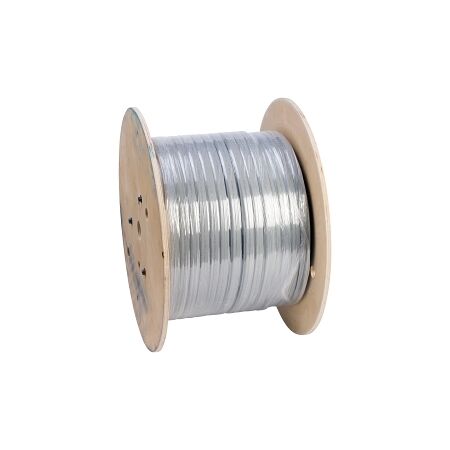
A packaging line trips out mid-shift and the fault log points to a DeviceNet segment somewhere between the PLC and a bank of photoelectric sensors — and the first question on site is always whether the run is drop cable or trunk cable, because that changes what's actually allowed to have failed. Getting the cable spec wrong at install time is what turns a five-minute swap into a half-day network audit later.
DeviceNet networks are built on a trunk-and-drop topology, and the cable spec changes depending on which role it's playing. The trunk line carries the full network current and needs to handle longer runs without excessive voltage drop, so it's rated to 8A on thick cable. Drop lines feeding individual sensors or actuators off the trunk are shorter and lower current, which is where 4A thin cable earns its keep — it's more flexible and easier to route through cable trays and drag chains than the thick equivalent.
Mixing the two up on a job isn't just a spec mismatch — running thin cable as a trunk segment on a long network can starve voltage to the far end of the line, and it's usually the last thing anyone checks when a distant node starts dropping out intermittently.
| Cable Type | Typical Role | Current Rating |
|---|---|---|
| Thick cable | Network trunk, longer backbone runs | 8A |
| Thin cable | Drop lines to sensors, actuators, junction taps | 4A |
This is the split that trips up techs who are used to buying network cable by length alone. Anything running outside an enclosure — across a machine frame, down a drag chain, out to a field sensor exposed to washdown or dust — needs IP67 sealed construction with the moulded M12 connectors. Inside the panel, between the PLC's DeviceNet port and a distribution block or scanner module, IP20 cordsets are the norm — they're not rated for the field environment, but they're cheaper and easier to route in tight enclosure space where sealing doesn't matter.
A common site mistake is spec'ing an IP20 cordset for a short run that happens to cross outside the enclosure door — even a few hundred millimetres of exposed IP20 cable in a washdown area is enough to let moisture in over time, and it's rarely the first thing anyone suspects when a node starts faulting intermittently after a clean.
Related Reading
Where the network doesn't rely purely on pre-moulded M12 cordsets — bare thin drop cable landing on a tap box, or trunk cable terminating into a distribution block — the conductor ends need proper termination before they go under a screw. Stripped, tinned-looking copper jammed straight into a cage clamp terminal is a common shortcut, but it's also a common source of loose connections once vibration sets in on a production line. A correctly sized bootlace ferrule sizing guide is worth a look before terminating bare DeviceNet conductors, since undersized or oversized ferrules on fine-stranded fieldbus cable are just as likely to loosen as bare wire.
Running thin cable as a trunk segment to save on cost. It works until the network grows or the run gets long enough that voltage drop starts causing intermittent faults at the far end — by then it's a rewiring job, not a component swap.
Using an IP20 cordset anywhere near a washdown zone. It might run fine for months before moisture ingress causes a fault that looks nothing like a cabling issue at first glance.
Assuming DeviceNet and CAN-based automation cable are interchangeable. The connector pinout and cable construction are purpose-built for DeviceNet's protocol requirements — swapping in a generic industrial cable can technically fit the connector while still causing communication errors.
Skipping termination resistors at both ends of the trunk. This isn't a cable spec issue, but it's the mistake most often mistaken for a bad cable run — always rule it out before condemning the cable itself.
Under-sizing ferrules on fine-stranded drop cable conductors. Thin DeviceNet drop cable often uses finer stranding than standard control wiring, so a ferrule sized for general-purpose cable can leave strands loose inside the crimp.
can I use thick DeviceNet cable for a short drop line instead of thin?
Yes — thick cable will work electrically on a drop line, but in practice it's harder to route and terminate in tight tap boxes, so it's typically reserved for trunk runs where its higher current handling actually matters.
why is my DeviceNet segment dropping out only at the far end of the trunk?
This is commonly a voltage drop issue on a long trunk run, especially if thin cable was used where thick cable should have been, or if termination resistors weren't installed correctly at both ends.
do I need IP67 connectors inside a sealed panel enclosure?
No — inside a properly sealed panel, IP20 panel-internal cordsets are the standard choice; IP67 sealing is only needed for cable exposed outside the enclosure.
what's the difference between the M12 male and female cordset ends?
The male and female M12 ends mate with the corresponding port or tap on the network device — as a general rule, check the device's port gender before ordering rather than assuming, since it varies between DeviceNet devices.
do I need an electrical licence to install DeviceNet cabling in a factory in NSW?
DeviceNet cabling itself is low-voltage data/control cabling rather than mains wiring, but any work that involves connecting into or near mains-powered equipment or control panels should be assessed against NSW electrical licensing requirements for the specific scope of work — check with Fair Trading NSW or your site's electrical compliance officer if there's any doubt.
can DeviceNet cable be run in the same tray as mains power cable?
Running low-voltage fieldbus cable alongside mains power in the same tray is generally discouraged due to electromagnetic interference risk — as a general rule, maintain separation or use segregated trays where the site layout allows it.
Schnap stocks DeviceNet cable across thick trunk, thin drop, and IP20 panel cordset configurations, part of the broader industrial ethernet and fieldbus cable range, with trade pricing and same-day dispatch from Kingsgrove NSW.
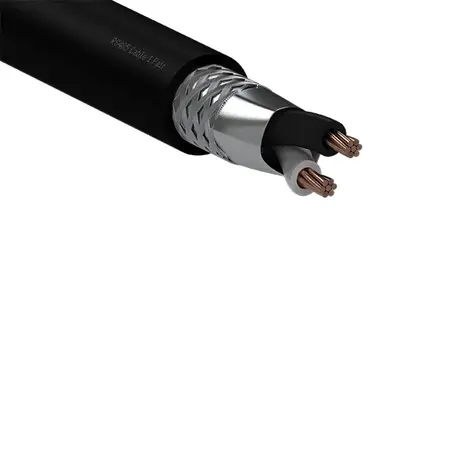
A BMS technician landing one more VAV controller on an existing Modbus loop is usually all it takes to turn a network that's run clean for two years into one throwing CRC errors on the chiller panel downstairs. In practice the fault rarely traces back to the controller itself — it's the cable it's landed on, and whether that drop was ever terminated properly in the first place. This guide walks through picking the right RS-485 construction for a BMS or instrumentation run, and getting the termination right the first time.
Most Modbus RTU networks running today are half-duplex, meaning a single twisted pair carries data in both directions and every device on the segment shares that one pair. If the panel drawing calls up a controller with separate transmit and receive terminals, that's usually an older or non-Modbus RS-485 device expecting a 4-wire, full-duplex arrangement — in that case a 2-pair cable is the correct pick, with the second pair kept genuinely in use rather than run as a spare.
The mistake worth avoiding is defaulting to 2-pair "just in case" and leaving the second pair floating unterminated inside the enclosure. An unterminated pair sitting next to a live one inside the same jacket can pick up crosstalk, and on a long run that shows up as intermittent data errors that are hard to trace back to the cable itself.
Related Reading
RS-485 cable arrives bare-ended, and every drop point on the network ends the same way — stripped conductor landed on a screw terminal at a controller, a gateway, or a terminal block. Stranded conductor pushed straight under a screw head tends to fray over time, especially on panels that see any vibration, so it's common practice to fit the wire end with a ferrule or, where the terminal is a spade-style connection, forked and spade terminals rather than land bare strands directly.
Topology matters here too. RS-485 is designed as a daisy chain, not a star — every device sits inline on the same pair, from one end of the segment to the other. A network wired as a star off a single junction point will usually still power up and even pass some data, but it typically starts showing reflection-related errors once more than a couple of devices are added, which is a difficult thing to diagnose after the panel's already buttoned up.
A 120-ohm termination resistor at each physical end of the segment — not at every device — is standard practice for RS-485. Skipping it, or fitting one partway along the run instead of at the true ends, is one of the more common causes of a network that only misbehaves under load.
Where the cable actually runs decides the jacket. A flexible LSZH (low smoke zero halogen) construction is generally the safer default for risers, ceiling spaces, and return-air paths, since many building fire safety requirements restrict what can be run through those areas — it's worth confirming the specific requirement for the building rather than assuming any LSZH-labelled cable automatically satisfies it. For plant room runs, cable tray, or conduit where that restriction doesn't apply, a standard PVC-jacketed bulk cable off a 500m drum is the more cost-effective option for longer pulls.
Current stock here is built on the Eltech Enviroflex and standard PVC constructions — there's no armoured or outdoor-rated RS-485 variant in the range at the moment, so for a direct-buried or externally exposed run, that's a gap worth flagging before quoting the job.
Leaving a spare pair floating on 2-pair cable. It feels efficient to run 2-pair "for future-proofing," but an unused pair left unterminated inside the enclosure can act as an antenna for noise on the active pair sitting next to it.
Skipping the ferrule on stranded conductor. It looks fine on day one. The failure shows up months later as an intermittent connection once the panel's seen a bit of vibration or thermal cycling.
Terminating with resistors at the wrong point. A resistor fitted at a mid-chain device instead of the true physical end of the segment is easy to do on a retrofit and hard to spot without a multimeter and the drawing in hand.
Running RS-485 tight alongside mains cable in the same tray. It's rarely a problem over short distances, but on a longer parallel run next to switchboard feeders it's a common source of noise that only appears once the mains circuit is under load.
Assuming any LSZH cable satisfies the building's fire rating. LSZH jacketing and a specific fire-rating requirement aren't always the same thing — worth a quick check against the building's actual spec rather than assuming.
What's the difference between 1-pair and 2-pair RS-485 cable?
1-pair (2-wire) is the standard for most half-duplex Modbus RTU networks, with all devices sharing a single twisted pair. 2-pair (4-wire) is used for full-duplex RS-485 setups with separate transmit and receive lines, which is less common but still specified on some legacy or non-Modbus systems.
Is LSZH RS-485 cable necessary for a ceiling space or riser run?
In many buildings, ceiling return-air spaces and fire-isolated risers call for low smoke zero halogen cable — it's worth checking the specific building requirement before quoting. Our 1-Pair Black LSZH Flexible Cable covers that flexible, low-smoke construction.
Can I run RS-485 cable in the same tray or conduit as mains power?
Over short distances it's usually not a problem, but a long parallel run next to mains feeders can introduce noise once the power circuit is loaded up. Where possible, keep some separation or cross at right angles rather than running long stretches side by side.
Do I need ferrules on bare RS-485 wire before it lands on a terminal block?
It's common practice to ferrule stranded conductor before it goes under a screw terminal, since bare strands can fray and loosen over time. See our bootlace ferrule sizing guide for matching ferrule size to conductor gauge.
Do I need an electrical licence to wire RS-485 BMS cabling in NSW?
RS-485 and other low-voltage data/control cabling generally falls outside standard electrical licensing requirements that apply to mains wiring, but licensing scope can vary depending on where the cabling terminates and whether it interfaces with mains-connected equipment. It's worth confirming the specific requirement with the relevant state authority for the job at hand rather than assuming.
Can I use fork terminals instead of ferrules for an RS-485 drop?
Yes, where the terminal block itself is a screw-and-spade style rather than a cage clamp. Our twin bootlace ferrule guide also covers when a twin ferrule is the better fit for two conductors sharing one terminal.
Related Reading
Trade pricing across the range, dispatched same day from Kingsgrove NSW.
Stock up on RS485 cable at Schnap -- everything you need in one place, dispatched same day from Kingsgrove.
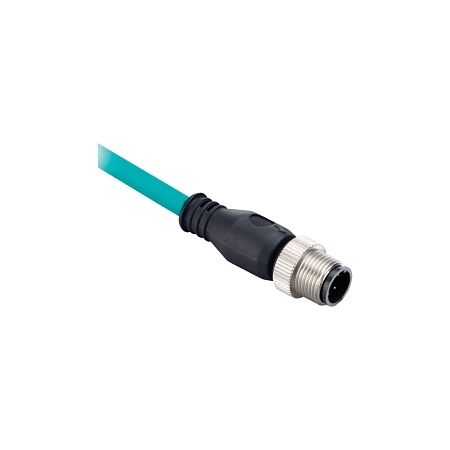
A vision camera on a packaging line at a food processing plant kept dropping its gigabit link every few hours, and the fault only showed up after the electrician swapped in a spare M12 cordset that looked identical to the original -- except it was Cat5e, not Cat6a. The switch negotiated down to 100Mbps and the camera's frame buffer couldn't keep up, and the line stopped every time the buffer filled. Here's how to pick the right M12 ethernet cable the first time, so the spare in the parts drawer actually matches the one it's replacing.
Most sensor-level I/O -- limit switches, proximity sensors, simple PLC discrete inputs -- runs comfortably over Cat5e at 100Mbps and never needs more. The devices that actually push a link past that ceiling are usually vision cameras, managed switch-to-switch trunks, or PLCs handling large data-heavy protocols like PROFINET IRT with motion control. If the device datasheet specifies gigabit, or the cable is feeding a switch uplink rather than a single sensor, Cat6a is the safer spec.
| Spec | Cat5e | Cat6a |
|---|---|---|
| Typical speed | 100Mbps reliable, gigabit possible short runs | Gigabit rated to full 100m |
| Shielding | Usually unshielded or basic foil | Foil + braid common on industrial-rated stock |
| Best suited to | Discrete sensors, simple I/O | Vision cameras, switch uplinks, motion control |
The general pattern on most machine builds is M12 at the field end and RJ45 at the cabinet end -- the M12's screw-lock coupling holds up against vibration and washdown near the sensor or camera, while the RJ45 end plugs straight into a managed switch or PLC ethernet port inside the enclosure. Where two devices both live inside the cabinet, M12-to-M12 extension cordsets skip the RJ45 conversion entirely.
Connector coding matters more than most people expect here. D-coded M12 connectors are common on Cat5e-rated cordsets and are only rated to 100Mbps regardless of what the cable itself can carry -- the connector becomes the bottleneck. X-coded M12 connectors are the ones rated for genuine gigabit throughput, so a Cat6a cable terminated in a D-coded plug still won't give a full gigabit link. If a device is feeding data-heavy traffic through an X-coded port, the cordset needs to match at both ends. For runs along a moving gantry or robot arm, a TPE-jacketed drag chain cordset holds up to repeated flexing far better than a standard PUR jacket, which tends to crack at the strain relief after a few months of continuous cycling.
Related Reading
Anything living outside the switchboard door -- on a sensor, a camera mount, or run across an exposed frame near a washdown station -- needs an IP67 sealed M12 connector at both the plug and the socket it's mating with. Inside the cabinet, that sealing is redundant weight and cost: a standard IP20 RJ45 patch cordset does the job, since the enclosure itself is already providing the ingress protection. The mistake worth avoiding is buying IP67 cordsets purely out of habit for cabinet-internal jumpers, which just adds unnecessary bulk to already tight wireways.
Matching cable spec but not connector coding. A Cat6a cable with D-coded M12 plugs still caps out around 100Mbps -- the connector, not just the cable, has to be rated for the throughput being asked of it.
Assuming "spare in the drawer" is a like-for-like match. This is exactly what took the packaging line down in the intro -- two cordsets can look nearly identical coiled up on a shelf while carrying different Cat ratings underneath the jacket print.
Over-speccing IP67 for cabinet-internal runs. It's not wrong, just wasted budget and unnecessary bend radius in a wireway that's already tight.
Ignoring flex rating on moving axes. A standard PUR-jacketed cordset run through a drag chain on a gantry or robot arm will typically show jacket cracking at the strain relief well before a purpose-built flex-rated cordset would.
Running M12 ethernet cordsets past their rated distance without checking the run. Gigabit copper ethernet is rated to 100m end-to-end including all cordset and patch segments combined -- not 100m per cordset -- so a long field run plus cabinet patching can eat into that budget faster than expected.
Is Cat5e fast enough for M12 sensor cabling?
For discrete sensors and simple I/O, yes -- Cat5e comfortably handles 100Mbps traffic, which covers most sensor-level communication. If the device is a vision camera or feeds a switch uplink, check the datasheet first; a Cat5e IP67 cordset won't give a full gigabit link even over a short run.
What's the difference between M12 D-code and X-code connectors?
D-coded M12 connectors are rated to 100Mbps regardless of the cable's Cat rating, while X-coded connectors support genuine gigabit throughput. If a device is transmitting data-heavy traffic over a gigabit-rated port, the connector coding needs to match the cable spec at both ends -- one without the other won't deliver the full speed.
Can I mix M12 and RJ45 cordsets on the same run?
Yes, this is the standard pattern -- M12 at the field end for sealing and vibration resistance, RJ45 into the switch or PLC port inside the cabinet. Where both ends stay inside the enclosure, an M12-to-M12 extension cordset skips the RJ45 conversion entirely.
Do I need a cabling licence to wire industrial ethernet inside a switchboard?
In most cases, ethernet cordsets terminating inside a control panel or switchboard fall under general electrical work rather than ACMA telecommunications cabling registration, since they're not connecting to a carrier network. As a general rule, panel wiring should still be carried out by a licensed electrician, and it's worth confirming project-specific requirements with the relevant state licensing body before starting work.
Is IP67 M12 overkill for cabling that stays inside the cabinet?
Generally yes -- the enclosure is already providing ingress protection, so a standard IP20 RJ45 patch cordset is the more practical choice for cabinet-internal jumpers. IP67 sealing earns its keep once the cordset leaves the enclosure and faces washdown, dust, or vibration in the field.
Why does my M12 cordset keep dropping the gigabit link?
The most common cause is a mismatch between the cable's Cat rating and the connector coding -- a Cat6a cable terminated in a D-coded plug will still cap out around 100Mbps. Checking that both the cable and connector on an X-coded Cat6a cordset are genuinely gigabit-rated usually resolves it.
For the wider industrial ethernet and fieldbus cable range -- including bulk reel options for custom-length panel runs -- see the full selection below.
Related Reading
Trade pricing applies across the range below, with same-day dispatch from Kingsgrove NSW on orders placed before cut-off.
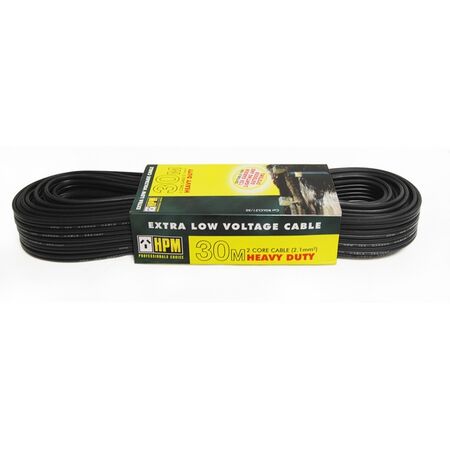
A sparky quoted a client a 20-metre run for their garden path lights — ordered the 20m cable, arrived on site, and realised the transformer was on the opposite side of the house. That extra 12 metres meant a second order, a delayed job, and an unhappy homeowner. Picking the right garden lighting cable length before you order is a small decision that has a way of becoming a big one if you get it wrong.
Standard mains wiring runs at 230V, so small changes in run length don't noticeably affect performance. Low voltage garden lighting systems typically run at 12V DC, which means voltage drop across the cable becomes a real issue over longer distances. A light that should glow at full brightness at 2 metres from the transformer can look noticeably dimmer at 15 metres — not because the fitting is faulty, but because the cable is eating voltage before it gets there.
This is why the cable length you order isn't just about whether it physically reaches — it's about whether your system still performs at the far end of that run. Plan your run length from the transformer location (not the switchboard, not the nearest GPO) to the furthest light fitting, and add a working buffer for the actual path the cable takes: around corners, along fence lines, under pavers, not straight-line distance.
[!] Low Voltage ≠ No Compliance Scope
12V garden lighting systems that plug into a standard GPO via a plug-in transformer are typically considered extra-low voltage and fall outside the scope of licensed electrical work in most Australian states. However, if the transformer is hardwired — connected directly to the mains wiring rather than plugged in — that connection must be carried out by a licensed electrician. If you're unsure which applies to your job, check with your state's electrical safety regulator before proceeding.
The two cable options at Schnap cover the most common residential garden lighting scenarios. Here's how the decision typically plays out in practice:
| Scenario | Recommended | Notes |
|---|---|---|
| Front garden path, transformer at porch, run under 15m | 20m PVC cable | Standard PVC jacket, adequate for surface or shallow runs in temperate conditions |
| Rear garden with transformer in garage or side passage, run 18–28m | 30m heavy-duty cable | Heavier construction suits longer runs and rougher handling in larger gardens |
| Large property, transformer centrally located, multiple spurs | Multiple 20m or 30m runs per spur | Keep each spur within the transformer's rated load; don't daisy-chain beyond manufacturer spec |
The heavy-duty 30m option isn't just longer — it's built for the demands of a longer run, where handling, UV exposure, and the physical strain of routing through garden beds all add up over time. If your run is borderline — say 17 or 18 metres — the 30m cable gives you the buffer without compromising on jacket quality.
Walk the actual path the cable will take — not the straight-line distance on a site plan. Garden cable runs rarely go in straight lines. Measure along fence lines, around garden beds, under gate thresholds, and note where the cable needs to change direction. Each change of direction that requires the cable to be tucked or bent adds a small amount of effective run length, and these add up.
If any section of the run goes under a path, driveway, or paved area, that section will need to be protected in conduit — both to prevent physical damage and to allow the cable to be pulled out and replaced without digging up the surface. For those sections, conduit fittings for the sleeve ends are worth sourcing at the same time so the job goes in clean first time.
Once you have your measured run length, add at least 10–15% as a practical buffer. This accounts for the routing variation you didn't measure exactly, and leaves enough tail at each end to make proper connections without the cable being under tension at the terminals.
Measuring straight-line distance instead of cable path. This is the most common reason jobs run short. A back garden that's 12 metres wide at the fence might need 22 metres of cable once you account for the run from the transformer at the side gate, along the fence, and back across to the last light position. Always walk the route with a tape.
Ordering standard cable for a long run. The 20m PVC cable is well suited to shorter, straightforward runs. On a 25-metre run with several changes of direction, the heavier-duty 30m option is a better match — not just for the extra length, but for the construction quality that handles the physical demands of a longer installation.
Leaving no slack at connection points. Cable that's pulled tight to reach a terminal is a problem waiting to happen. Soil movement, root growth, and thermal expansion all put stress on connections over time. Leave enough tail at each fitting to make a proper connection with the cable relaxed, not under tension.
Routing bare cable under paved surfaces without conduit. Garden cable running under a path or driveway — even at 12V — needs to be sleeved in conduit so it can be replaced without excavation. Skipping this step on the first install almost always means digging up the path later.
Connecting the transformer to mains without a licence. Plug-in transformers are straightforward and within homeowner scope. Hardwired transformers are a different matter — that mains connection requires a licensed electrician. This is a compliance issue in every Australian state, not a grey area.
My transformer is in the garage and the furthest light is 22 metres away — do I need the 30m cable?
In most cases, yes. Once you account for the actual cable path (along walls, around garden beds, not straight-line distance) and leave connection tails at each end, a 22-metre measured distance will typically consume close to or beyond 20 metres of cable. The 30m heavy-duty cable gives you the buffer and the heavier jacket for that run length.
Can I join two cable runs together if one length isn't enough?
Technically possible, but not recommended as a planned approach. Joins in a low voltage garden lighting run introduce resistance, create potential water ingress points, and are harder to troubleshoot if the system develops a fault later. Better to measure correctly and order the right length upfront. If the run genuinely needs more than 30 metres, consider relocating the transformer closer to the midpoint of the run rather than extending the cable.
Do I need a licensed electrician to install 12V garden lighting cable in Australia?
For the low voltage cable and fittings themselves, no licence is typically required when the system runs from a plug-in transformer — the 12V side of the circuit is generally classified as extra-low voltage and sits outside the scope of licensed electrical work. The exception is the transformer's mains connection: if the transformer is hardwired rather than plug-in, that connection must be done by a licensed electrician. Confirm the rules in your state with your local electrical safety regulator.
Can I bury this cable directly in the ground or does it need to go in conduit?
For direct burial under garden beds where the cable won't be disturbed, low voltage garden cable is generally suitable when laid at an appropriate depth and protected from sharp objects. Under paved surfaces, driveways, or anywhere the cable may need to be accessed or replaced, running it through conduit is strongly recommended — it protects the cable from physical damage and allows replacement without excavation. Check your transformer manufacturer's guidance and your state's requirements for any specifics.
What's the difference between the 20m and 30m cable options — is it just the length?
Length is part of it, but the 30m cable is described as heavy-duty, which typically means a more robust jacket construction suited to the physical demands of a longer run — more handling, more routing through garden beds, and more exposure over the lifetime of the system. For short, clean runs under 15 metres, the standard 20m PVC cable is the practical choice.
Both cables are stocked at Kingsgrove NSW with trade pricing and same-day dispatch available. Order before the cut-off and the cable is on its way the same day — no waiting on special orders.
Browse low voltage garden cable at Schnap — trade pricing and same-day dispatch from Kingsgrove NSW.

SCHNAP Electrical Wholesaler - clear, upfront pricing that professional electricians trust

Get what you need in seconds. SCHNAP electrical wholesaler makes ordering quick and simple

Fast delivery anywhere - that's guaranteed. SCHNAP electrical wholesalers ship nationwide with same-day dispatch

Track your order every step of the way. SCHNAP electrical wholesale keeps you updated from click to delivery

SCHNAP is Australia's premier electrical wholesaler and electrical supplies, marketing thousands of quality products from leading brands. Trusted for nearly two decades by licensed electricians, contractors, and engineers, our range covers everything from basic electrical components to complex industrial electrical equipment
Our key categories include: LED lighting, designer switches, commercial switchboards, circuit protection, security systems & CCTV, and smart home automation
All products are certified to Australian standards (AS/NZS), backed by our 30-day, no-questions-asked return policy. Our expert technical team helps you quickly source the right solution for any residential, commercial, or industrial project, with daily dispatch from our Sydney electrical warehouse delivering Australia-wide
SCHNAP offers the most comprehensive electrical product range, with full technical specifications, application details, installation requirements, compliance standards, and warranties — giving professionals total confidence in every purchase


