




Kingsgrove Branch:
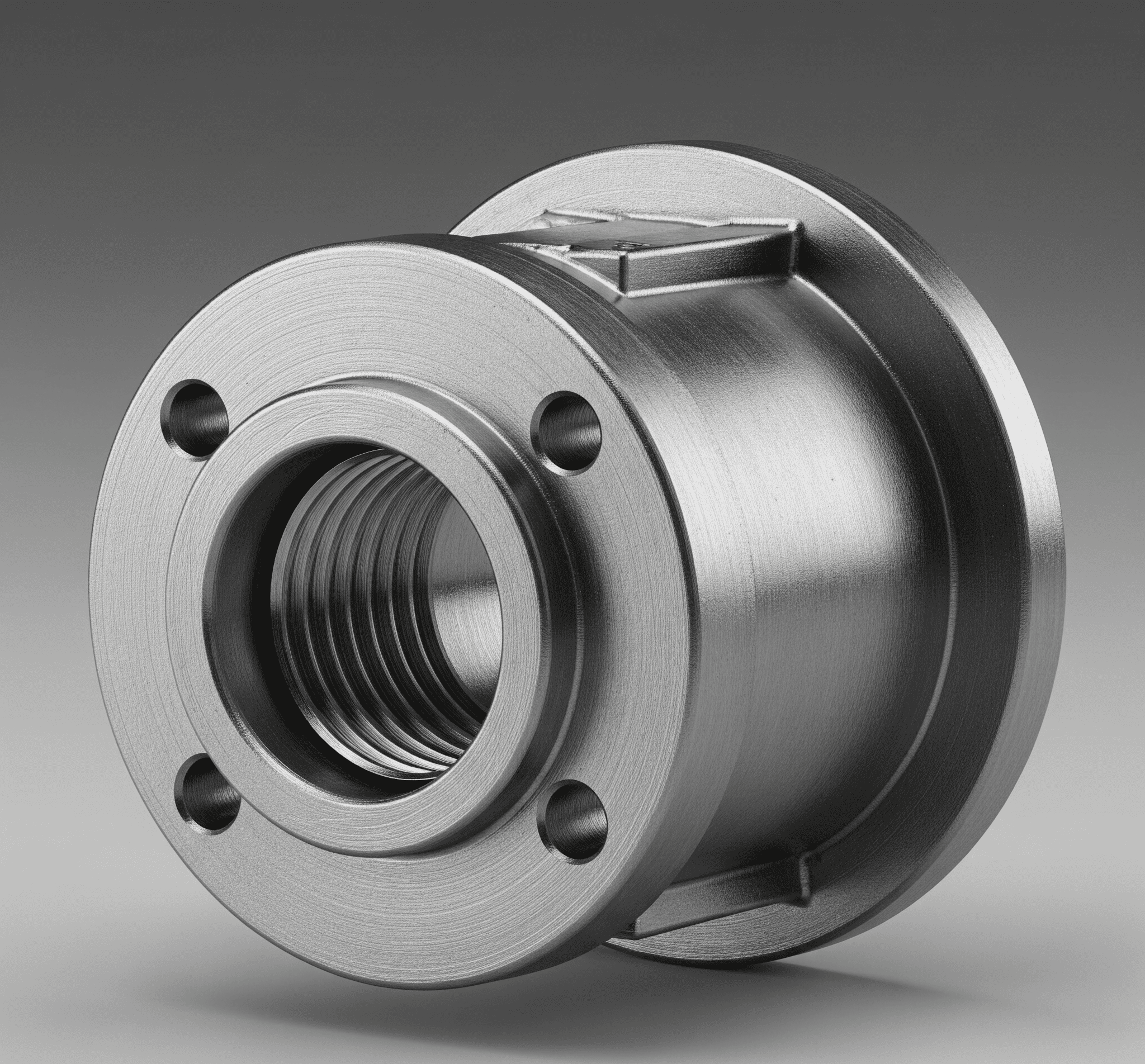
Steel bush: From basic bearings to complex machinery, understanding these crucial components is key. This deep dive explores their design, materials, applications, and maintenance, equipping you with the knowledge to select and use them effectively. Imagine a world without smooth, reliable machinery; steel bushes are the unsung heroes making it all possible
This guide provides a comprehensive overview of steel bushes, from their fundamental properties to their sophisticated applications in various industries. We'll delve into their manufacturing processes, examining the critical steps involved in producing these vital components. Understanding the factors that influence their performance, reliability, and lifespan is also essential, and we will explore these elements in detail
Steel bushings are essential components in various mechanical systems. They act as bearings, providing a smooth and reliable interface between rotating shafts and their housings. Understanding their characteristics, applications, and manufacturing processes is key to selecting the right bushing for a specific task
A steel bushing is a cylindrical sleeve made from steel, designed to fit over a shaft and into a housing. It reduces friction and wear, allowing for smooth rotation and minimizing stress on the shaft and housing components
Various steel grades are used, each offering different properties like hardness, strength, and corrosion resistance. Common materials include carbon steel, alloy steel, and stainless steel, depending on the intended application and operating conditions
Steel bushings are categorized based on their intended use. This categorization often considers load capacity and operating environment. Examples include:
| Outer Diameter (mm) | Length (mm) |
|---|---|
| 12 | 25 |
| 22 | 50 |
| 32 | 75 |
| Carbon Steel | Stainless Steel |
|---|---|
| Medium | Medium-High |
| Moderate | Moderate |
| Low | High |
Steel bushings find widespread use across various industries. Their ability to reduce friction and support rotating shafts makes them indispensable in many mechanical systems
Steel bushings are crucial components in a wide range of industries, including:
The manufacturing process of steel bushings significantly impacts their quality and performance. Precision is critical
Common methods for producing steel bushings include machining, casting, and forging. Each method has specific advantages and limitations
Rigorous quality control measures are implemented throughout the manufacturing process to ensure consistent quality and dimensional accuracy
In conclusion, steel bushes are more than just simple components; they are the silent engines of efficiency in countless applications. Their diverse properties, meticulous manufacturing, and careful selection procedures ensure their longevity and effectiveness. This guide has provided a detailed look into the fascinating world of steel bushes, from their inception to their impact on various industries. We hope this information proves invaluable in your endeavors
What are the most common materials used in steel bush manufacturing?
Common materials include various grades of steel, often chosen for their strength, hardness, and wear resistance. Specific choices depend on the application's demands. See heavy duty
How do I determine the right size of steel bush for my application?
Refer to the provided tables for size and dimension information, considering the shaft diameter and the load capacity needed
What are the potential maintenance issues with steel bushes?
Common issues include wear, corrosion, and lubrication problems. Regular inspection and proper maintenance are crucial
What are some alternatives to steel bushes?
Alternative materials, like plastics or composites, might be suitable depending on the application's specific requirements. Cost-effectiveness and environmental factors also play a role in material selection

PVC tool bags: The reliable workhorse for any toolbox. From weekend warriors to seasoned professionals, these versatile bags offer an organized and protective haven for your tools. We'll explore everything from the diverse types available to the essential maintenance tips, ensuring you find the perfect fit for your needs. Get ready to discover the advantages of choosing a PVC tool bag
Different types of PVC tool bag cater to various needs and budgets. Heavy-duty options are ideal for demanding professionals, while more lightweight versions are perfect for casual use. This comprehensive guide will walk you through the features, benefits, and applications of these essential storage solutions
PVC tool bags are a popular choice for storing and carrying tools, offering a blend of durability, water resistance, and practicality. They're designed to protect tools from damage and provide organized storage, making them useful for a variety of professions and tasks
PVC tool bags are known for their robust construction and ability to withstand various weather conditions. They are typically waterproof or water-resistant, making them ideal for outdoor use or situations involving moisture. Their primary function is to safely and securely transport and store tools, promoting efficient workflow and minimizing damage. They come in diverse shapes, sizes, and features, catering to specific needs. See steel brush
There are various types of PVC tool bags, each tailored for specific applications and tool types. Some are designed for general use, while others are specialized for particular trades or professions. Consider factors like size, compartments, and external features when choosing a bag
PVC, or polyvinyl chloride, is a common material in tool bags due to its durability and resistance to water. The material's inherent strength and flexibility make it ideal for protecting tools from impact and abrasion. Reinforced stitching is often used for added durability, particularly in areas subjected to stress
| Features | Typical Capacity |
|---|---|
| Versatile compartments, various sizes | Medium |
| Dedicated compartments for pipes, wrenches, etc | Medium to large |
| Wheels, handles, integrated storage | Large |
PVC tool bags are renowned for their resilience. They can withstand drops, impacts, and exposure to moisture, making them reliable for various outdoor and indoor jobs
These bags are highly practical due to their portability. They are lightweight and easy to carry, making them ideal for transporting tools to different work locations. Their design also facilitates efficient tool organization
The compartments and pockets in PVC tool bags facilitate organized storage. This helps prevent tools from shifting or getting damaged during transport. The bags effectively protect tools from the elements and physical wear and tear
| Description |
|---|
| Stronger seams for enhanced durability |
| Durable zippers or buckles for reliable closure |
| Organized storage for different tool types |
PVC tool bags are used across numerous industries, including construction, automotive repair, plumbing, electrical work, and more
The specific needs of each industry influence the design and features of the PVC tool bag. Electricians, for example, might require bags with dedicated compartments for electrical tools
The benefits of PVC tool bags are apparent across different trades. Their water resistance and durability make them suitable for use in wet environments or during inclement weather
Ergonomic design is crucial for comfort and ease of use. This includes features like comfortable handles and straps, facilitating easy carrying
The optimal size and shape of a PVC tool bag depend on the type and quantity of tools it will hold. Consider the dimensions and weight of the tools when selecting a bag
High-quality zippers and closures are essential for securing the contents and maintaining the integrity of the bag
PVC Tool Bag Maintenance and Care
Regular cleaning is crucial to maintaining the bag's condition. Mild soap and water are usually sufficient
Proper storage prevents damage and prolongs the life of the bag. Store the bag in a dry place when not in use
Minor tears or punctures can often be repaired with patches or similar techniques
Storing the bag properly will help to extend its life and maintain its integrity
PVC tool bags offer a balance of durability, water resistance, and cost-effectiveness compared to other materials
Consider the specific needs of your tasks and budget when choosing between PVC, nylon, canvas, or leather
Different scenarios might call for different materials. Consider the environment and the nature of the tools to be stored
| Durability | Cost |
|---|---|
| Good | Moderate |
| Good | Moderate |
| Good | Low |
| Excellent | High |
Future innovations might include improved materials, enhanced organization systems, and more advanced safety features
Look for bags with improved organization, enhanced accessibility, and advanced safety features, potentially integrated with mobile devices for added functionality
These innovations will continue to cater to the ever-evolving needs of users across various trades and industries
Improved organization, accessibility, and safety features are potential improvements in future PVC tool bags
Examples of PVC tool bags include various models with specific features, like dedicated compartments for electrical tools or robust construction for heavy-duty applications
Each bag has unique characteristics and potential drawbacks, impacting its suitability for particular tasks
Specifications vary, encompassing dimensions, capacities, and price ranges depending on the bag's features and design
Imagine a variety of PVC tool bags, showcasing their different designs, from general-purpose to specialized options
PVC tool bags typically include zippers, handles, pockets, and compartments. These components work together to ensure safe and organized tool storage
The manufacturing process of each component, like zippers and handles, influences the overall quality and durability of the bag
The placement of compartments and pockets in the bag is essential for efficient tool storage and easy access
Visualize a diagram of a typical PVC tool bag, showing its internal structure and the arrangement of components
So, PVC tool bags – more than just storage, they're a smart investment in your tools and your workflow. From their durability to organization, these bags are built to last. Hopefully, this exploration has equipped you with the knowledge to make an informed choice. Now, go out there and conquer your projects with confidence, armed with the perfect PVC tool bag
What are the common sizes of PVC tool bags?
PVC tool bags come in a range of sizes, from small, compact models for basic tool kits to larger, more spacious options for extensive tool collections. Consider the volume of tools you need to carry when selecting the right size
How do I choose the right PVC tool bag for my specific needs?
Consider the types of tools you'll be carrying, the frequency of use, and the storage requirements. Think about the features like compartments, pockets, and handles to ensure optimal organization and access
Are PVC tool bags waterproof?
PVC is inherently water-resistant, making PVC tool bags a good choice for outdoor use or potentially wet environments. However, prolonged submersion isn't recommended
What are the different types of closures used in PVC tool bags?
Durable zippers are a common closure, offering a secure seal. Some bags also incorporate Velcro straps for additional security or quick access. Consider the reliability and security of the closure when making your purchase
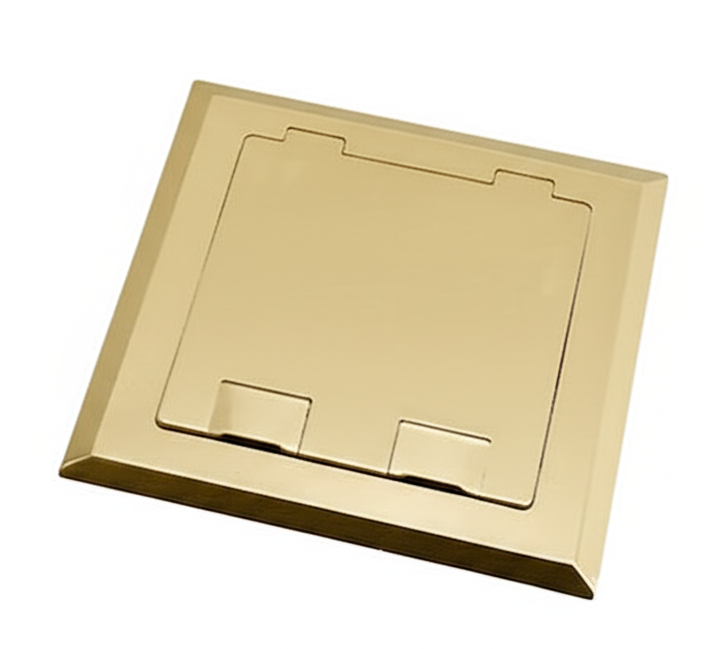
Floor box GPO are your reliable power distribution hubs, whether you're in a bustling office or a sprawling warehouse. They're the unsung heroes, silently managing the flow of power to your essential equipment. Understanding their features, installation, and safety considerations is key to ensuring smooth operation and preventing potential issues
This comprehensive guide delves into the world of floor box GPOs, exploring their design, construction, installation, and maintenance. We'll cover everything from the inner workings of a typical floor box GPO to its practical applications in various settings, including server rooms. We'll also touch on safety precautions to keep you and your equipment safe
Floor box GPOs are a critical component in many electrical installations, offering a centralized point for connecting various power and data circuits. They're designed for robust, reliable power distribution, making them ideal for commercial, industrial, and residential applications. Their functionality extends to handling a range of power demands, from basic outlets to complex server room setups
A floor box GPO (General Purpose Outlet) is a sturdy enclosure typically mounted on the floor. It houses multiple power outlets and often data ports, providing a convenient way to manage electrical connections in a structured manner. Think of it as a controlled hub for distributing power throughout a space. Typical applications include offices, server rooms, and industrial settings
Floor box GPOs typically include input connections (for incoming power), output connections (for distributing power to various devices), and robust grounding mechanisms for safety. The quality of these components directly affects the overall reliability and safety of the system. Additional features might include circuit breakers, surge protection, or even integrated data outlets, depending on the specific model, see floor duct
Different models cater to various needs. Some key distinctions include power capacity (from low-power outlets to high-capacity server-room setups), mounting options (wall-mounted or floor-mounted), and the number of outlets or data ports. Some are designed for specific environments, like environments with high humidity or extreme temperatures
Early floor box GPOs were simpler, focusing primarily on power distribution. As technology advanced, the need for combined power and data connections increased, leading to more sophisticated models. Today, GPOs are designed to be flexible and adaptable to changing needs, from basic power distribution to more complex configurations
| Power Rating (Watts) | Dimensions (LxWxH) |
|---|---|
| 1000-2000 | 400x300x100mm |
| 10000+ | 600x400x200mm |
| 3000-5000 | 500x400x150mm |
In conclusion, floor box GPOs are versatile power distribution solutions. By understanding their features, installation procedures, and safety protocols, you can ensure efficient and safe power delivery for your various needs. Whether you're a seasoned professional or a curious newcomer, this guide equips you with the knowledge to make informed decisions when working with floor box GPOs. Remember, safety should always be your top priority
What are the typical applications of floor box GPOs?
Floor box GPOs are commonly used in commercial, industrial, and residential settings for distributing power to various equipment, such as servers, network devices, and lighting fixtures. They are also frequently used in server rooms and data centers
What are the different mounting options for floor box GPOs?
Floor box GPOs can be wall-mounted, floor-standing, or even integrated into specific equipment racks, depending on the application and space constraints. Each option has its own advantages and disadvantages in terms of accessibility and stability
How can I ensure the safety of my floor box GPO installation?
Adhering to all safety regulations and standards, proper grounding, and careful handling of components are crucial. Regular maintenance and inspections can also help identify and address potential hazards early on
What are some common issues with floor box GPOs and how can I troubleshoot them?
Overloading, loose connections, and faulty components are common issues. Troubleshooting often involves checking for proper connections, verifying the power rating, and addressing any underlying problems

Point of attachment bracket, the unsung hero of countless structures, is a crucial component in various industries. From holding heavy machinery to securing delicate equipment, these brackets ensure stability and safety. Understanding their design, manufacturing, and application is key to utilizing them effectively
This guide delves into the world of point of attachment brackets, exploring their diverse types, critical design considerations, and essential maintenance procedures. We'll cover everything from material selection to safety protocols, ensuring a complete understanding for anyone working with these vital components
Point of attachment brackets are crucial components in countless industrial applications. They provide a secure and reliable connection between different parts or structures, enabling various functionalities. Understanding their design, manufacturing, and applications is essential for ensuring structural integrity and safety
Point of attachment brackets are essential components in a wide range of industries, from construction and manufacturing to aerospace and automotive. They act as the vital connection point between different parts or systems, transferring loads and forces safely. Different types of brackets cater to diverse needs, each engineered to handle specific load capacities and environmental conditions. Proper bracket selection is critical for maintaining structural integrity and preventing failures
| Material | Typical Applications |
|---|---|
| Steel | Heavy machinery, structural support |
| Aluminum | Equipment mounting, light-duty applications |
| Composite | Pipe supports, electrical enclosures |
Careful consideration of design factors is crucial for ensuring the bracket's ability to withstand intended loads and environmental conditions, see steel bush
###td
>td ###Durable, watertight
| Suitability for Bracket Type | Pros/Cons |
|---|---|
| Most bracket types | Versatile, adjustable |
| High-strength brackets | Strongest, permanent |
Manufacturing processes and material selection directly impact the bracket's performance and longevity
| Pros | Typical Applications |
|---|---|
| High strength, durability | Heavy-duty applications |
| Lightweight, corrosion resistance | Aerospace, automotive |
| Lightweight, high strength-to-weight ratio | High-performance applications |
In conclusion, point of attachment brackets are more than just fasteners; they're the silent guardians of structural integrity. By carefully considering design, manufacturing, and installation procedures, we can maximize their performance and ensure safety in a wide range of applications. Remember, proper maintenance and adherence to safety standards are paramount to longevity and preventing potential hazards. This guide equips you with the knowledge needed to make informed decisions when working with these essential components
What are the common materials used in point of attachment brackets?
Steel, aluminum, and composites are frequently used, each with its own strengths and weaknesses regarding load capacity, corrosion resistance, and cost
How do I choose the right bracket for my application?
Consider the load requirements, environmental conditions, and budget. Consult engineering specifications and refer to the material comparison table for guidance
What are the potential consequences of improper bracket installation?
Improper installation can lead to structural failure, safety hazards, and costly repairs. Always follow manufacturer instructions and safety protocols
What are some common maintenance tasks for point of attachment brackets?
Regular visual inspections for signs of wear and tear, corrosion, or damage, along with lubrication and cleaning, are crucial for long-term performance
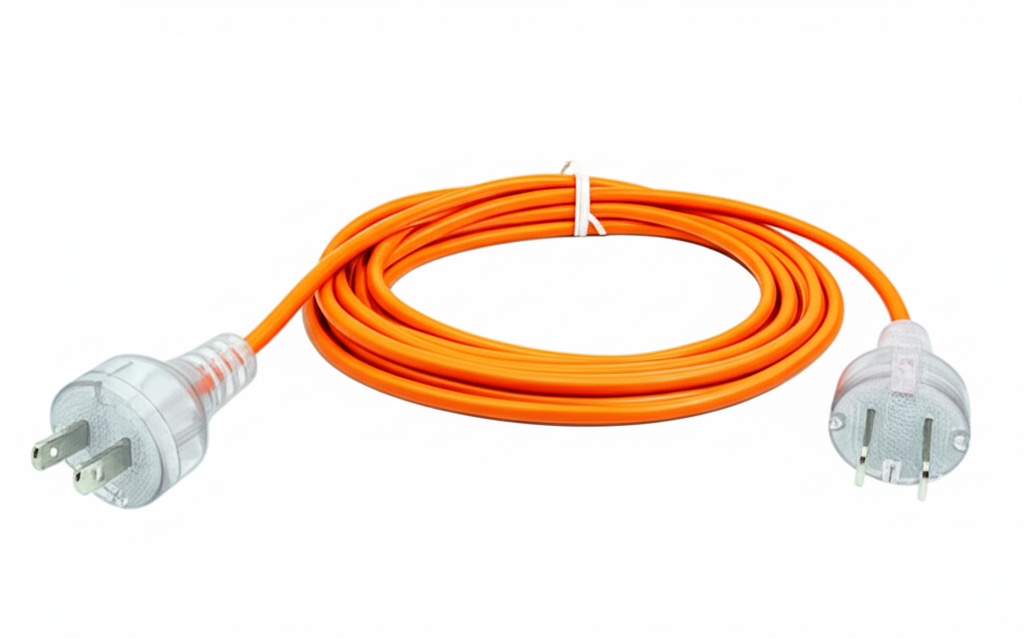
Heavy duty tie down points are crucial for safe and efficient cargo transport. Imagine a world without them – cargo flying everywhere, causing damage and delays. These robust systems are the unsung heroes of logistics, keeping your goods secure and your shipments on track. We'll explore the essential aspects of these vital components, from material selection to installation, and uncover how they play a pivotal role in diverse industries
Choosing the right heavy duty tie-down points is a critical decision, affecting everything from preventing cargo shifts to maintaining the integrity of your goods during transit. Understanding the various types, their load capacities, and installation procedures is paramount to maximizing safety and minimizing risks. This guide will equip you with the knowledge to select, install, and maintain these essential components effectively
Tie-down points are crucial for safe cargo transport across various industries. They provide a secure method for fastening goods during transit, preventing movement and damage. Their robust design is essential to protect both the cargo and the transport vehicle
Tie-down points are vital for preventing cargo shift and damage during transit. This is especially important in industries handling heavy or fragile items, where even slight movement can cause significant problems. They are commonly used in logistics, manufacturing, construction, and automotive industries, among others
Various types of heavy-duty tie-down points are available, each suited to different cargo types and load capacities. These include bolt-on, welded, and integrated tie-down points. The selection depends on the specific weight and nature of the cargo being transported
Many industries depend heavily on secure tie-down points. For instance, the logistics industry needs them to transport large and heavy machinery and goods safely. The construction industry uses tie-down points for equipment and materials during transport. Automotive manufacturers also use them to secure parts and components throughout the manufacturing and distribution processes
Selecting the right materials for heavy-duty tie-down points is critical for long-term reliability and safety. The strength, durability, and resistance to wear and tear are key factors
Different materials exhibit varying strengths and weaknesses. Steel, a common choice, offers high strength but can rust. Alloy steel provides enhanced corrosion resistance, but at a higher cost. Composites, while lightweight and corrosion-resistant, typically have lower strength compared to steel
Optimal load distribution is paramount in tie-down systems. Careful design considerations are needed to prevent stress points that could lead to failure. The design of tie-down points directly affects their load-bearing capacity. See temporary power box
Proper installation is crucial for the safe and efficient use of tie-down points. Following manufacturer guidelines is essential
The correct installation procedures ensure the security and efficiency of the tie-down system. Steps for installing different tie-down points vary but typically involve securing the point to the vehicle or structure and attaching the cargo accordingly
Safety precautions should be observed during installation and use. This includes proper use of tools, protective equipment, and adherence to load limits. Inspecting the tie-down points before and after use is vital to prevent accidents
Understanding load capacity is essential for selecting appropriate tie-down points. The choice of materials and design heavily influence load capacity
Determining the appropriate load capacity involves considering the weight of the cargo, the distance of travel, and other relevant factors. Calculations should be performed to ensure the tie-down points can safely handle the load
| Load Capacity (kg) |
|---|
| 1000-5000 |
| 5000-20000 |
| 20000+ |
Safety factors are critical in tie-down systems to prevent accidents. They account for unforeseen circumstances and potential variations in load
Regular inspection and maintenance are vital for the longevity and safety of tie-down points
Regular inspections are crucial for identifying any damage or wear. Look for signs of stress, corrosion, or deformation. Early detection prevents potential failures
Maintenance procedures vary based on the type of tie-down point. These procedures may involve lubrication, tightening, or replacement of parts as needed
Different industries have unique requirements for tie-down points. Understanding these needs is essential for selecting the appropriate system
Industries like automotive, construction, and logistics face unique challenges when selecting tie-down points. These challenges include varying cargo types, weight limits, and environmental conditions
Different industries require varying tie-down capacities and safety features. For example, automotive manufacturers prioritize secure fastening of components during transit
Choosing the right tie-down points involves careful consideration of several factors
A comprehensive decision-making framework considers cargo weight, type, and transport method. Evaluating environmental conditions is also important
Real-world examples provide valuable insights into the importance of proper tie-down systems
Learning from successful and unsuccessful tie-down applications is crucial for best practices. Examples of cargo loss incidents highlight the significance of appropriate tie-down points
In conclusion, securing cargo with heavy duty extension tie-down points is not just a best practice; it's a necessity. By understanding material selection, installation protocols, and load capacity considerations, you can significantly reduce the risk of damage and ensure the smooth flow of your shipments. Proper maintenance and inspection are equally important for maintaining safety and longevity. This comprehensive guide provides a roadmap for navigating the complexities of choosing and utilizing these critical components
What are the common warning signs of potential tie-down failure?
Look for signs of excessive wear, rust, or deformation on the tie-down points. Unusual sounds during transport, or a visible shift in cargo position are also red flags. Never ignore any suspicious or concerning issues
How do I calculate the required load capacity for my cargo?
Determine the total weight of your cargo and add a safety factor (often 25-50%). Consult the load capacity chart for your chosen tie-down type to ensure the selected points can withstand the calculated load
What's the difference between bolt-on, welded, and integrated tie-down points?
Bolt-on tie-downs are versatile and adaptable, welded tie-downs are robust for heavy cargo, while integrated tie-downs are designed for permanent solutions. Each type has specific advantages and disadvantages depending on your needs
Are there any special considerations for using tie-downs in cold weather or high-altitude environments?
Material properties can change in extreme temperatures or altitudes. Consult the material specifications for your chosen tie-downs and consider using additional safeguards in these environments
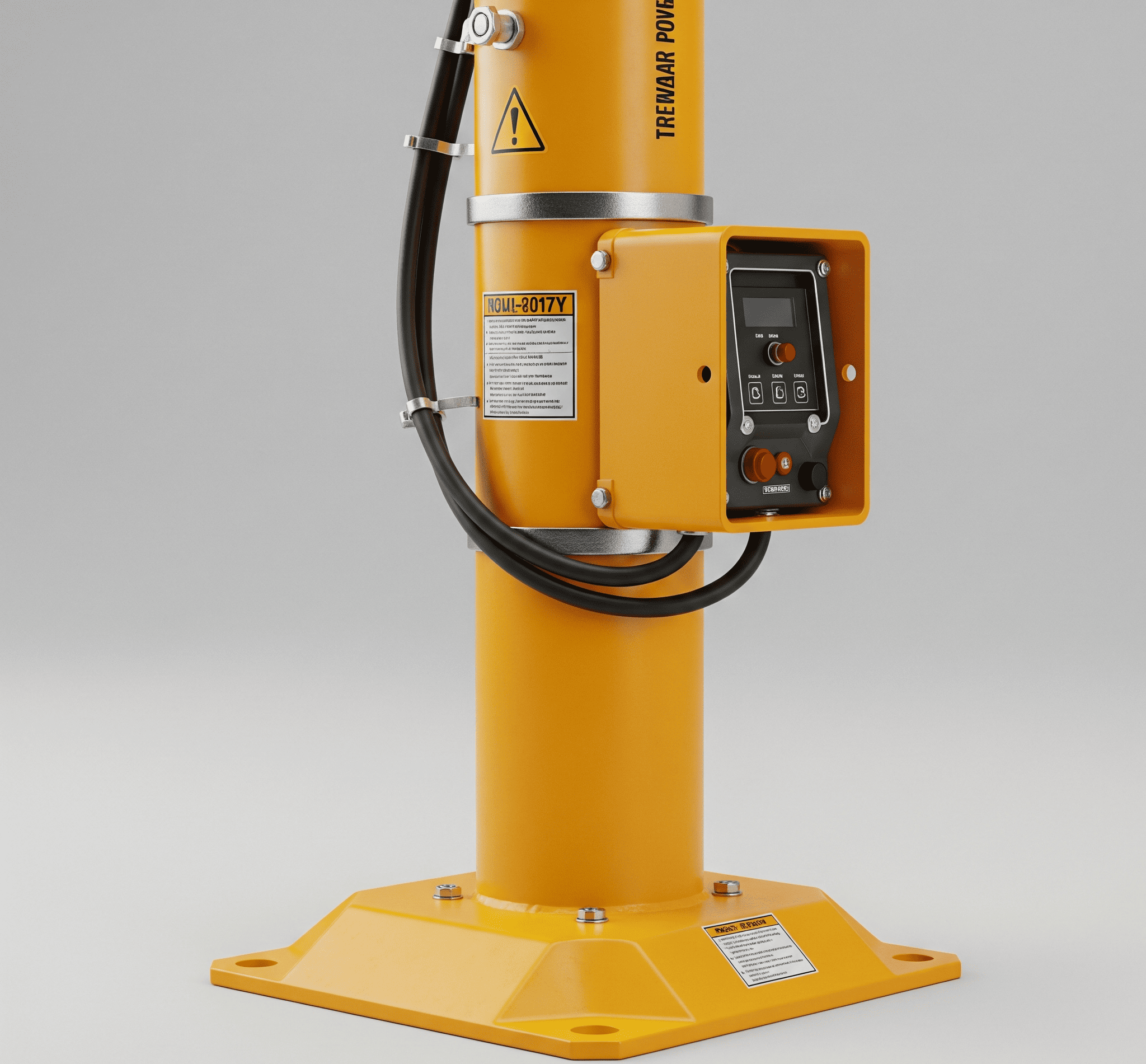
Temp power pole, a crucial component in temporary power solutions, is the focus of this comprehensive guide. From construction sites to large-scale events, understanding the ins and outs of these temporary power sources is vital. This guide breaks down everything from the different types of poles to the safety precautions you need to know, helping you make informed decisions
Whether you're a seasoned professional or just starting out, this resource provides a clear and concise overview of temporary power poles, their applications, and essential considerations. We'll explore the diverse materials used, highlighting the strengths and weaknesses of each. You'll discover the advantages and disadvantages of choosing a temporary solution over a permanent one, along with a breakdown of costs and installation procedures. See temporary power board
Temporary power poles are a vital component in various industries and situations where a quick and efficient power solution is needed. They provide a temporary infrastructure for electricity delivery, often in areas where a permanent installation isn't feasible or practical. This overview delves into the intricacies of temporary power poles, from their application and materials to installation, maintenance, and safety considerations
Temporary power poles are designed for temporary power needs, such as construction sites, events, or emergency situations. They are crucial for bridging the gap between the need for power and the time it takes to install permanent solutions. Different materials are used, offering varying strengths and weight capacities, to suit specific needs
| Temporary Power Poles | Comparison |
|---|---|
| Faster | Temporary poles offer quicker setup |
| Lower | Temporary poles are generally more affordable initially |
| Lower | Permanent poles have a longer lifespan |
| Potentially higher | Temporary poles may require more maintenance |
Various types of temporary power poles are available, categorized by material, size, and intended use. Specifications, including dimensions, weight capacity, and electrical ratings, are critical for safe and efficient operation. Safety standards and regulations must be meticulously followed during installation and operation
| Strengths | Suitable Applications |
|---|---|
| High strength, durability | Construction sites, heavy-duty applications |
| Lightweight, corrosion resistant | Event setups, temporary installations |
| Lightweight, strong, non-conductive | Areas with high winds, where weight is critical |
Safe installation of temporary power poles involves careful site preparation, anchoring, and electrical connections. Appropriate tools and equipment are necessary for each stage. Maintaining the integrity and safety of temporary power poles is essential for ongoing operations
| Procedure | Tools/Equipment |
|---|---|
| Site Preparation | Digging tools, surveying equipment |
| Anchoring | Anchoring systems, concrete |
| Electrical Connections | Electrical testers, connectors |
In conclusion, temporary power poles offer a flexible and often cost-effective alternative to permanent installations. This guide has equipped you with the knowledge to understand the various types, installation processes, safety protocols, and economic factors associated with these essential temporary power solutions. Remember, safety is paramount, so always prioritize adherence to regulations and best practices when working with temp power poles
Choosing the right pole for the job and understanding its limitations are key to successful deployment
What are the common materials used for temporary power poles?
Common materials include aluminum, steel, and fiberglass, each with varying strengths and weaknesses. Aluminum is lightweight, while steel offers superior strength. Fiberglass is a good choice for corrosion resistance
What are the safety regulations when installing temporary power poles?
Always adhere to local electrical codes and safety standards. Proper grounding, insulation, and secure mounting are crucial for preventing accidents. Consult with qualified professionals for complex installations. See heavy duty
How do I choose the right temporary power pole for my project?
Consider factors like the required power output, the duration of the project, the environment, and the load capacity. Comparing specifications and consulting with experts can help you make the best choice
What are the potential environmental impacts of using temporary power poles?
Proper disposal of materials and adherence to environmental regulations are key. Some materials, like wood, can decompose, while others, like metal, require responsible recycling. Using recyclable materials and reducing waste is always a good practice
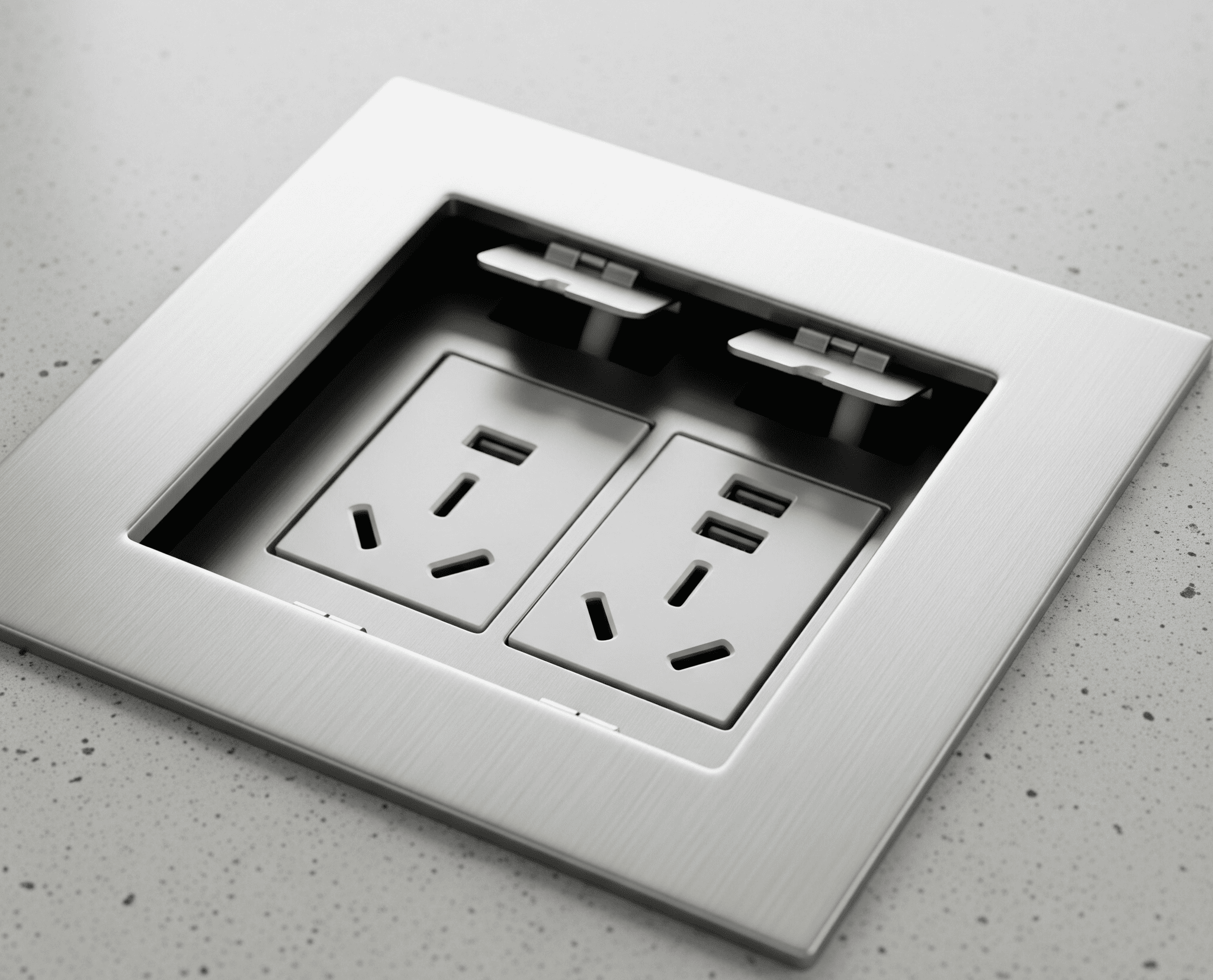
GPO floor box are the unsung heroes of electrical systems. These sturdy enclosures provide a safe and organized space for electrical connections, whether it's a bustling industrial site or a quiet residential setting. From their robust construction to their practical applications, GPO floor boxes are more than just containers; they're the backbone of reliable electrical infrastructure
This comprehensive guide dives into the world of GPO floor boxes, exploring everything from their diverse types and components to installation best practices and essential maintenance tips. We'll also look at safety standards and emerging trends, leaving you well-equipped to handle any electrical challenge
GPO floor boxes are essential components in electrical systems, providing a safe and organized way to manage power distribution. This guide delves into their various aspects, from fundamental concepts to advanced applications and future trends
GPO floor boxes are enclosures designed for housing electrical distribution equipment, like circuit breakers and junction boxes, in a safe and accessible manner. They are crucial for industrial, commercial, and residential applications where reliable power distribution is critical. Different types cater to specific needs and environments
Functionality and Applications: GPO floor boxes house electrical equipment, providing a protected space for wiring and connections. They are often found in power distribution areas, industrial settings, and commercial buildings
Types: GPO floor boxes come in various materials (metal, plastic), sizes, and features, tailored to different environments and power requirements. This flexibility allows for diverse applications, from small installations to large-scale industrial setups
Components: Typical components include wiring compartments, terminals for connecting cables, access points for maintenance, and often grounding provisions. The specific components depend on the box's intended use. See USB extension cable
| Material | Dimensions |
|---|---|
| Steel, Aluminum | 600mm x 400mm, 800mm x 600mm |
| ABS, Polycarbonate | 400mm x 300mm, 500mm x 400mm |
Proper construction is paramount for safety and durability. Careful design ensures easy access, reliable connections, and long-term performance. Materials play a critical role in these factors
Construction Techniques: Strong, reliable construction is vital. This involves using high-quality materials, appropriate fasteners, and robust design principles
Design Elements: Wiring compartments, terminals, and access points are crucial. Proper design ensures that these elements are easily accessible for maintenance and repairs
Materials: Metal offers excellent corrosion resistance, while plastic is often lighter and easier to install. The choice depends on the specific application and its environmental conditions
Grounding: Effective grounding is essential to prevent electrical shocks and maintain safety. Follow established grounding procedures for all installations
| Advantages | Safety Considerations |
|---|---|
| Corrosion resistance, durability | Strong grounding connections required |
| Lightweight, easy installation | Proper mounting and protection from physical damage |
Proper installation is critical for a safe and functioning system. This section details the steps for a smooth and compliant installation
Preparation: Ensure the installation area is suitable and all necessary tools are available. Plan the wiring layout for optimal access
Mounting: Secure the floor box to the wall or floor using appropriate anchors. Follow manufacturer instructions
Cable Connection: Carefully terminate cables using appropriate connectors and methods. Adhere to safety standards and manufacturer guidelines
Labelling: Clearly label all connections for easy identification and maintenance. Use a consistent labelling system
| Procedure | Safety Precautions |
|---|---|
| Prepare the mounting area | Use appropriate safety gear |
| Mount the floor box | Ensure secure mounting |
In conclusion, GPO floor boxes are vital components in any electrical system. Their robust design, varied applications, and adherence to safety standards make them indispensable in a multitude of settings. By understanding their construction, installation, and maintenance, you can ensure your electrical systems run smoothly and safely. Hopefully, this guide has provided a solid foundation for your GPO floor box knowledge
What are the typical materials used for GPO floor boxes?
Common materials include steel, aluminum, and sometimes plastic, each with varying levels of durability and cost
What are the most important safety considerations during installation?
Proper grounding, cable termination, and adherence to safety regulations are paramount. Always prioritize safety
How often should GPO floor boxes be maintained?
Regular visual inspections, cleaning, and checks for loose connections are recommended to prevent potential issues
What are some common problems that occur with GPO floor boxes?
Overheating, faulty connections, corrosion, and improper grounding are among the most prevalent issues

Hook roofing, a unique and often intriguing architectural choice, is gaining popularity for its distinctive aesthetic and potential for customization. This guide delves into the fascinating world of hook roofing, exploring its history, construction methods, materials, design considerations, costs, maintenance, safety, and future trends. Prepare to be captivated by the details, from the initial concept to the final, stunning result
We'll also touch upon some frequently asked questions to make this as complete as possible
From traditional residential applications to modern commercial projects, hook roofing offers a myriad of possibilities. We'll cover everything you need to know, from the materials that go into building a hook roof to the maintenance required to keep it in tip-top shape for years to come
Hook roofing, a distinctive architectural style, offers a unique approach to constructing roofs. Its defining characteristic lies in the angled, often curved, metal panels that form the roof's surface, contrasting with more traditional flat or sloping designs. This structural approach is employed for its visual appeal, as well as its ability to manage water runoff and provide exceptional durability
While precise historical origins of hook roofing aren't readily available, its modern application in diverse architectural contexts, from industrial buildings to contemporary homes, showcases its adaptability. The design's evolution seems tied to the availability of specific materials and technological advancements in metalworking and fabrication
Hook roofing often utilizes durable metal panels, such as galvanized steel or aluminum. These materials are chosen for their resistance to corrosion and ability to withstand various weather conditions. Other options, like specialized composite materials, might be considered depending on the specific design and budget. See GPO floor box
Hook roofing finds application in a wide range of structures. From residential properties seeking a contemporary look to commercial buildings needing a robust and attractive solution, this roofing style proves versatile. The ability to customize the shape and size of the panels allows for a unique aesthetic that complements diverse architectural styles
| Hook Roofing | Asphalt Shingle Roofing |
|---|---|
| Can vary significantly depending on materials and complexity | Moderately priced |
| High, especially with quality metal panels | Moderate, susceptible to weathering and damage |
| Modern, distinctive, and customizable | Classic and familiar |
Installing hook roofing involves careful planning and precise execution. The method generally involves the careful attachment of solar panel to the underlying structure, using specialized fasteners and supports. Proper anchoring and sealing are essential to ensure long-term performance and prevent leaks
Specialized tools and equipment are required for hook roofing installation. These include, but are not limited to, metal working tools, safety harnesses, and specialized lifting equipment. The precise equipment will vary depending on the design and scale of the project
The choice of materials for hook roofing is crucial to its long-term performance. Metal panels, tiles, and composites are commonly employed. The selection will be determined by factors like budget, aesthetics, and desired lifespan
The durability of materials significantly impacts the lifespan of a hook roofing system. Factors like resistance to corrosion, UV degradation, and impact damage are crucial considerations
Hook roofing design considerations should align with the overall architectural style and aesthetic goals. Careful planning ensures a harmonious blend with the surrounding environment
The cost of hook roofing can vary greatly depending on factors like the size of the project, complexity of the design, and the specific materials selected. Detailed cost estimates should consider labor, materials, and any necessary permits or inspections
Regular maintenance is crucial for the longevity of a hook roofing system. Cleaning and inspections help identify potential issues early, reducing costly repairs later
Adherence to safety protocols and building codes is paramount during hook roofing installations and maintenance. Proper safety equipment and procedures are vital to prevent accidents
Various projects showcase the diverse applications of hook roofing. These case studies demonstrate its aesthetic versatility and practical applications
Future advancements in hook roofing may include the development of new, more sustainable materials. Innovations in design and construction methods could further enhance its efficiency and visual appeal
In conclusion, hook roofing presents a compelling alternative to traditional roofing styles. Its unique design, diverse applications, and potential for customization make it a truly versatile choice. By understanding the intricacies of construction, materials, and maintenance, homeowners and contractors alike can confidently embrace the advantages of this distinctive roofing option. Ultimately, hook roofing is a rewarding investment with aesthetic appeal and a lasting impact
What are the common materials used in hook roofing?
Common materials include metal, tiles, and composite materials. The best choice depends on factors like budget, desired aesthetics, and local climate
How much does hook roofing typically cost?
Costs vary significantly based on the materials, size of the project, and location. It's best to get a detailed quote from qualified contractors
What are some key safety considerations for hook roofing installations?
Safety is paramount. Proper training, appropriate safety equipment, and adherence to local building codes are essential for safe hook roofing installations
Are there any environmental considerations related to hook roofing materials?
Many modern roofing materials are designed with sustainability in mind. Look for materials with recycled content or low environmental impact

Recessed floor box the unsung hero of clean, efficient installations. From managing cables in residential spaces to supporting complex systems in commercial environments, these discreet marvels are the backbone of modern infrastructure. This comprehensive guide delves into the intricacies of recessed floor boxes, covering everything from their design and installation to maintenance and future trends
Imagine a world where cables are hidden, installations are sleek, and functionality meets aesthetics. Recessed floor boxes make this vision a reality. We'll explore the various types, their applications, and the critical considerations for a successful installation
Recessed floor boxes are a versatile solution for discreetly managing cables and wiring within floors. They're a common sight in both residential and commercial spaces, offering a clean and organized aesthetic. This guide delves into their design, installation, applications, and maintenance
Recessed floor boxes are specifically designed to be integrated into the floor, concealing wiring and cables. Their key feature is their hidden nature, which contributes to a clean, uncluttered aesthetic. They're often employed in areas requiring a professional and modern look, such as homes, offices, and retail spaces. Various types exist, catering to different needs and applications
| Typical Dimensions (Approximate) | Material |
|---|---|
| 6" x 6" x 4" | Steel |
| 4" x 4" x 2" | Aluminum or composite |
| Variable, based on custom design | Steel or composite |
| Custom-designed | Various |
Proper installation is crucial for both functionality and safety. The steps typically involve preparing the floor, precisely positioning the box, and securely fastening it in place. Electrical codes and safety regulations must be followed meticulously
| Challenges | Example |
|---|---|
| Difficult cutting, potential for cracking | Installing a large data box |
| Wood damage, uneven surface | Installing a smaller combination box |
Recessed floor boxes are adaptable to various applications. They're used to neatly manage cables in residential, commercial, and industrial settings, improving both functionality and aesthetics
| Requirements | Example |
|---|---|
| Standard electrical code compliance | Adding outlets in a new house |
| High data transfer speed, reliable connectivity | Wiring a new office building |
In conclusion, recessed floor boxes offer a powerful solution for managing cables and creating a visually appealing and functional space. Whether you're a homeowner or a seasoned contractor, understanding the intricacies of these hidden gems empowers you to make informed decisions. Remember, careful planning, proper installation, and consistent maintenance are key to maximizing their lifespan and performance. See GPO floor box
What are the typical dimensions of a recessed floor box?
Dimensions vary significantly based on the specific type and application. Consult the product specifications for accurate measurements. A table within the main content provides a range of typical dimensions
What are the most common materials used in recessed floor box construction?
Common materials include steel, aluminum, and various plastics, each with its own set of properties. The table in the installation section details the properties and suitability for different environments
What safety precautions should I take when installing a recessed floor box?
Always prioritize safety. Follow all electrical codes and regulations. Ensure proper grounding and insulation, and disconnect power before starting any work. Refer to the safety section for a detailed overview
How often should I maintain a recessed floor box?
Regular inspections and cleaning are essential. The frequency depends on the environment and usage. Refer to the maintenance section for a detailed maintenance schedule

Front gate intercom systems are more than just bell and whistles; they're the silent guardians of your property, a seamless blend of security and convenience. From bustling apartment complexes to tranquil single-family homes, these systems act as a first line of defense, streamlining access and communication while deterring unwanted guests. Imagine the peace of mind knowing visitors are vetted before entering your community, all thanks to a well-designed intercom
This overview will explore the essential elements of these modern marvels, from their history and features to installation, maintenance, and future innovations
Today's front gate intercoms are sophisticated tools that go beyond simple audio communication. Advanced systems often integrate video feeds, access control, and even smart home automation. This detailed look will explore how these systems work together to enhance security and streamline daily operations. We'll examine the various types available, highlight the key benefits, and walk through the process of choosing and installing the right system for your needs
Front gate intercom systems are a crucial part of modern security and access control like bell hotel. They allow controlled entry and communication between visitors and residents or staff. They've come a long way from simple audio systems, evolving into sophisticated tools integrating with broader home automation
Front gate intercoms facilitate secure entry by verifying visitors before allowing them access. They provide a communication link, enabling clear interactions between those outside and those inside the premises. This controlled access enhances security and convenience
Early intercom systems were primarily audio-based, enabling simple communication. Over time, video functionality was added, providing a visual verification step. Now, integrated access control systems are becoming more common, offering a layered approach to security
Several types of front gate intercom systems exist. Audio-only systems offer basic communication, while video intercoms add visual verification. Integrated systems combine video and access control features, allowing authorized individuals to open gates remotely
A typical system includes a gate control unit, intercom panels (both inside and outside the gate), and sometimes a keypad or remote control. Power supplies and communication lines are also essential parts of the setup
Front gate intercom systems offer a wide range of benefits, significantly enhancing security and convenience
These systems drastically reduce unauthorized entry by requiring verification of visitors before access. This added layer of security deters unwanted individuals
For residents, intercoms provide a convenient way to manage visitors and deliveries without needing to be physically present. Visitors appreciate the clear communication process
Intercoms streamline communication between residents and visitors, facilitating smooth interactions. This efficiency is especially beneficial for apartment complexes and commercial buildings
Some systems can be integrated with broader home automation setups. This allows for automated gate opening based on pre-set criteria
Different types of intercoms offer varying levels of security, convenience, and cost. Audio-only systems are the most basic and affordable, while integrated systems provide the most comprehensive security
| Security | Cost |
|---|---|
| Basic | Low |
| Moderate | Medium |
| High | High |
Proper installation and maintenance are vital for the long-term performance of front gate intercom systems
Installation typically involves preparing the site, mounting components, wiring connections, and testing functionality. Specific steps vary based on the system and location
Installation procedures differ depending on the application. Single-family homes often have simpler installations compared to apartment complexes or commercial buildings
Common issues include connection problems, malfunctioning components, and interference. Troubleshooting guides and manuals can help address these issues
Regular maintenance, like checking connections and ensuring proper power supply, keeps the system running smoothly. Cleaning components and performing routine checks are crucial
Replacing a faulty unit involves identifying the problem, acquiring a replacement unit, disconnecting the old unit, connecting the new unit, and testing functionality
| Time | Complexity |
|---|---|
| Longer | Lower |
| Shorter | Higher |
Security protocols are paramount for front gate intercom systems
Robust security protocols are essential to deter unauthorized access and protect the system from breaches
Various security measures, such as access control and authentication methods, can enhance system security
Access control systems, password protection, and user authorization are examples of security protocols. Strong passwords and multi-factor authentication are highly recommended
Different protocols vary in their effectiveness in deterring unauthorized access. Stronger protocols typically provide a higher level of security
Regular system updates and security checks are crucial to maintain the system's integrity
Procedures for handling security breaches and incidents should be clearly defined and followed to minimize potential damage and restore system functionality
In conclusion, front gate intercoms offer a powerful combination of security, convenience, and control. From enhancing safety to simplifying visitor management, these systems are adaptable to various needs. We've explored their history, features, installation, and future prospects, providing a comprehensive understanding of their role in modern property management. Ultimately, the right intercom system can significantly improve your property's security and enhance the overall experience for residents and visitors alike. See floor box
What are some common types of front gate intercom systems?
Audio-only systems provide basic communication, while video intercoms offer visual verification of visitors. Access control integrated systems go a step further, linking the intercom to a security system for more comprehensive access management
How do front gate intercoms enhance security?
Intercoms deter unauthorized access by requiring visitors to be identified before gaining entry. Advanced systems often incorporate security features like video surveillance and access control protocols, significantly improving security posture
What are the typical installation methods for front gate intercom systems?
Installation methods vary depending on the specific system and the location. Common methods include wired installations for established structures and wireless options for newer builds. Installation complexities can also vary, impacting the total cost and time required
What are the essential factors to consider when choosing a front gate intercom system?
Factors include budget, desired features (like video or access control), system scalability, and the vendor's reputation. Careful consideration of these factors is crucial to ensure the chosen system meets your long-term needs and enhances your property's security and convenience

SCHNAP Electrical Wholesaler - clear, upfront pricing that professional electricians trust

Get what you need in seconds. SCHNAP electrical wholesaler makes ordering quick and simple

Fast delivery anywhere - that's guaranteed. SCHNAP electrical wholesalers ship nationwide with same-day dispatch

Track your order every step of the way. SCHNAP electrical wholesale keeps you updated from click to delivery

SCHNAP is Australia's premier electrical wholesaler and electrical supplies, marketing thousands of quality products from leading brands. Trusted for nearly two decades by licensed electricians, contractors, and engineers, our range covers everything from basic electrical components to complex industrial electrical equipment
Our key categories include: LED lighting, designer switches, commercial switchboards, circuit protection, security systems & CCTV, and smart home automation
All products are certified to Australian standards (AS/NZS), backed by our 30-day, no-questions-asked return policy. Our expert technical team helps you quickly source the right solution for any residential, commercial, or industrial project, with daily dispatch from our Sydney electrical warehouse delivering Australia-wide
SCHNAP offers the most comprehensive electrical product range, with full technical specifications, application details, installation requirements, compliance standards, and warranties — giving professionals total confidence in every purchase


