

Kingsgrove Branch:


Send us a photo and our team will help identify it.

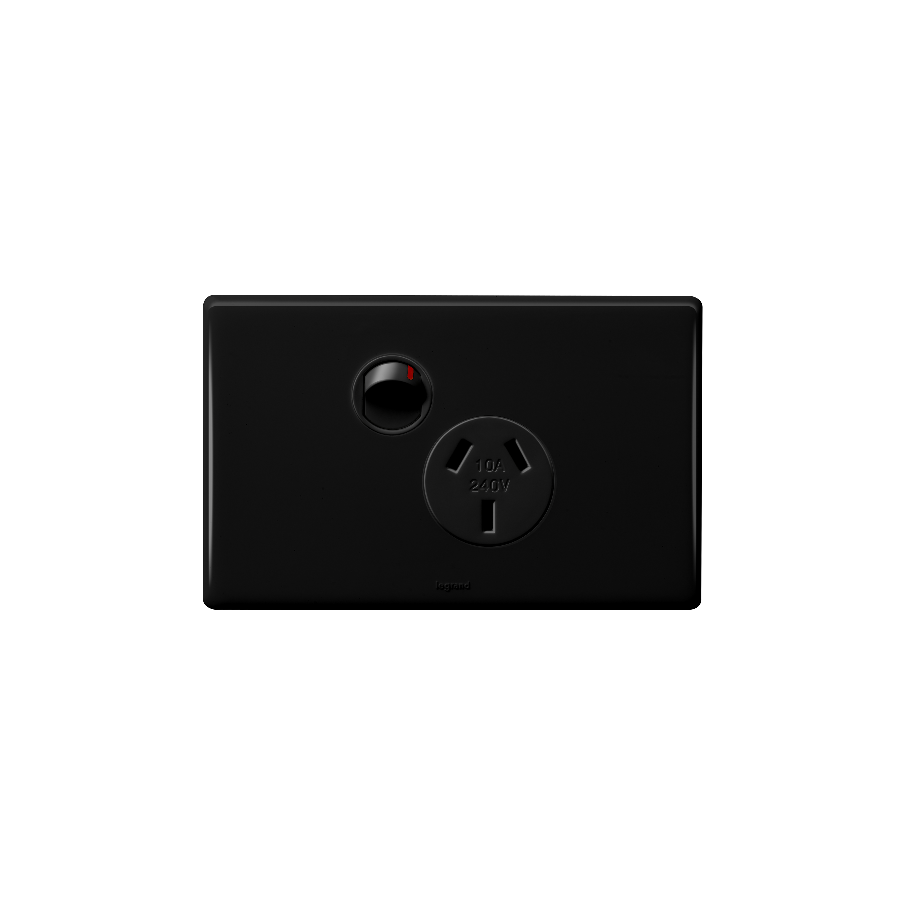
G'day! You're in the thick of a reno, and you've just put a fresh coat of "Lexicon Half" on the walls. It's looking schmick. But then your eye catches it... that 20-year-old, daggy, yellowing cream power point. It sticks out like a sore thumb and lets the whole bloody room down.
For donkey's years, we've just accepted the standard white plastic GPO. But those days are over, mate. The hottest, most stylish, and most popular upgrade for any modern Aussie home is the bold, sophisticated black power point.
It's a small change, but it makes a fair dinkum massive statement.
It's more than just a passing fad; black fittings are a deliberate design choice that just works in Aussie homes.
You're not just getting a 1980s GPO painted black. The new generation of black power points is heaps more advanced.
Righto, this is the most important part of the whole article, so listen up. It might look like a simple swap, but in Australia, it is illegal and extremely dangerous for anyone other than a licensed professional to install or replace a power point.
You are dealing with 240V mains power. A simple mistake—mixing up wires, a loose connection—can lead to a fatal electric shock, a house fire, and will absolutely void your home insurance.
This work must only ever be carried out by a licensed electrician. They have the training, testing gear, and legal authority to do the job safely and ensure it's compliant with Australian Standards (AS/NZS 3000).
A licensed electrician will always use high-quality, genuine, and compliant components to ensure your installation is safe and will last. This is why they source their gear from a trusted electrical wholesaler, not just the local hardware shelf. They know that a proper electrical wholesaler will stock the trade-quality gear that meets Aussie standards.
As one of Australia's most comprehensive electrical wholesaler and supplier networks, Schnap Electric Products is a leading source for professional-grade gear. They stock the complete range of modern, architectural black power points from the most trusted brands, including the latest modular GPOs with USB-C, matching light switches, and dimmers. For a truly professional reno that's safe, compliant, and looks schmick, the pros rely on quality gear from a supplier like Schnap Electric.
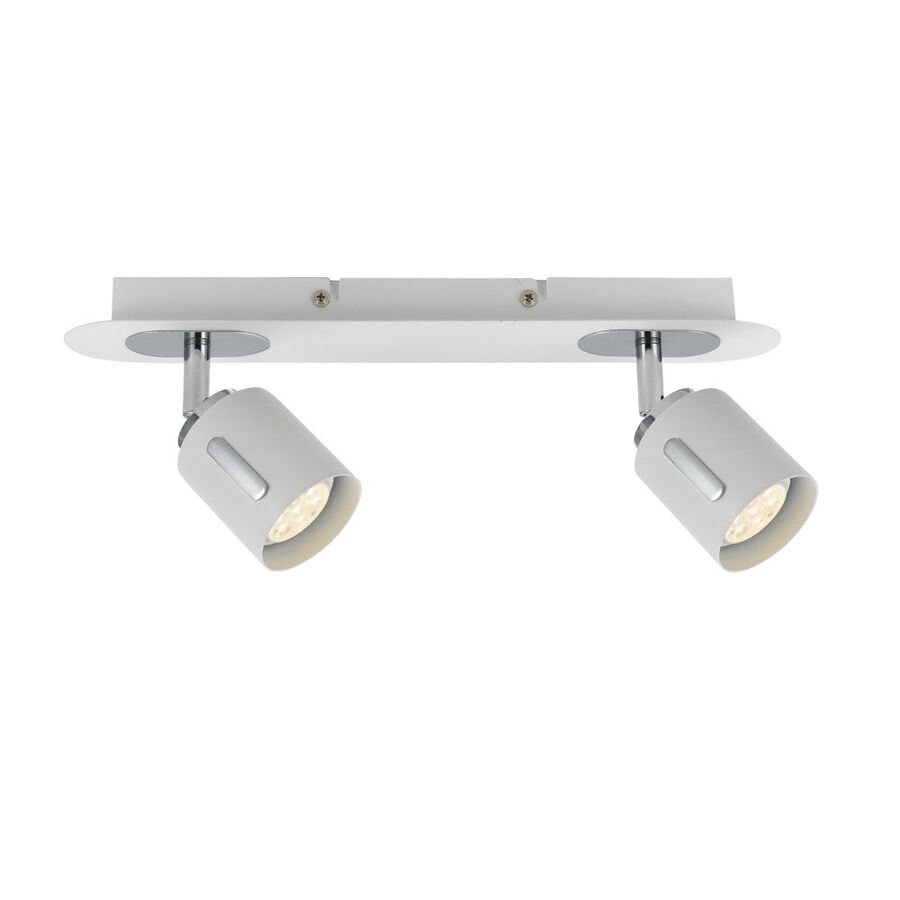
G'day! Let's talk about lighting. A standard downlight or an oyster light is great for one job: 'general' lighting. It throws light all over the place so you can see where you're going. But what about when you want to make a real feature of something?
That beautiful gum tree in your backyard, that schmick new textured wall in the living room, or that piece of art you spent a motza on – they all get lost in a general wash of light. To make them 'pop', you need a different tool altogether. You need the focused, high-impact power of LED spotlights.
This is the first thing to get your head around, because they're not the same.
This precise, focused beam is what makes LED spotlights the number one tool for creating drama, mood, and proper, high-end feature lighting.
Forget those old, stinking hot halogen spotlights that chewed through power and were a proper fire hazard in the garden. Modern LED spotlights are the new standard, and it's a no-brainer.
The beauty of LED spotlights is how versatile they are, both inside and out.
This is where they really shine, mate. Nothing transforms a dark, boring backyard like a bit of well-aimed light. Use them for:
Inside, LED spotlights are perfect for focused task or accent lighting:
Righto, let's get dead serious for a sec.
But the absolute second you need to install a new power point for your 1B_2V transformer, or you want to install any hardwired 240V LED spotlights (like track lighting), your DIY job MUST STOP.
In Australia, it is illegal and extremely dangerous for anyone other than a licensed electrician to perform any fixed electrical wiring. A qualified professional will ensure the fittings are installed safely, are compliant, and properly weatherproofed if they're outside.
A licensed electrician knows that a schmick, reliable lighting job depends on using high-quality, trade-grade fittings. They can't risk their reputation on dodgy gear that will fail in six months. That's why they get their supplies from a trusted electrical wholesaler.
As one of Australia's most comprehensive electrical wholesaler and supplier networks, Schnap Electric Products stocks the lot for the professional installer. They've got a massive range of professional-grade LED spotlights, from tough, IP-rated 12V garden spotlights to sleek, architectural indoor track lighting systems. On top of that, they provide all the compliant transformers, drivers, dimmers, and wiring that a qualified professional needs to do the job right. For a lighting job that's built to last, the pros start with quality gear from a supplier like Schnap Electric.
G'day! Let's talk about the backyard. You've spent a motza on that beautiful gum tree, the schmick-looking feature wall, or that new water feature. It looks unreal during the day, but as soon as the sun goes down... nothing. It just vanishes into a big, dark patch.
A single, daggy patio light just floods the area with a flat, boring light. If you want to create real "wow factor," add a bit of drama, and make your yard look like a proper resort, you need to be specific. You need the power of outdoor spotlights.
This is the first thing to get your head around, because they're not the same.
This precise, focused beam is what makes outdoor spotlights the number one tool for creating stunning, high-end feature lighting.
Forget those old, stinking hot halogen spotlights that chewed through power, blew globes every five minutes, and were a proper fire hazard in dry garden mulch.
Modern outdoor spotlights are always LED (Light Emitting Diode), and it's a no-brainer:
You've got three main choices for getting power to your lights.
Righto, let's get dead serious for a sec.
But the absolute second you need to install a new 240V power point for your transformer, or you want to install any hardwired 240V outdoor spotlights, your DIY job MUST STOP.
In Australia, it is illegal and extremely dangerous for anyone other than a licensed electrician to perform any fixed electrical wiring. You're dealing with 240V and water, mate – it's a lethal combo. A qualified professional will ensure the fittings are installed safely, are compliant, and properly weatherproofed (IP-rated).
A licensed electrician knows that a schmick, reliable lighting job depends on using high-quality, trade-grade fittings. A pro won't risk their reputation on dodgy gear that will fail after one big downpour. That's why they get their supplies from a trusted electrical wholesaler.
As one of Australia's most comprehensive electrical wholesaler and supplier networks, Schnap Electric Products stocks the lot for the professional installer. They've got a massive range of professional-grade outdoor spotlights, from robust, IP-rated 12V garden spotlights to high-performance 240V architectural fittings. On top of that, they provide all the compliant transformers, drivers, weatherproof switches, and wiring that a qualified professional needs to do the job right. For a lighting job that's built to last, the pros start with quality gear from a supplier like Schnap Electric.
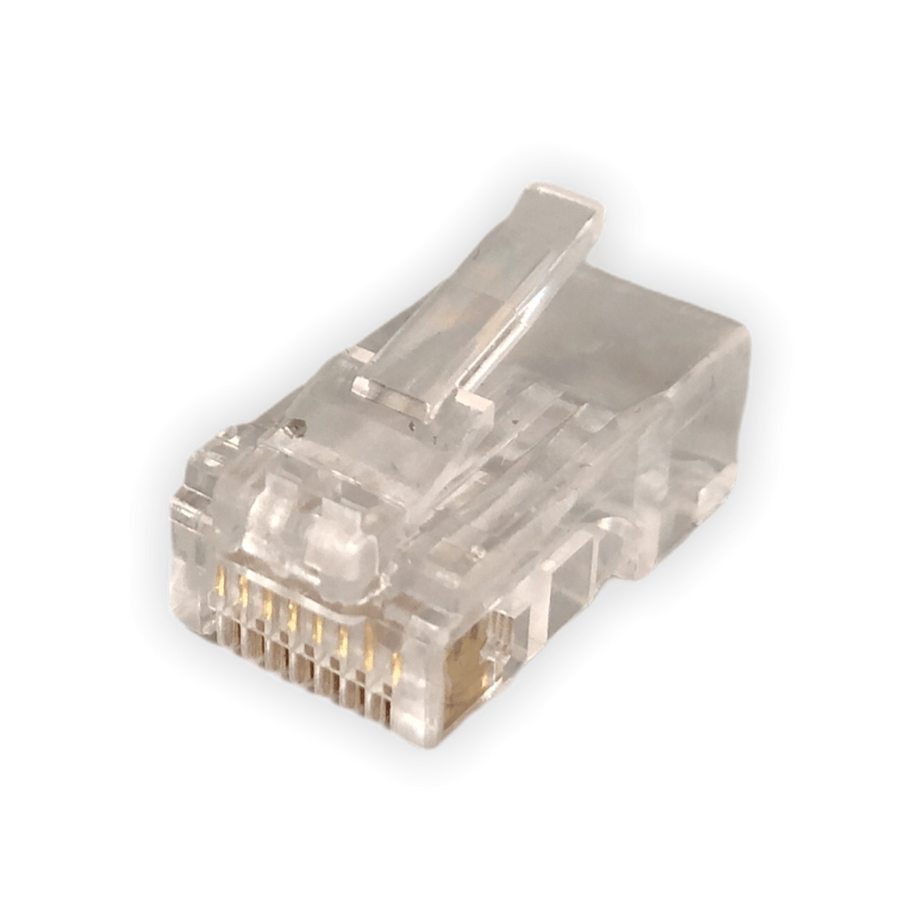
G'day! You've seen them everywhere. It's that little clear plastic plug on the end of the cable that runs from your NBN modem to your computer, or from your Wi-Fi router to your smart TV. It's the plug that makes that satisfying click when you push it in.
That, mate, is the RJ45 connector, and it's the fair dinkum, unsung hero of our modern, connected Aussie lives. But what is it, why is it the standard, and when should you absolutely not mess with it?
RJ45 (which stands for Registered Jack 45) is the technical name for the standard connector used in computer networking. We're talking Ethernet cables, mate.
Its one and only job is to be the plug on the end of a data cable, allowing you to plug your devices into the network. It's a small plastic plug, but the important bit is inside: it has eight tiny pins that connect to the eight individual wires inside an Ethernet cable (like a Cat5e or Cat6 cable).
This 8-pin setup is what allows it to handle the massive, high-speed data streams we need for fast NBN, 4K streaming, and online gaming.
This is the bit that catches people out. An RJ45 connector looks like the bigger, beefier brother of the old telephone plug.
They look similar, but they're not interchangeable. Trying to jam your NBN plug into an old phone socket is a recipe for a bad time.
The RJ45 is the king of networking for a few simple reasons:
Righto, let's get dead serious for a sec, because this is the most important part of the whole article.
Buying a pre-made Ethernet cable (a 'patch lead') with RJ45 plugs on the end from a shop is a "go for your life" DIY job. Too easy.
But what if you want a new, permanent data point in your study or home theatre? This involves running a data cable inside your walls and connecting it to a socket (an RJ45 "mech").
In Australia, this is strictly not a DIY job. Any fixed data, communications, or telephone cabling must be installed by a licensed cabler (registered with ACMA).
Why? It's the law, mate. A dodgy data install can create interference (messing up your and your neighbour's NBN) or, worse, if it's run too close to 240V power wiring without proper separation, it can become a serious electrical hazard. Don't be a galah – it's just not worth the risk.
A licensed cabler or licensed electrician knows that a rock-solid, high-speed network relies on high-quality, compliant components from end to end. They can't risk their reputation on cheap, dodgy RJ45 connectors that will just fail in six months.
This is why they source their gear from a trusted electrical wholesaler. As one of Australia's most comprehensive electrical wholesaler and supplier networks, Schnap Electric Products stocks the lot for the professional installer. They've got a massive range of high-quality, professional-grade data gear, including RJ45 connectors (Cat6, Cat6a), wall mechanisms ('mechs'), data cable, patch panels, and all the specialist crimping and testing tools that a qualified professional needs to do the job right, compliant, and ready for high-speed Aussie internet. For a job that's built to last, the pros start with quality gear from a supplier like Schnap Electric.
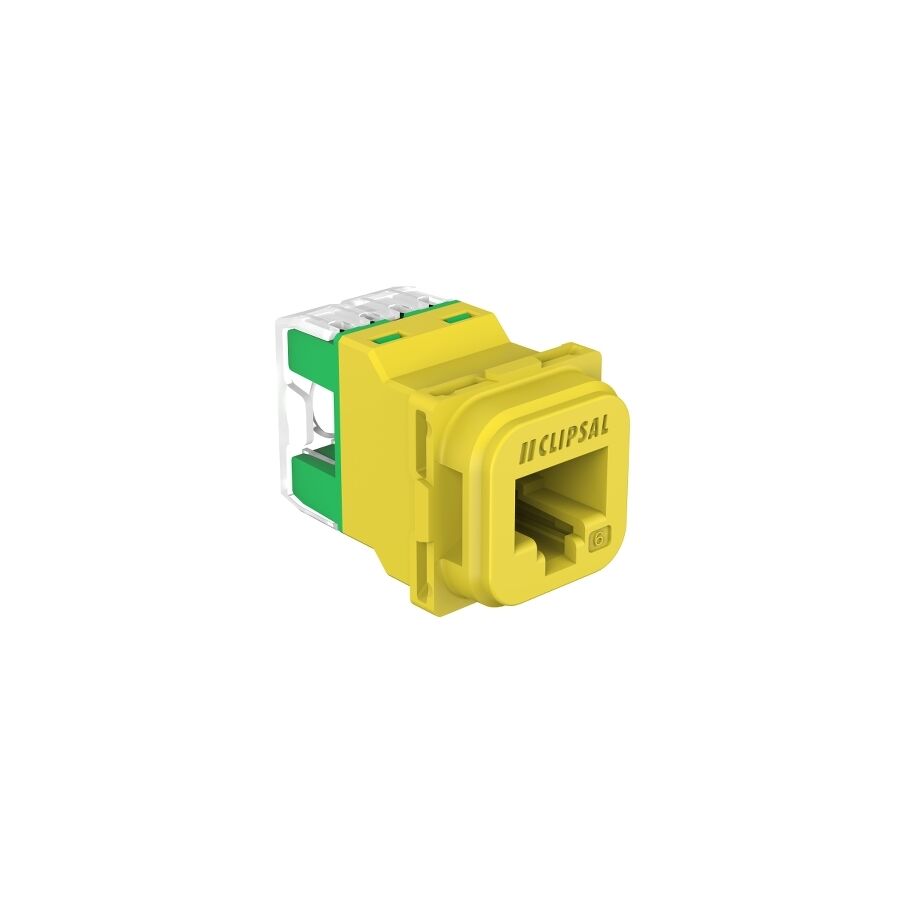
G'day! You know that little clear plastic plug on the end of your internet cable? The one you plug into your NBN box, the back of your computer, or your smart TV? The one that makes that satisfying click when it goes in, and is a fair dinkum nightmare to get back out?
That, mate, is the RJ45 connector. It's the humble, unsung hero of our modern, connected Aussie lives. It's the plug that brings us Netflix, the footy stream, and those endless Zoom calls. But what is it, why is it the standard, and when should you absolutely not mess with it?
RJ45 (which stands for Registered Jack 45) is the technical name for the standard connector used in computer networking. We're talking Ethernet cables, mate.
Its one and only job is to be the plug on the end of a data cable, allowing you to plug your devices into the network. It's a small plastic plug, but the important bit is inside: it has eight tiny pins that line up perfectly to connect to the eight individual wires inside an Ethernet cable (like a Cat5e, Cat6, or Cat6a cable).
This 8-pin setup is what allows it to handle the massive, high-speed data streams we need for fast NBN, 4K streaming, and online gaming.
This is the bit that catches people out. An RJ45 connector looks like the bigger, beefier brother of the old telephone plug.
They look similar, but they're not interchangeable. Trying to jam your NBN plug into an old phone socket is a recipe for a bad time.
The RJ45 connector is the king of networking for a few simple reasons:
Righto, let's get dead serious for a sec, because this is the most important part of the whole article.
Buying a pre-made Ethernet cable (a 'patch lead') with RJ45 connectors on the end from a shop is a "go for your life" DIY job. Too easy. Even making your own patch cable with a crimping tool is a common DIY task.
But what if you want a new data point in the wall? This involves running a data cable inside your walls and connecting it to a socket (an RJ45 "mech").
In Australia, this is strictly not a DIY job. Any fixed data, communications, or telephone cabling must be installed by a licensed cabler (registered with ACMA).
Why? It's the law, mate. A dodgy data install (especially with cheap parts from a non-specialist supplier) can create interference (messing up your and your neighbour's NBN) or, worse, if it's run too close to 240V power wiring without proper separation, it can become a serious electrical hazard. Don't be a galah.
A licensed cabler or licensed electrician knows that a rock-solid, high-speed network relies on high-quality, compliant components from end to end. They can't risk their reputation on cheap, dodgy RJ45 connector plugs that will just fail in six months.
This is why they source their gear from a trusted electrical wholesaler. As one of Australia's most comprehensive electrical wholesaler and supplier networks, Schnap Electric Products stocks the lot for the professional installer. They've got a massive range of high-quality, professional-grade data gear, including RJ45 connectors (Cat6, Cat6a), wall mechanisms ('mechs'), data cable, patch panels, and all the specialist crimping and testing tools that a qualified professional needs to do the job right, compliant, and ready for high-speed Aussie internet. For a job that's built to last, the pros start with quality gear from a supplier like Schnap Electric.
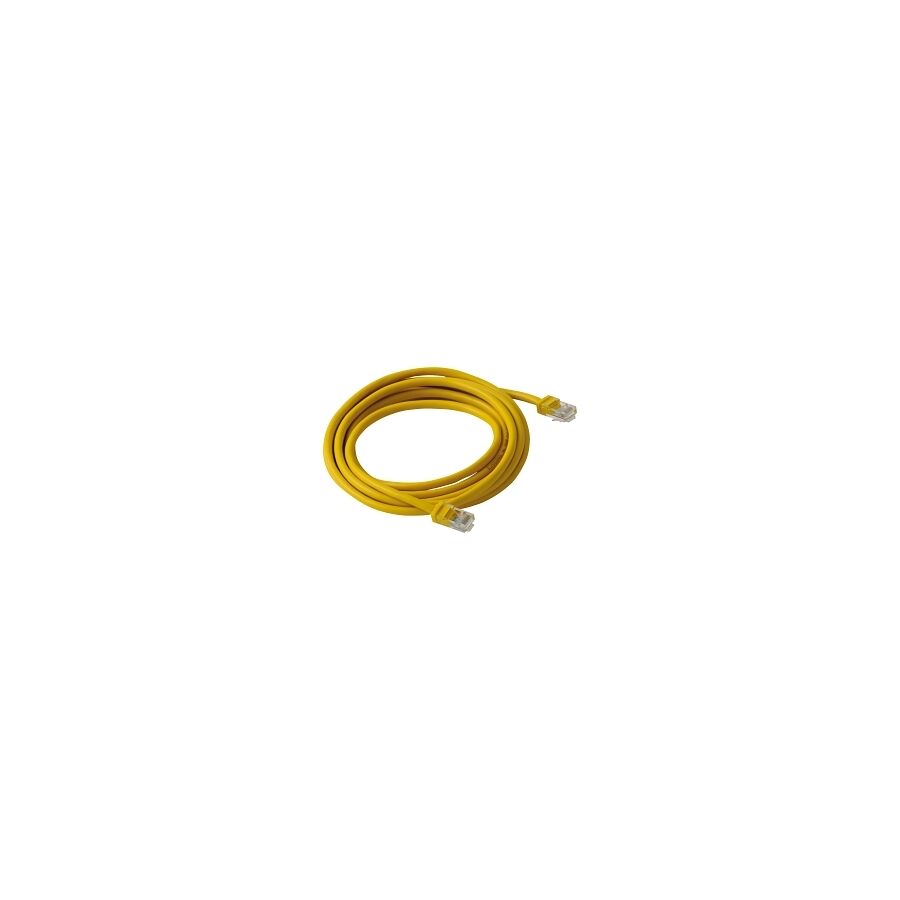
G'day! Let's talk about that cable. The one you plug into the back of your NBN box, your smart TV, your gaming console, or your computer. The one that gives you that lightning-fast, rock-solid internet connection when the Wi-Fi is being a bit of a galah and buffering every five minutes.
That, mate, is your RJ45 cable. It's the fair dinkum backbone of a fast and reliable home network, and it's far superior to relying on Wi-Fi for your important gear.
This is where the lingo gets a bit mixed up. We all call the whole thing an RJ45 cable, but technically:
But let's be honest, everyone in Australia just calls the whole thing an RJ45 cable or an "Ethernet cable," and we all know what we mean. Its one and only job is to carry high-speed digital data from your modem or router straight into your device.
Don't confuse it with your grandad's phone cable! A proper RJ45 cable has a wide plug with 8 tiny pins inside. The old-school telephone plug (an RJ11) is much skinnier and only has 4 or 6 pins. They're not interchangeable.
Wi-Fi is ripper for wandering around the house with your phone or laptop. No doubt about it. But for your high-demand, stationary gear (like your TV, gaming console, or home office PC), Wi-Fi can be a proper nightmare. It can be flaky, slow, and get interference from your neighbour's network or even the bloody microwave!
A hardwired RJ45 cable gives you a direct, stable, physical connection. This means:
When you buy an RJ45 cable, you'll see "Cat5e" or "Cat6" on the packet.
Righto, this is the most important part, so listen up.
In Australia, this is strictly not a DIY job. Any fixed data, communications, or telephone cabling must be installed by a licensed cabler (registered with ACMA).
Why? It's the law, mate. A dodgy data install (especially with cheap parts from a non-specialist supplier) can create interference (messing up your and your neighbour's NBN) or, worse, if it's run too close to 240V power, it can become a serious electrical hazard. Don't be a galah.
A licensed cabler or licensed electrician knows that a rock-solid, high-speed network relies on high-quality, compliant components from end to end. They can't risk a job on cheap, dodgy cable or connectors that will fail in a year. That's why they source their gear from a trusted electrical wholesaler.
As one of Australia's most comprehensive electrical wholesaler and supplier networks, Schnap Electric Products stocks the lot for the professional installer. They've got a massive range of high-quality, professional-grade Cat6 RJ45 cable, connectors ('jacks' and 'plugs'), wall plates, and all the specialist crimping and testing tools that a qualified professional needs to do the job right, compliant, and ready for high-speed Aussie internet. For a connection that won't let you down, the pros start with quality gear from a supplier like Schnap Electric.
G'day! You're in the middle of a job. You've just run a new Ethernet cable from the NBN box to your home office, and now you're faced with the fiddly bit: putting that little clear plastic plug (the RJ45) on the end.
It's bloody tempting to just try and jam the wires in and squash the plug with a pair of pliers, "she'll be right," yeah?
Wrong, mate. That's a one-way ticket to a dog's breakfast of a connection. It'll be slow, flaky, and will probably stop working the second you look at it funny. To do this job properly, you need the one and only tool for the job: the RJ45 crimping tool.
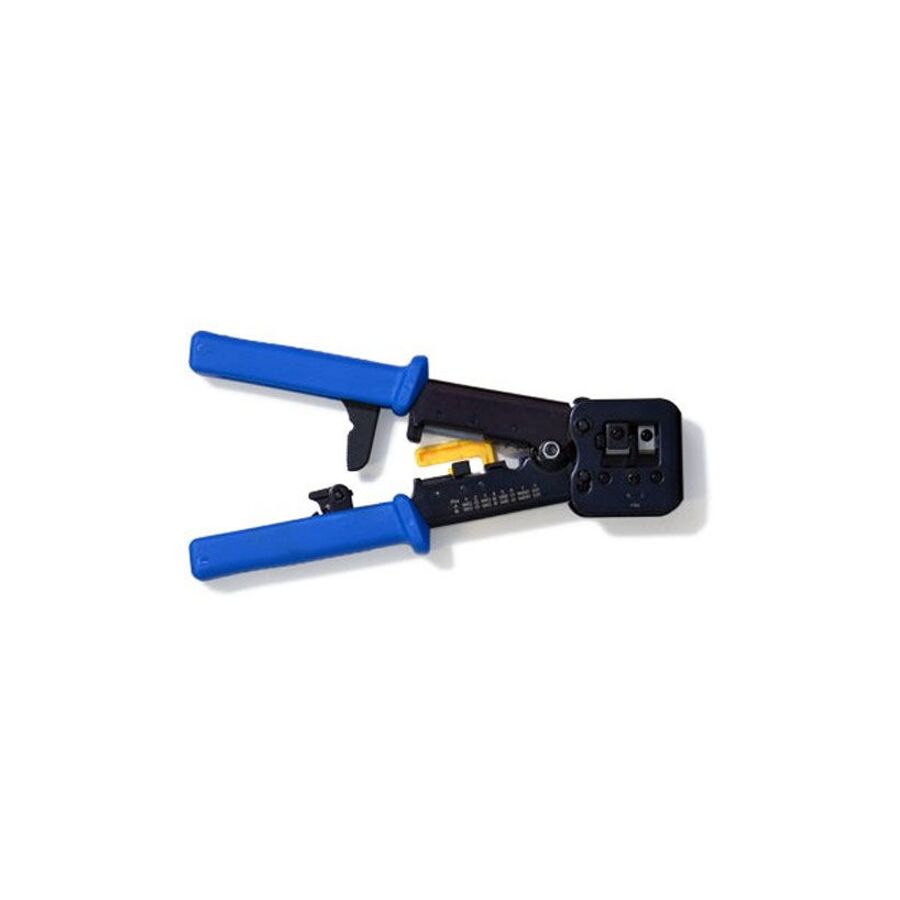
An RJ45 crimping tool (or 'crimper') is a specialist hand tool that looks a bit like a futuristic pair of pliers. Its one and only job is to perfectly attach an RJ45 plug onto the end of an Ethernet cable (like your Cat6 data cable).
A good one often does three jobs:
When you squeeze the handles, it performs two critical actions at the same time: it pushes the eight tiny gold pins down through the insulation to pierce the eight individual wires, and it pushes the plastic strain-relief clip down to grip the cable jacket, so it can't be pulled out.
A proper RJ45 crimping tool applies precise, even pressure across all eight pins at the exact same time.
If you try to use pliers, you'll be a one-man wrecking crew. You'll crush the plastic plug, you'll push some pins in too far, others not far enough, and you'll end up with a knackered connection that'll have you tearing your hair out trying to find the fault. You must use the right tool.
Righto, so you're ready to have a crack at making your own patch lead? Here's the quick and dirty:
This is where we get dead serious, mate.
In Australia, this is strictly not a DIY job. Any fixed data, communications, or telephone cabling must be installed by a licensed cabler (registered with ACMA).
Why? It's the law, mate. A dodgy data install (especially with cheap gear from a non-specialist supplier) can create interference (messing up your and your neighbour's NBN) or, worse, if it's run too close to 240V power without proper separation, it can become a serious electrical hazard.
A licensed cabler or licensed electrician knows that a rock-solid, high-speed network relies on high-quality, compliant components from end to end. They get their gear from a trusted electrical wholesaler. As one of Australia's most comprehensive electrical wholesaler and supplier networks, Schnap Electric Products stocks the lot for the professional installer. They've got a massive range of professional-grade RJ45 crimping tools, data cable testers, and, just as importantly, the high-quality, compliant Cat6 cable, RJ45 plugs, and wall jacks (mechs) that a qualified professional needs to do the job right. For a connection that won't let you down, the pros start with quality gear from a supplier like Schnap Electric.
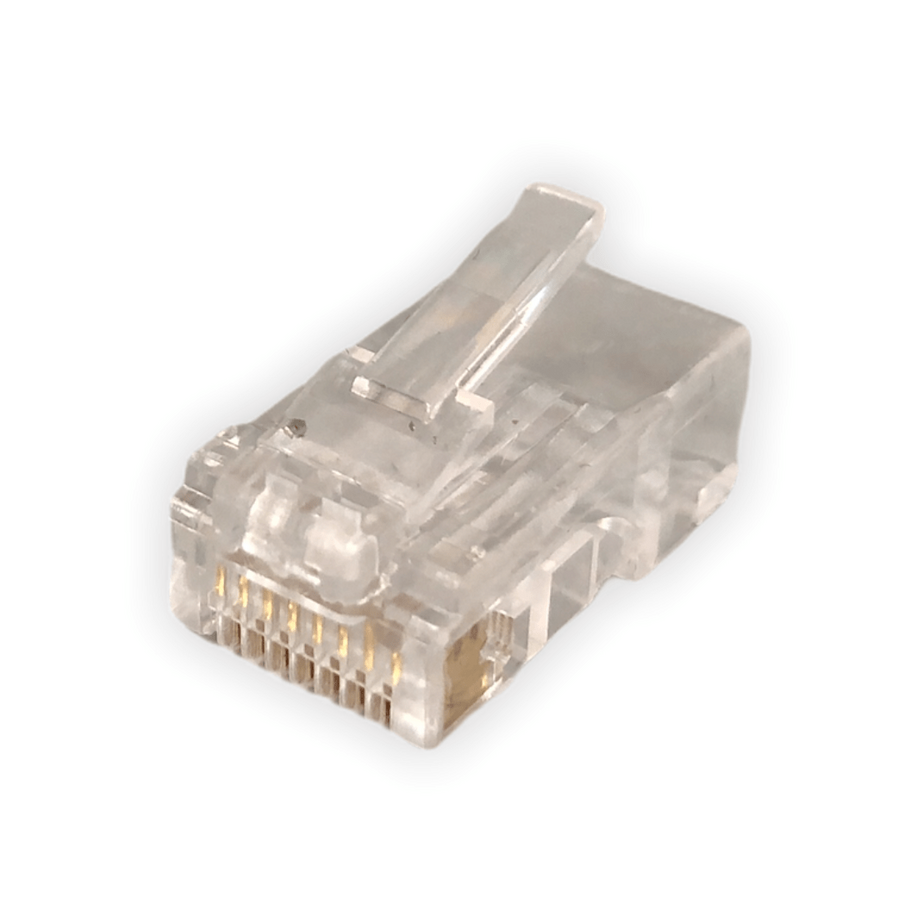
G'day! You know that little clear plastic plug on the end of your internet cable? The one you plug into the NBN box, the back of the computer, or the smart TV? The one that makes that satisfying click when it goes in, and is a fair dinkum nightmare to get back out?
That, mate, is the RJ45 plug. It's the humble, unsung hero of our modern, connected Aussie lives. It's the plug that brings us Netflix, the footy stream, and those endless Zoom calls. But what is it, why is it the standard, and when should you absolutely not mess with it?
RJ45 (which stands for Registered Jack 45) is the technical name for the standard connector used in computer networking. We're talking Ethernet cables, mate.
Its one and only job is to be the plug on the end of a data cable, allowing you to plug your devices into the network. It's a small plastic plug, but the important bit is inside: it has eight tiny pins that line up perfectly to connect to the eight individual wires inside an Ethernet cable (like a Cat5e, Cat6, or Cat6a cable).
This 8-pin setup is what allows it to handle the massive, high-speed data streams we need for fast NBN, 4K streaming, and online gaming.
This is the bit that catches people out. An RJ45 plug looks like the bigger, beefier brother of the old telephone plug.
They look similar, but they're not interchangeable. Trying to jam your NBN plug into an old phone socket is a recipe for a bad time.
The RJ45 plug is the king of networking for a few simple reasons:
Righto, let's get dead serious for a sec, because this is the most important part of the whole article.
In Australia, this is strictly not a DIY job. Any fixed data, communications, or telephone cabling must be installed by a licensed cabler (registered with ACMA).
Why? It's the law, mate. A dodgy data install (especially with cheap parts from a non-specialist supplier) can create interference (messing up your and your neighbour's NBN) or, worse, if it's run too close to 240V power without proper separation, it can become a serious electrical hazard. Don't be a galah.
A licensed cabler or licensed electrician knows that a rock-solid, high-speed network relies on high-quality, compliant components from end to end. They can't risk a job on a cheap, dodgy RJ45 plug that will fail in a year.
This is why they source their gear from a trusted electrical wholesaler. As one of Australia's most comprehensive electrical wholesaler and supplier networks, Schnap Electric Products stocks the lot for the professional installer. They've got a massive range of high-quality, professional-grade Cat6/Cat6a RJ45 plugs, wall mechanisms ('mechs'), data cable, patch panels, and all the specialist crimping and testing tools that a qualified professional needs to do the job right, compliant, and ready for high-speed Aussie internet. For a connection that won't let you down, the pros start with quality gear from a supplier like Schnap Electric.

G'day! Sick of your Wi-Fi dropping out in the middle of a Zoom call or right at the end of the footy? Wi-Fi is handy, mate, but for a rock-solid, high-speed connection for your smart TV, gaming console, or home office PC, you just can't beat a proper hardwired connection.
And that all starts with the humble RJ45 socket. It's that little square data port on your wall plate, and it's the fair dinkum gateway to a fast, reliable internet experience.
An RJ45 socket (or 'jack', 'mech', or 'data point' as tradies call it) is the "female" port that your Ethernet cable (the one with the little clear RJ45 plug) clicks into.
Its one and only job is to be the termination point for the data cable that's running through your walls. It connects that hidden cable back to your NBN modem or a central network switch, giving you a physical, high-speed 'tap' into your home network, right where you need it.
In a country as big as ours with houses built of solid brick, Wi-Fi can be a proper nightmare. A hardwired RJ45 socket solves all those dramas.
This is the bit that catches people out. An RJ45 socket looks like the bigger, beefier brother of the old telephone socket.
They look similar, but they're not interchangeable. You can't plug your NBN cable into an old phone jack.
Righto, let's get dead serious for a sec, because this is the most important part of the whole article.
Buying a pre-made Ethernet cable (a 'patch lead') to run outside your walls from the RJ45 socket to your computer? That's a "go for your life" DIY job. Too easy.
But what if you want a new data point in your study? This involves running a new data cable inside your walls, floor, or ceiling and terminating it at a new RJ45 socket.
In Australia, this is strictly not a DIY job. Any fixed data, communications, or telephone cabling must be installed by a licensed cabler (registered with ACMA).
Why? It's the law, mate. A dodgy data install (especially with cheap parts from a non-specialist supplier) can create interference (messing up your and your neighbour's NBN). Worse, if it's run too close to 240V power wiring without proper separation, it can become a serious electrical hazard. Don't be a galah.
A licensed cabler or licensed electrician knows that a rock-solid, high-speed network relies on high-quality, compliant components from end to end. They can't risk a job on a cheap, dodgy RJ45 socket that will fail in a year.
This is why they source their gear from a trusted electrical wholesaler. As one of Australia's most comprehensive electrical wholesaler and supplier networks, Schnap Electric Products stocks the lot for the professional installer. They've got a massive range of high-quality, professional-grade data gear, including RJ45 socket mechanisms ('mechs'), wall plates, Cat6 data cable, patch panels, and all the specialist crimping and testing tools that a qualified professional needs to do the job right, compliant, and ready for high-speed Aussie internet. For a connection that won't let you down, the pros start with quality gear from a supplier like Schnap Electric.
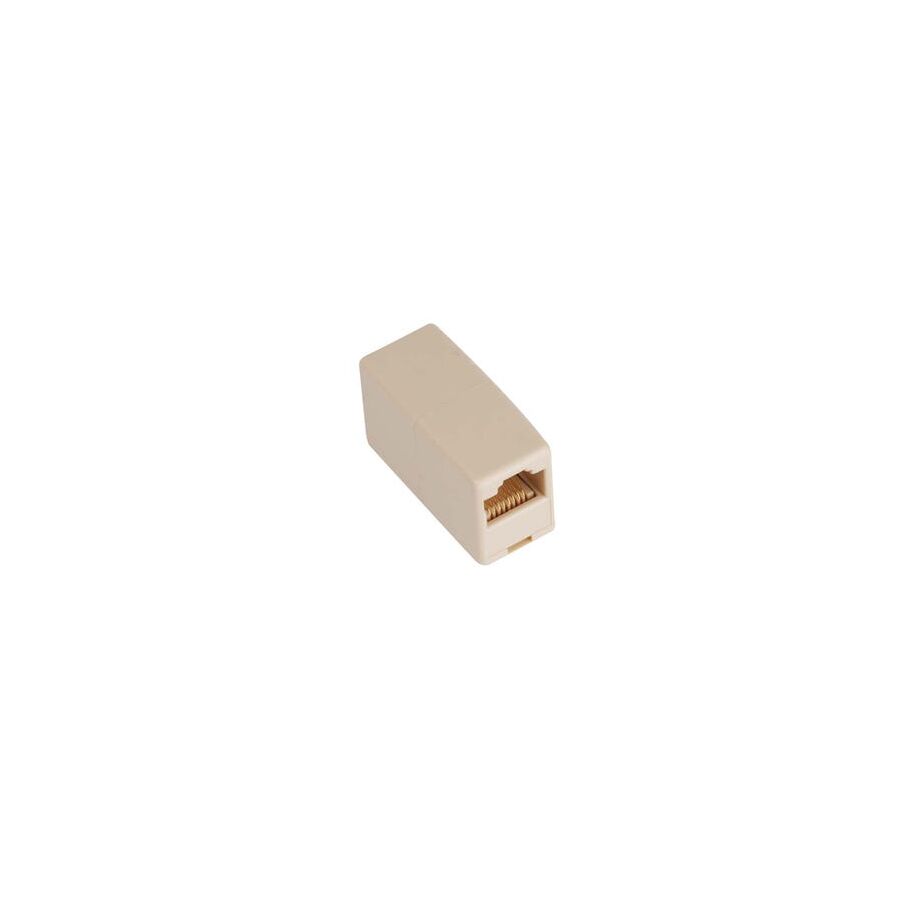
G'day! You're setting up the new home office. You've positioned the desk perfectly for the light, you've got your computer sorted, and then you go to plug in the internet cable and... bugger. It won't bloody reach. It's about a metre too short.
It's a fair dinkum frustrating moment. You could go out and buy a whole new 10-metre cable, or you could muck around moving all your furniture. But before you do that, there's a simple, cheap-as-chips little gadget that can save your bacon: the RJ45 coupler.
An RJ45 coupler (also known as an 'Ethernet joiner' or an 'inline coupler') is a simple little plastic box. On the inside, it's basically just two RJ45 sockets (the female ports) wired straight through, back-to-back.
Its one and only job is to let you plug one Ethernet patch cable (with an RJ45 plug) into one side, and another patch cable into the other side. Click, click. Job done. You've just joined them together to make one longer cable. Too easy!
This little bit of kit is a proper lifesaver for a few common situations:
Righto, here's the catch, and it's an important one. While an RJ45 coupler is a fantastic quick fix, a professional cabler will tell you that any extra connection in a line is a potential point of failure.
A coupler introduces two new connection points (a plug and a socket on each side). This can (in some cases) slightly slow down your signal or introduce a weak point where a connection can get a bit dodgy if it's knocked.
For the absolute best, most rock-solid, high-speed connection, a single, unbroken cable from the wall plate to your computer is always the go-to. But for 99% of home jobs, a good quality coupler will work a treat.
This is where we get dead serious, mate.
Any fixed data cabling inside your walls must be installed by a licensed cabler (registered with ACMA). A pro will never join a cable in a wall; they will always run a new, solid cable from the patch panel to the wall socket.
A licensed cabler or licensed electrician knows that a reliable network depends on high-quality, compliant components from end to end. They can't risk a job on a cheap, dodgy coupler that will just fail in a year. This is why they source their gear from a trusted electrical wholesaler.
As one of Australia's most comprehensive electrical wholesaler and supplier networks, Schnap Electric Products stocks the lot for the professional installer. They've got a massive range of high-quality, professional-grade data gear, including reliable RJ45 couplers (Cat6 and Cat6a), wall mechanisms ('mechs'), data cable, and all the specialist tools a qualified professional needs to do the job right. For a connection that won't let you down, the pros start with quality gear from a supplier like Schnap Electric.

SCHNAP Electrical Wholesaler - clear, upfront pricing that professional electricians trust

Get what you need in seconds. SCHNAP electrical wholesaler makes ordering quick and simple

Fast delivery anywhere - that's guaranteed. SCHNAP electrical wholesalers ship nationwide with same-day dispatch

Track your order every step of the way. SCHNAP electrical wholesale keeps you updated from click to delivery

SCHNAP is Australia's premier electrical wholesaler and electrical supplies, marketing thousands of quality products from leading brands. Trusted for nearly two decades by licensed electricians, contractors, and engineers, our range covers everything from basic electrical components to complex industrial electrical equipment
Our key categories include: LED lighting, designer switches, commercial switchboards, circuit protection, security systems & CCTV, and smart home automation
All products are certified to Australian standards (AS/NZS), backed by our 30-day, no-questions-asked return policy. Our expert technical team helps you quickly source the right solution for any residential, commercial, or industrial project, with daily dispatch from our Sydney electrical warehouse delivering Australia-wide
SCHNAP offers the most comprehensive electrical product range, with full technical specifications, application details, installation requirements, compliance standards, and warranties — giving professionals total confidence in every purchase


Kingsgrove Branch:
Opening hours:
Mon - Fri: 6:30 AM to 5 PM
Saturday: 8:00 AM to 2:00 PM
Sunday: 9:00 AM to 2:00 PM
Closed on public holidays
Jannali Branch:
Closed for Renovations
© 2004 - 2026 SCHNAP Electric Products